


January 23, 2026
Question

Problemas asistente IA en Adobe acrobar pro de escritorio

  • January 23, 2026
  • 1 reply
  • 60 views

Tengo una cuenta de Adobe Acrobat Pro y en la versión de escritorio tengo todas las herramientas, pero el asistente de IA se queda "colgado", pensando, "un momento"... y no hace nada.
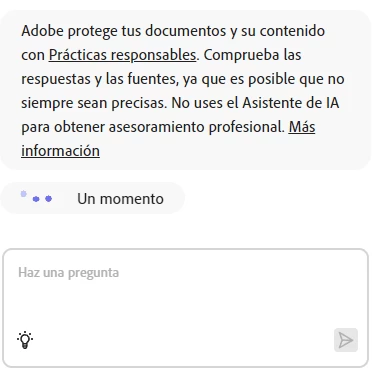
 

Cuando inicio el programa, no me deja pulsar el boton de "comenzar".
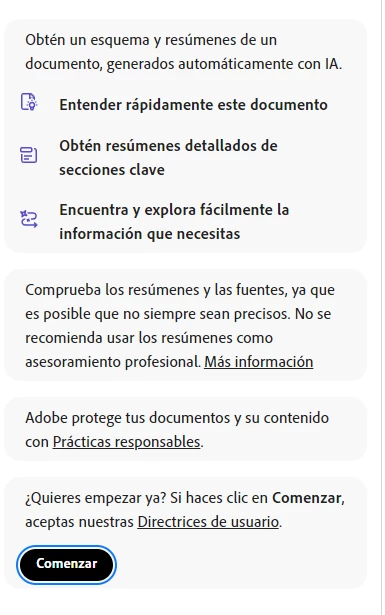
 Sin embargo, en la versión on line sí funciona bien el asistente de IA.

1 reply

creative explorer
Community Expert
Community Expert
January 23, 2026

@francisco_0071 On the desktop app, go to View - Disable new Acrobat — the new UI interface is likely making your Acrobat hang. Acorbat will need to restart to apply the new change. Say OK. Hopefully that fixes that

creativeexplorer_0-1769162893469.png


m
January 23, 2026

@creative explorer  But... if I return to "old" Acrobat interface, there isn´t de AI assistant. (Or I can´t find it)

creative explorer
Community Expert
Community Expert
January 23, 2026

@francisco_0071 that is correct. So, if you truly need the AI Assistant you can edit your PDF on your desktop with the classic view, and use the web version to do the AI portion of it. You just need to sync your file to the Cloud and back down to desktop again. It's a slight work-around, but, also saves your 'sanity' too!?! 

m