

Problems rendering Punjabi and Gujarati text in PDF form inputs
I’m working on a few documents in several languages (Chinese, Urdu, Hindi, etc.). These are forms that people have to fill, so we’re creating them in InDesign, and then exporting them as fillable PDFs.
So far, most of them are working propperly, but Punjabi and Gujarati are giving us issues. It’s been 3 days and we are out of ideas.
The issue: The forms need to be filled in the document’s language, so the Gujarati form will have the inputs filled in Gujarati, for example. Problem is, the text is not rendering correctly in the fields. Similar to when you don’t activate “World Ready Composer” in InDesign. The fonts are broken in the input fields.
This is what we’re getting:
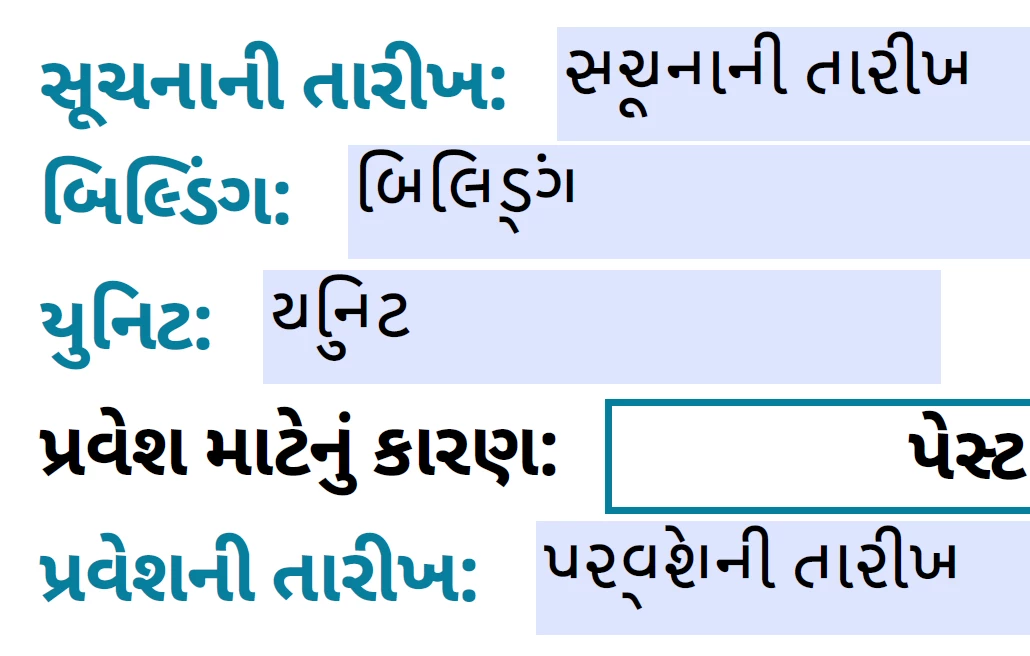
I copy/pasted (from Word, not from the PDF) the same line of text in each input, and as you can see, it doesn’t render correctly. The characters don’t look the same.
Things we have tried:
- Exporting as Print, creating the form in Acrobat
- Exporting as Interactive with the form created in InDesign
- 3 different fonts: Noto Sans Gujarati/Gurmukhi, Google Sans, AmrLipi
- Chaging the encoding in InDesign
- 2 different computers
- Making sure the fonts are 100% embedded in the PDF
As you can see, we’ve tried everything we can think of. Weirdly, other languages work fine: Arabic and Urdu are ok, even right to left. Hindi works well, and it’s very similar to Punjabi and Gujarati. Chinese works well.
As an example, here’s Hindi:
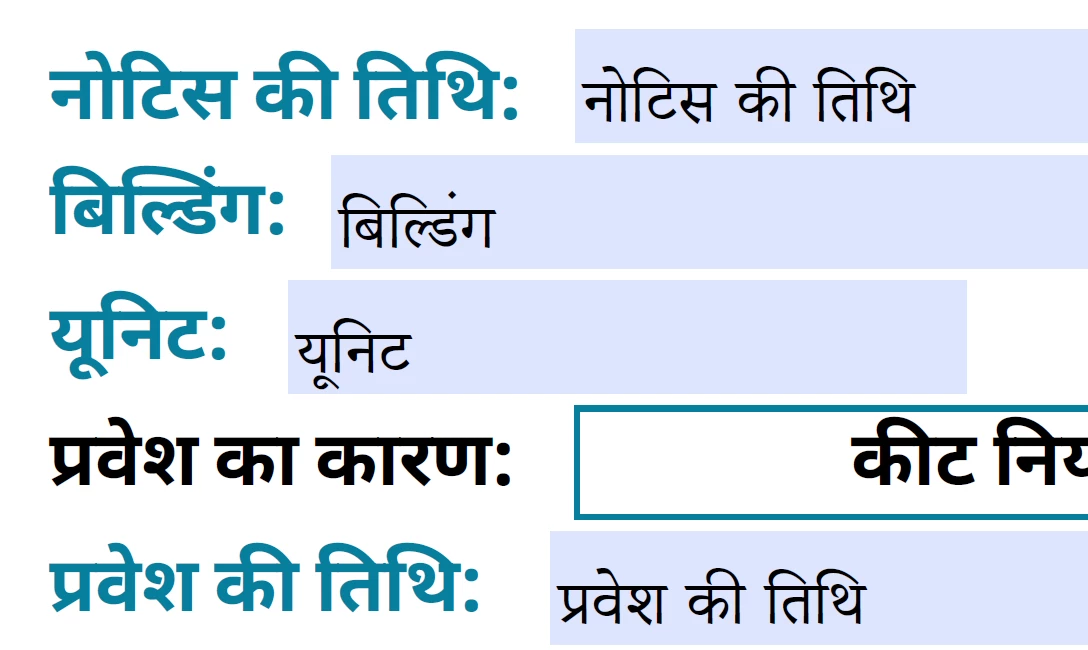
We can’t figure this out.
Any and all help will be incredibly appreciated.
 AdChoices