
blessont90008410
Participant
May 1, 2018
Answered

Prompt for a live signature in a fillable Form

  • May 1, 2018
  • 1 reply
  • 2011 views

I have a form that requires 2 signatures to be signed at the end of services rendered for that session. After a session, the provider and client both needs to sign the document to show/prove the session actually happened. How can I get Adobe to prompt for a live signature for the time the client needs to sign. I know I can use the digital signature for the Provider, but is there a way to get a timestamped signature for the client's signature without having to make a new digital signature?

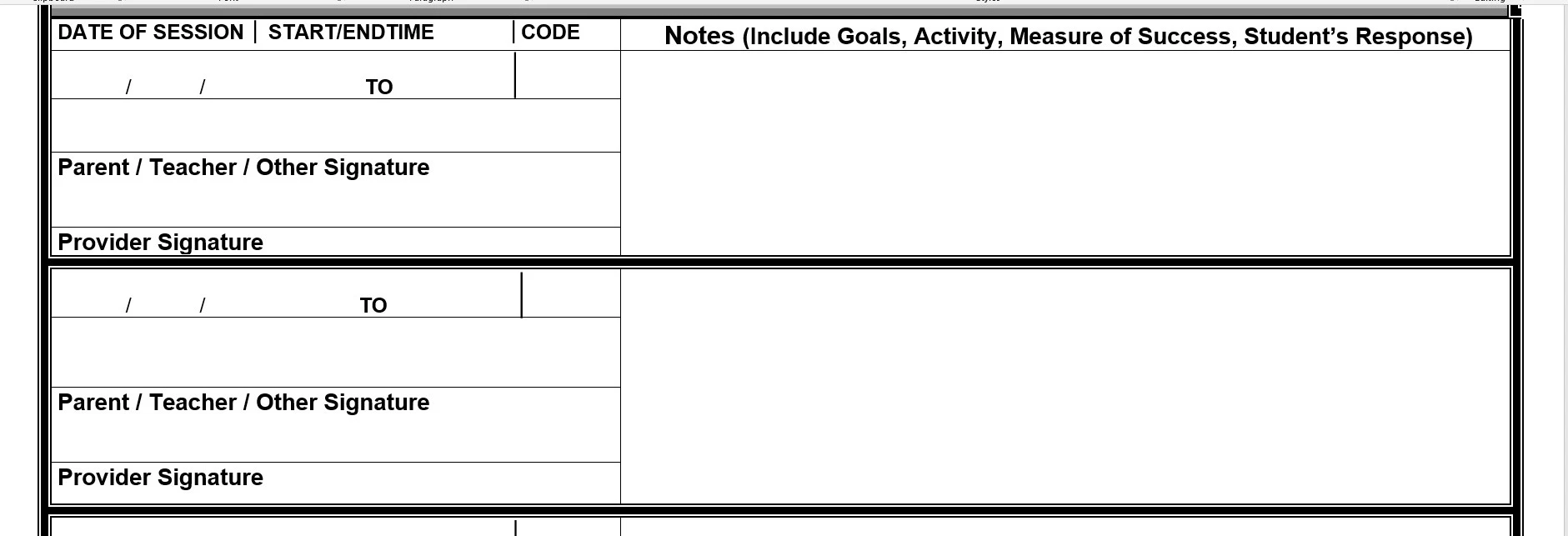
I am using Acrobat to make the form using Form editor and adding fields to the document. I was hoping the providers would use Reader when out with the client. I have attached a screenshot of the word document below. I have started adding fields to be filled out in Acrobat, just figured this was an easier way to see the form without the field boxes in the way.

Any help would be much appreciated.
This topic has been closed for replies.
Correct answer Dave Merchant

"Acrobat" isn't making you do anything, it is the ISO PDF standard that defines what a signature field contains. If you don't want every signer to have a digital ID, then you shouldn't use PDF. Get a purpose-written mobile app, serve an HTML5 form on your website that returns a server-signed PDF, etc.

1 reply

Legend
May 1, 2018

A 'signature' in a PDF form always requires the signer to embed their digital certificate (assumed to be a commercially-purchased identity token validated by Adobe, but in test scenarios a self-signed ID can be used).

The only way to avoid that is to pass the form through Adobe's online Sign service, which uses Adobe's own ID as a proxy certificate, or forget about using a signature field and just use a button or a checkbox (if the identity of the signer isn't being verified by a hardware token then a checkbox is no more "real" than a scribbled shape). Of you could just print it out and use a pen. Pens are popular for a reason.

blessont90008410
Participant
May 1, 2018

I understand what you are saying, and i realize that is what Acrobat is making me do (in reference to the digital certificate). The agency is trying to digitalize this form so it can be used on tablets instead of using pen/paper.

Dave MerchantCorrect answer
Legend
May 2, 2018

"Acrobat" isn't making you do anything, it is the ISO PDF standard that defines what a signature field contains. If you don't want every signer to have a digital ID, then you shouldn't use PDF. Get a purpose-written mobile app, serve an HTML5 form on your website that returns a server-signed PDF, etc.