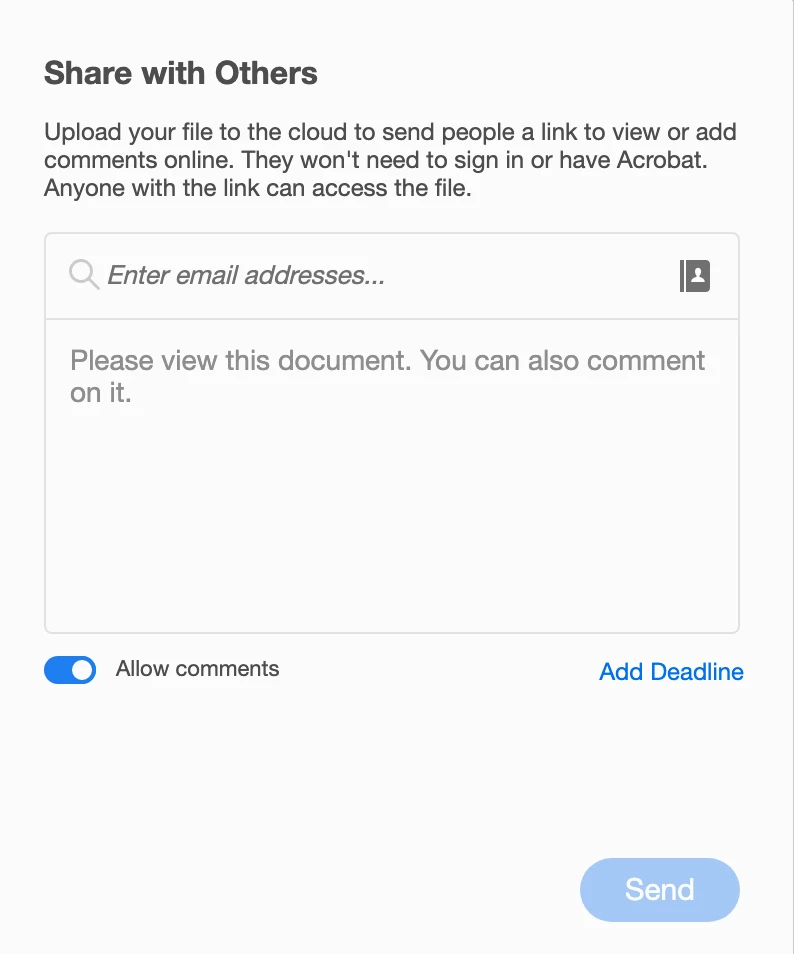
Here is the what the dialog box for Share with Others looks like. You need to be sure and allow comments.
Once you've shared your document with others, it's important to note that the commenting tools are now limited. Most importantly, the "Replace Text" and "Add Text" are both gone. So you'd have make notes to add/replace text in other ways, using what commenting tools are there. Using this method, you will need to manually go in and implement all the changes/comments made in the PDF.
This second screenshot is the toolset in Acrobat after you've shared a docuemnt for review.

This third sreenshot is the toolset in the web browser when viewing a document shared for review.

It's VERY important to note that "Send for Shared Commenting" in Acrobat IS NOT compatible with the workflow of Importing PDF comments into InDesign. While you can import PDF comments into your InDesign document, the funcitonality of being able to Accept them (and have InDesign automatically implement thechanges for you) does not work with PDFs that have been sent for Shared Review.
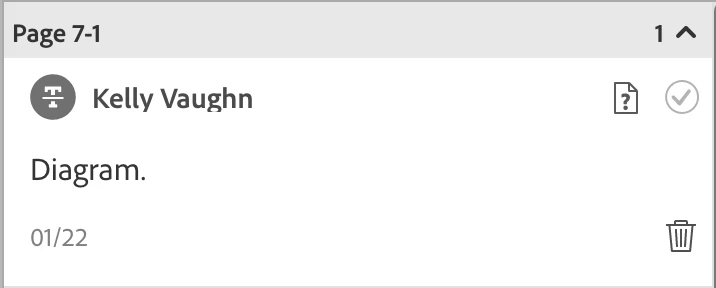
Here is a screenshot from an InDesign document, the PDF comments pane. I used the cross out text tool in a Shaored Review. Notice how next to the trash can, the space is blank. My only choices here are to trash the comment, or "Resolve" it, which is accomplished by clicking the check mark in the top right. Note that clicking that check mark actually does nothing at all. It simply means that I've dealt with it in my own mind and can mentally move on. Clicking that checkmark has no effect whatsoever on the actual document,
Now here is a screenshot of a coment made in Acrobat, on a document NOT sent for Shared Commenting. This is the workflow. This is the workflow described below by @Test_Screen_Name. Notice now there is an "Accept" option next to the trash can. By clicking that, the change will be implemented in your InDesign document. In this case, I've crossed out the phrase "Key Features."

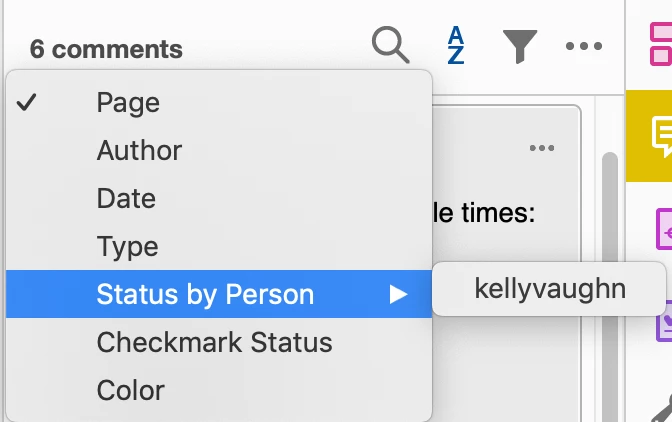
Again, clicking the checkmark does absolutely nothing to your InDesign document. It's effectivey the same as clicking the checkmark on a PDF in Acrobat. It's just a way of making a mental note that you are now completed with that comment. It let's you sort the comments by status (in this case, either Unresolved or Mapped). But to make things even more confusing, this "Status" has nothing to do with the Statuses in Acrobat (Checkmark Status and Status by Person).
Confused much?
I reccomend going with the highly disciplined workflow reccomend by @Test_Screen_Name. If your reviewers are either not disciplened or insist in using Non-Adobe markup tools, that is an entirely different conversation.
It's worth mentioning that there is another (Non-Adobe) software that does offer the ability to do a real time collabortive review, complete with all the commenting tools. But this is the Acrobat forum.



 AdChoices