
Participant
September 21, 2024
Answered

Properties bar shows "no current selection" for Acrobat Pro 2020

  • September 21, 2024
  • 1 reply
  • 728 views

Hello,

Has anyone else developed a problem with the Properties Bar recently?

I think this started after an upgrade to version 2020.005.30710. I'm using the Highlight Text tool and when I view the Properties Bar to change my highlight color, the floating Properties window shows "no current selection." A screenshot is attached.
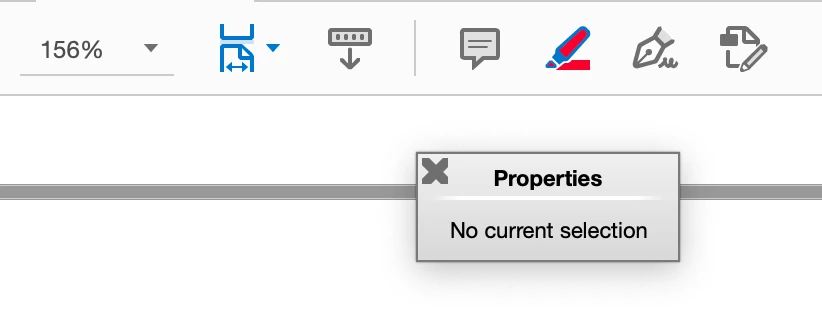
I can use the Comment tool to change the color, but this involves extra steps and does not give you the exact same choices of colors.

Has anyone else seen this or come across a fix?

Thank you!


This topic has been closed for replies.
Correct answer Michael26680575eaks

OK, now I feel foolish. Restarting the application did not work but I restarted the laptop and the Properties Bar is working again. If you have this same problem and have not restarted your OS yet, give it a try.

1 reply

Participant
September 21, 2024

I forgot to add that I am using a MacBook Pro running OS Venture 13.6.9.

Michael26680575eaksAuthorCorrect answer
Participant
September 21, 2024

OK, now I feel foolish. Restarting the application did not work but I restarted the laptop and the Properties Bar is working again. If you have this same problem and have not restarted your OS yet, give it a try.