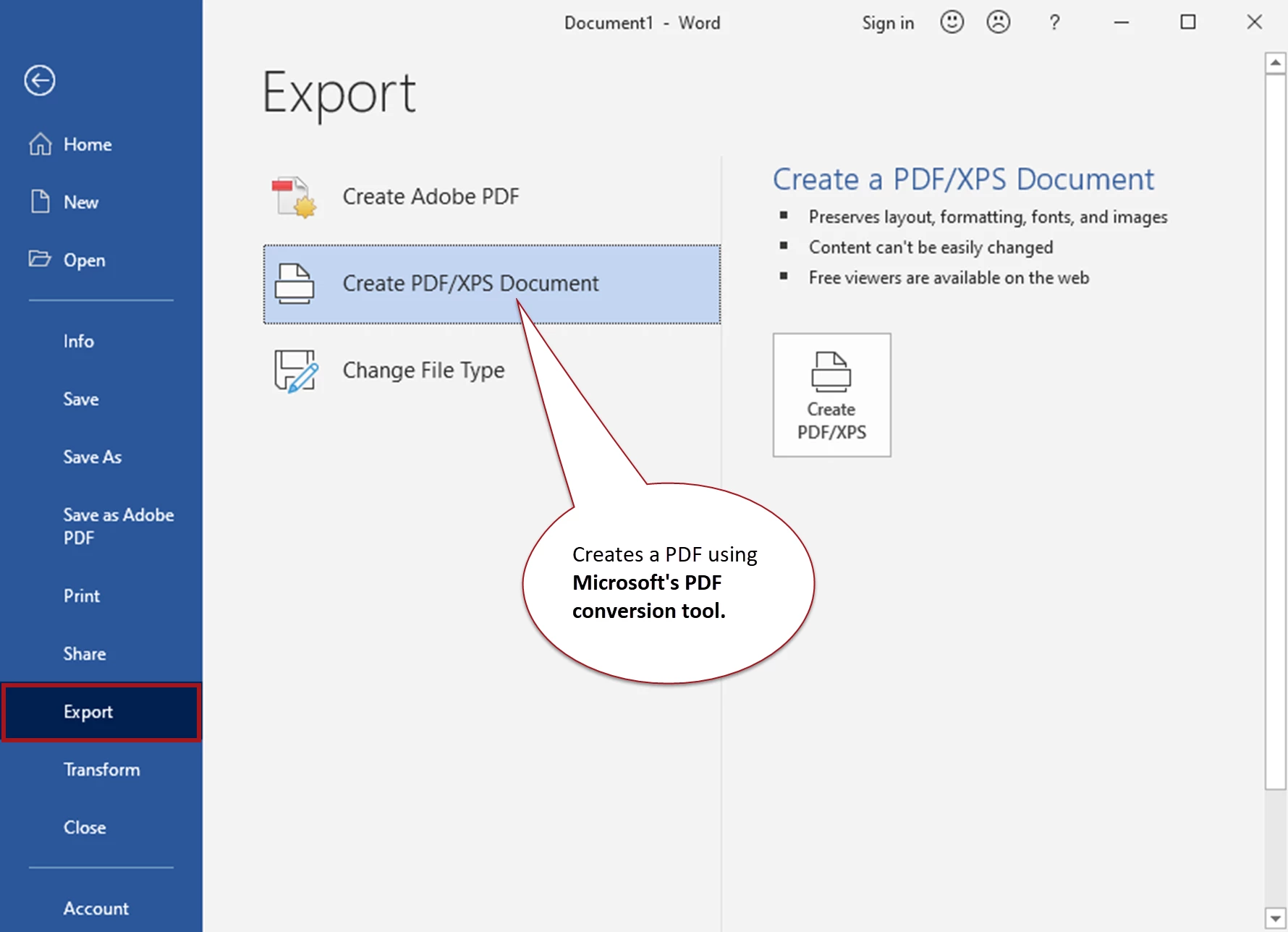
You're using a Microsoft export utililty to create the PDF. The word "Publish" is confusing, but it appears that the file will be stored on your computer, not in the cloud.
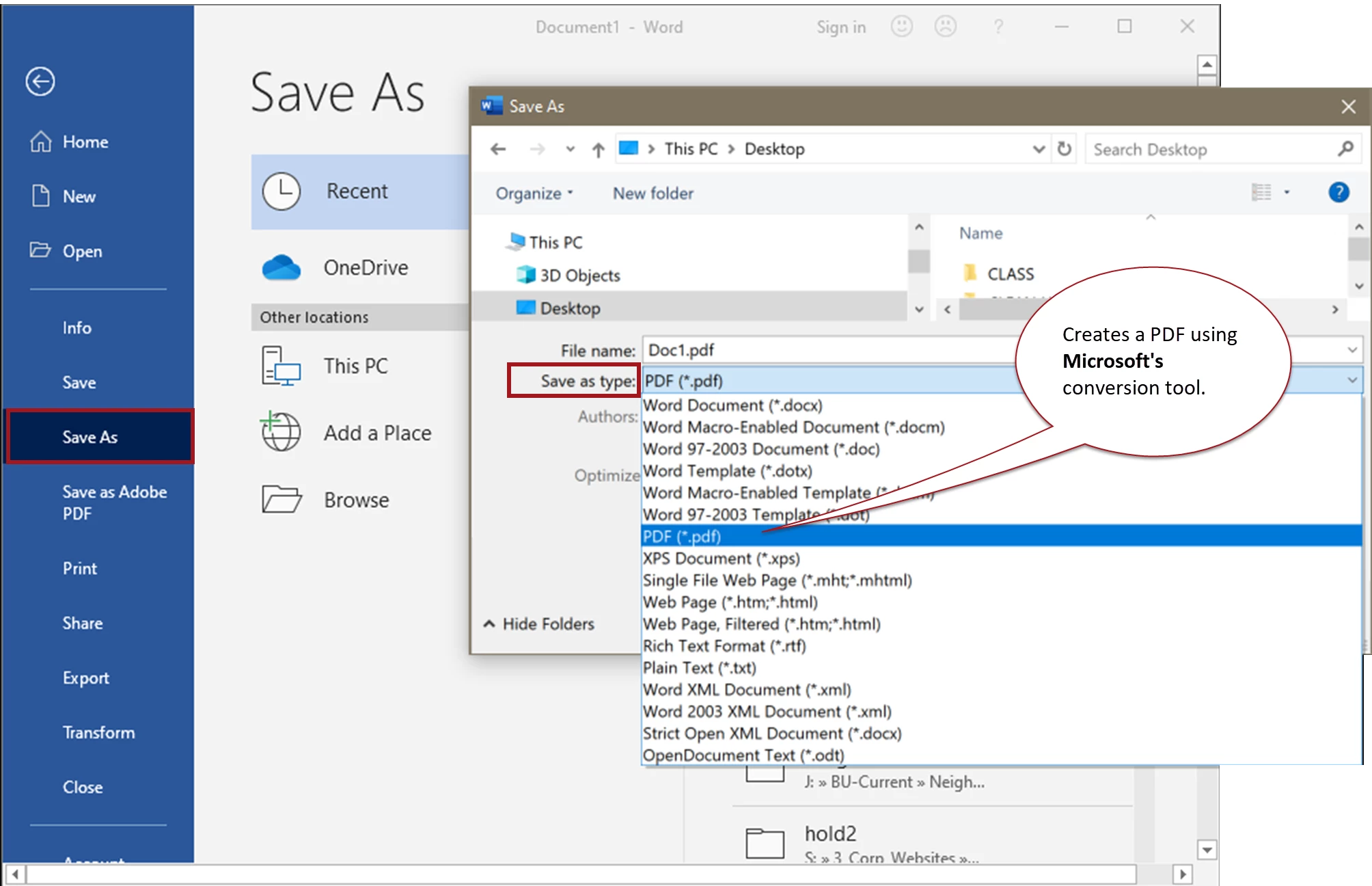
However, you can also "Save As" and select PDF for the file type, and as far as I know that PDF is stored only on your computer and not in Microsoft's cloud. (See the last screen capture below.)
This is an Adobe help forum staffed by volunteers, so we cover only Adobe's programs, not Microsoft's. You might want to ask your question in the MS Word forum at https://support.office.com/ to confirm whether your file will end up on a Microsoft cloud server or on your computer.
Some background that might help:
- "Acer" is a brand of computer that runs the Miscrosoft Windows operating system.
- "PDF" is a type of file that was originally developed by Adobe. But it is now an "open standard" that allows any software program to make PDF files. Microsoft uses its own conversion tool to make PDFs from your Office documents.
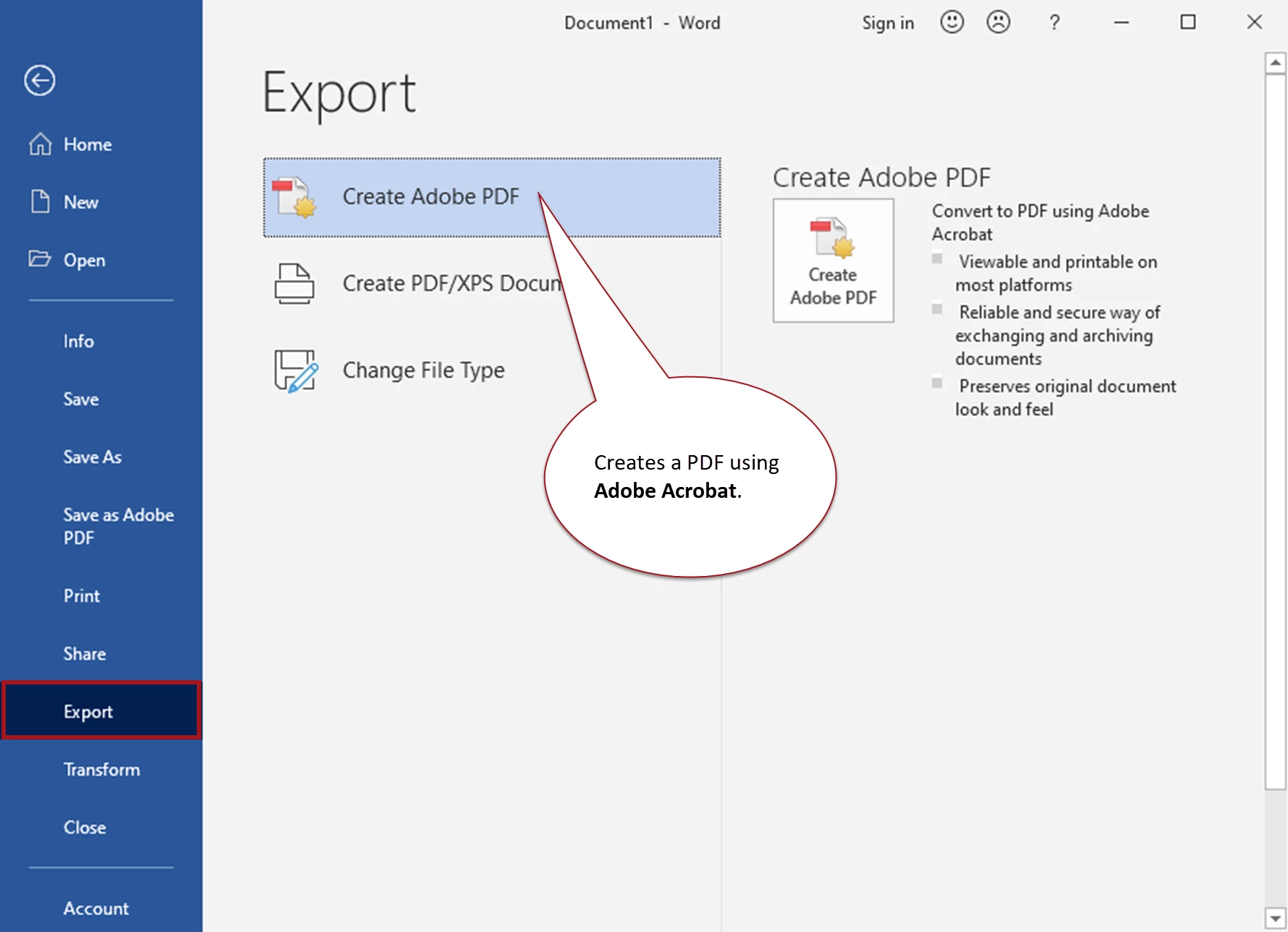
- "Adobe®" and "Acrobat®" are trademarked names ® for Adobe's products. So when you see those words in a menu or tool, you're using an Adobe product that we can help you with.
- You'll see "Adobe" or "Acrobat" only after you have installed Adobe Acrobat's plug-ins for MS Office.
These screen captures might help clear up the confusion...
Export with the Microsoft® conversion tool
Export with Adobe® Acrobat® conversion tool
Save to PDF with the Microsoft® conversion tool
Hope this helps.



 AdChoices