
Participant
January 23, 2025
Question

Question mark move issue

  • January 23, 2025
  • 1 reply
  • 744 views

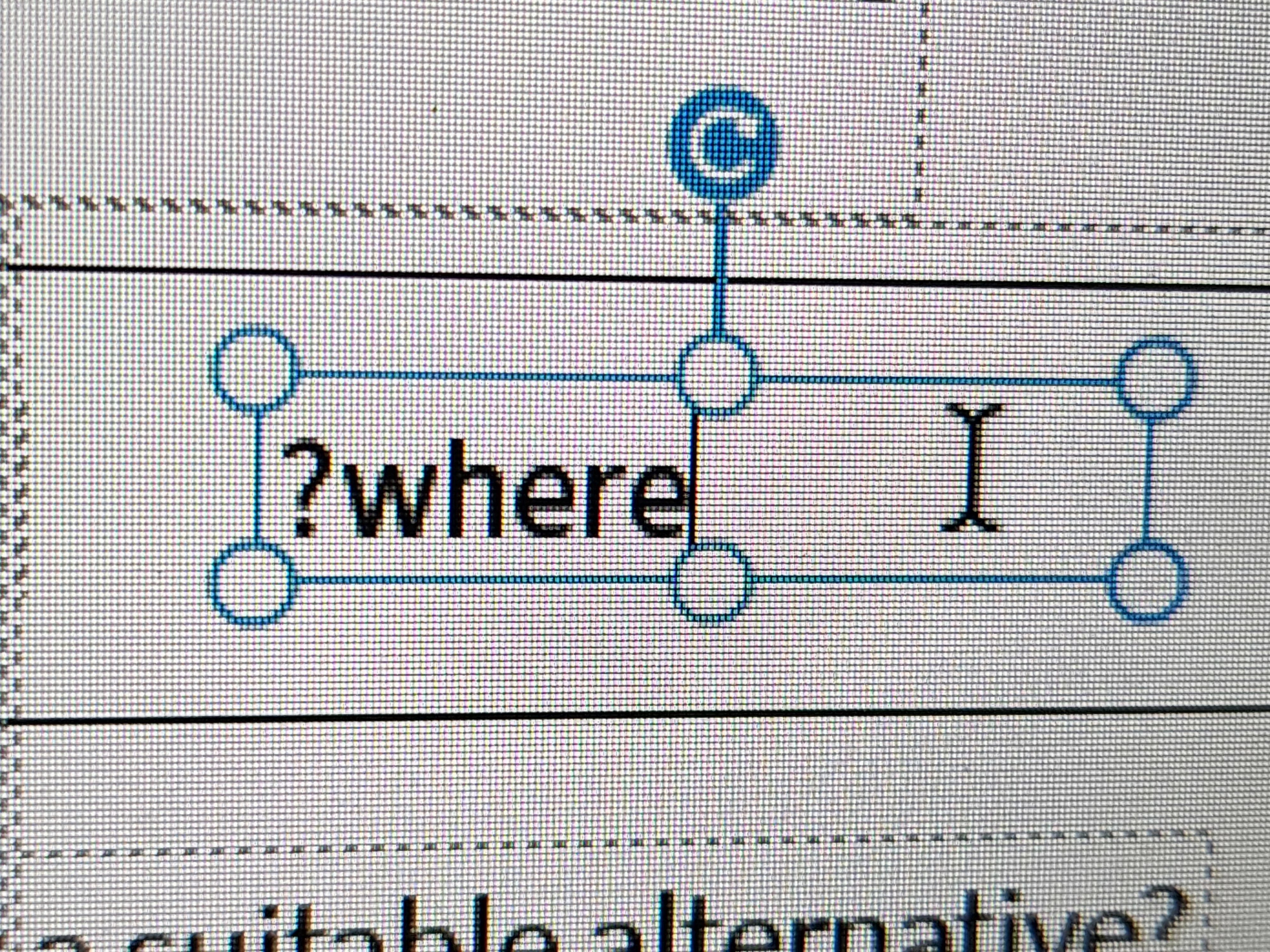
When I'm trying to edit text or replace words question mark jumping from the end of the sentence to somewhere in the middle. When I'm trying to add a new text section and typing a question mark at the end — it appears in front of the sentence. How can I fix this?
 

1 reply

PDF Automation Station
Community Expert
Community Expert
January 23, 2025

Type "where" in front fo the question mark, then use the right arrow key to move the cursor after the question mark.  Then press the delete key until the 2nd "where" is gone.

Legend
January 23, 2025

Hi @DmitriiErshov


Thanks for reaching out with your question.


In addition to the suggestions provided by @PDF Automation Station. Please ensure you are using Edit text not Fill and Sign: https://adobe.ly/3PLQorV;

Also, check the language Preferences. To do so, launch Acrobat, then use Ctrl/Cmd and K. You will see the preference window—check the preferences and see if they are appropriate to your preferences or requirements. 

Impact of Language Preference:

Text Encoding

  • Some languages require specific encoding rules (e.g., right-to-left for Arabic or Hebrew, or specific characters for Asian languages). Setting the appropriate language ensures proper handling of text direction and encoding during editing.

Alignment and Layout

  • Text alignment and layout settings might also be influenced by the application language. For example, right-to-left languages like Arabic or Hebrew need to be properly recognized to maintain correct paragraph flow during edits.


If you have any additional feedback or questions, feel free to share them. We’re always looking for ways to improve your experience!


~Tariq

Adobe Employee
January 27, 2025

I looked through all the settings, but I didn't find how to fix the\issue. I can put a question mark or parentheses in the middle of the word. But as soon as I continue typing and the text moves to the next line, all punctuation marks move to the beginning of the\line. Nor can they be selected using the\cursor. Just delete it by placing the cursor at the end of the sentence and clicking Backspace.


Hi @DmitriiErshov , can you share your Acrobat version and if possible any recording of the issue? Can you also confirm, if this issue of auto jump happening only on one specific file or, happening with any other files?


Regards,

Subrato