

Question
Question regarding column alignment and dropdown boxes
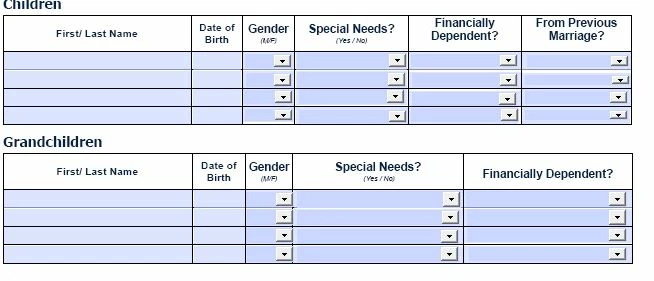
I'm a newbie to editing and converting pdf into forms. We have a word document which I converted into a fillable form. In a couple of the fields I added drop down boxes to make the process easier. Problem is when you add the drop down boxes onto the cells in the table the drop down boxes are really misaligned and I cannot figure out how to make them seem uniform. You can see how misaligned the drop down boxes are. Any and all help would be appreciated. Please see below.
 AdChoices