
Participating Frequently
January 3, 2024
Answered

Quicker way to number text fields in numerical order

  • January 3, 2024
  • 3 replies
  • 1202 views

Hello! Is there a faster way to number text fields than one by one? I'm assuming scripts but I don't know how to use those yet (will learn soon). I have lots of rows and columns of fillable fields so was wondering if there's a quicker way than having the Properties box open and changing the Name and deleting each Tooltip one by one. I need to have it so that the user can tab fluidly instead of tabbing and it jumps all over the page. Thanks for any help.
This topic has been closed for replies.
Correct answer JR Boulay

"Hello! Is there a faster way to number text fields than one by one?"

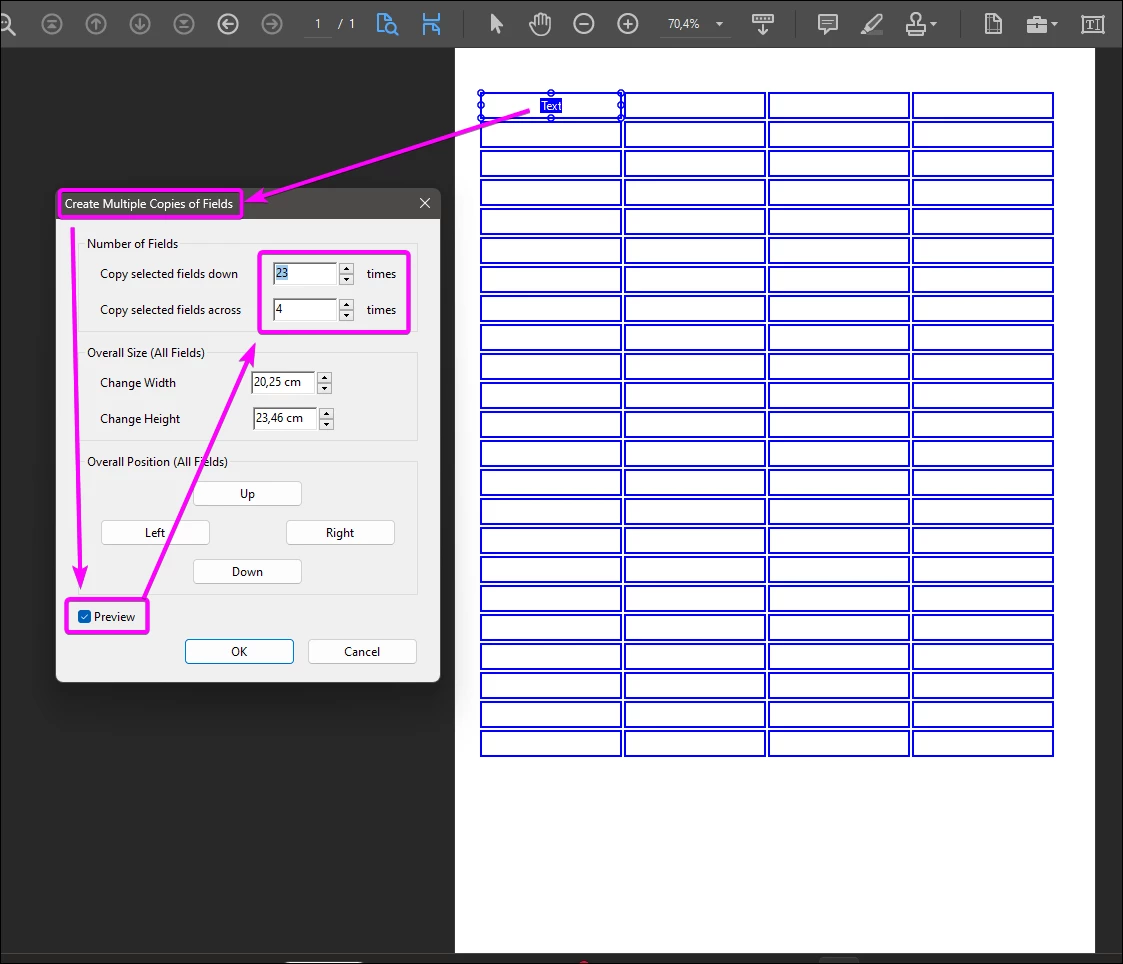
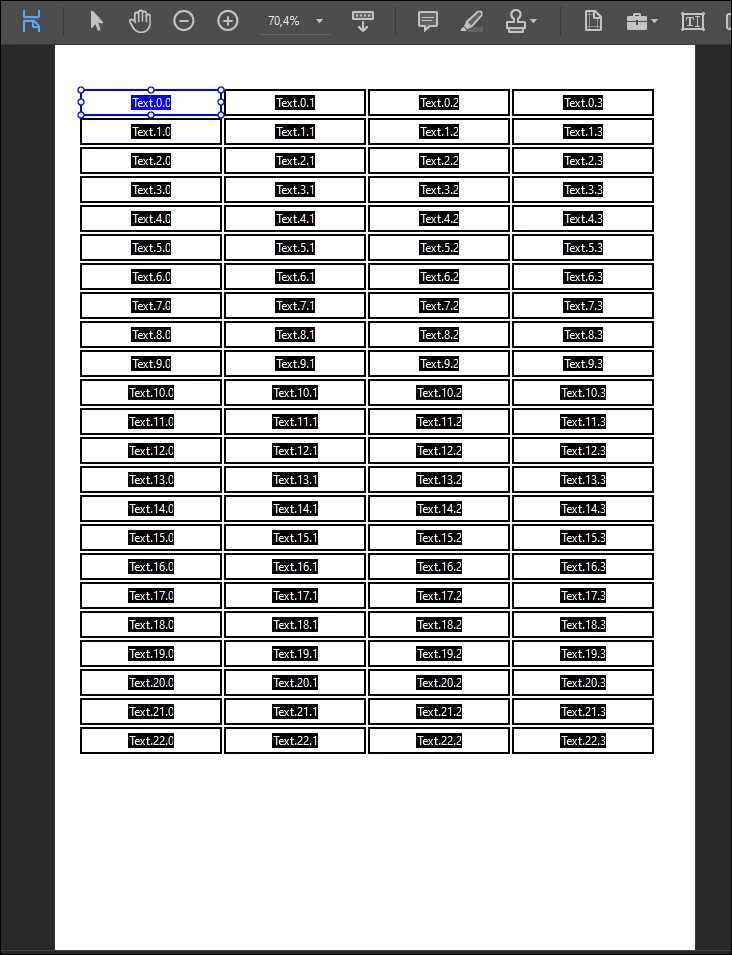
1. Create a first field as usual and set all its properties.

2. Right-clic on this field and go to : Create Multiple Copies.

3. Tick the "Preview" checkbox.

4. Enjoy!


3 replies

JR Boulay
Community Expert
JR BoulayCommunity ExpertCorrect answer
Community Expert
January 3, 2024

"Hello! Is there a faster way to number text fields than one by one?"

1. Create a first field as usual and set all its properties.

2. Right-clic on this field and go to : Create Multiple Copies.

3. Tick the "Preview" checkbox.

4. Enjoy!


Acrobate du PDF, InDesigner et Photoshopographe
Participating Frequently
January 3, 2024

Awesome, thank you!

JR Boulay
Community Expert
Community Expert
January 3, 2024

To remove all Tooltips at once you can use this script in the JS Console:

index=0;
while(index<this.numFields) {
nom=this.getNthFieldName(index);
this.getField(nom).userName = "";
index=index+1;
}


Or use this free Action "Remove tooltips": https://www.abracadabrapdf.net/utilitaires/utilities-in-english/tooltips-remover_en/

Acrobate du PDF, InDesigner et Photoshopographe
Nesa Nurani
Community Expert
Community Expert
January 3, 2024

You can run this script in console, it will set tab order by rows:

for (var i = 0; i < this.numPages; i++)
this.setPageTabOrder(i, "rows");

You can also set order by "columns" or "structure" instead of "rows".

Participating Frequently
January 3, 2024

Perfect, thank you!