
francopfohl
Participant
January 30, 2025
Question

Random text appearing when hovering over links in PDF - how to delete??

  • January 30, 2025
  • 1 reply
  • 687 views

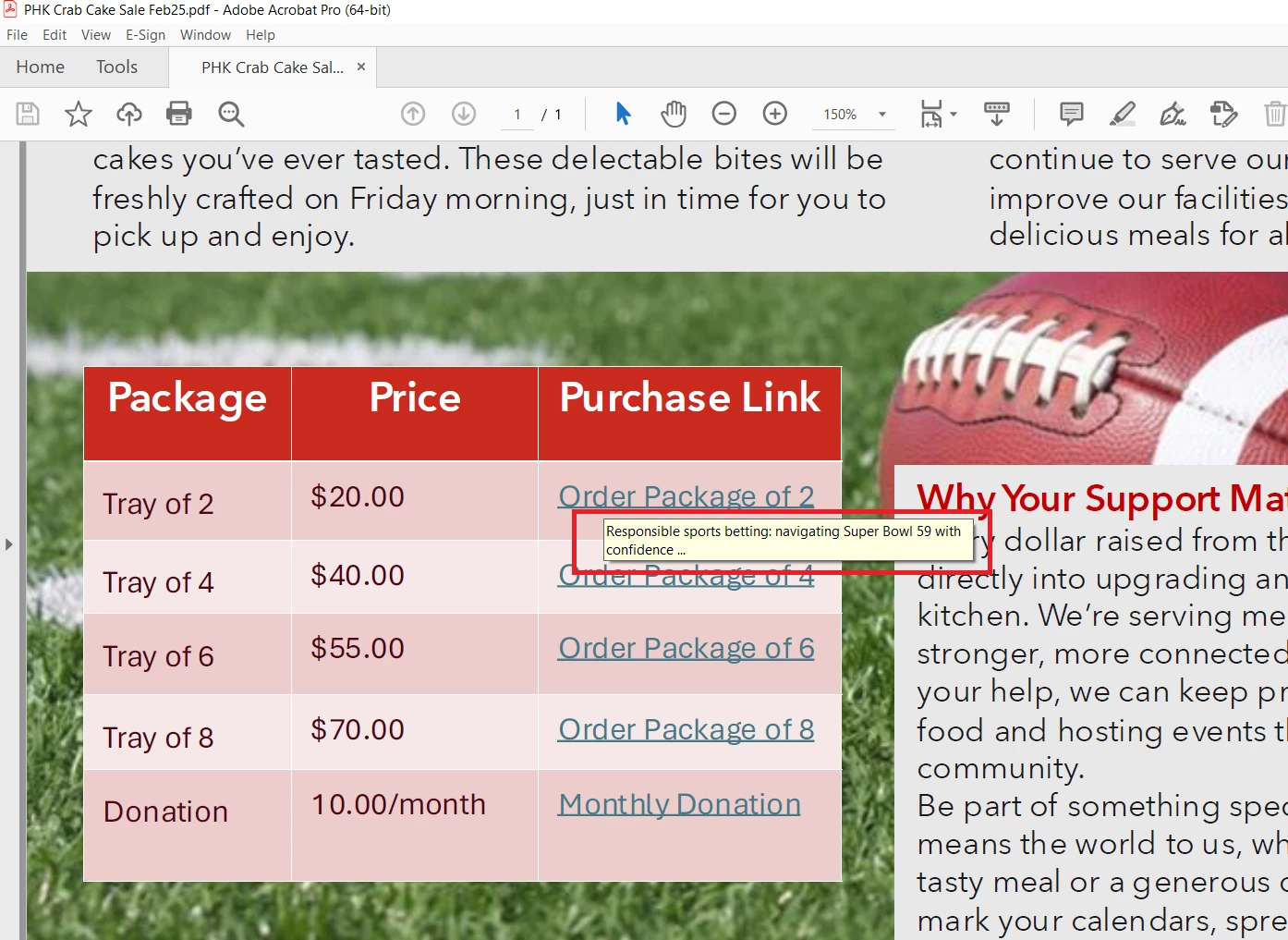
This PDF was created from a PowerPoint in MS 365, which I assume is the first problem, but now when opened in Acrobat Pro, these links to a community fundraiser (yes, for SuperBowl Sunday) are appearing. How do I get rid of them? The usual little hand appears over the link, but it did not come through in the screen capture -- this rollover text appears on all of the links.


Thank you for any help you can provide in getting rid of / turning off this feature!


1 reply

creative explorer
Community Expert
Community Expert
January 31, 2025

@francopfohl those are the hyperlinks from your PowerPoint file. You can easily remove those hyperlinks in Acrobat.

1. For example, here is a copy of my copyright document


2. If I hover over the hyperlink, and right-click, I can delete the hyperlink as shown


3. And now when I hover of the PDF, the hyperlink is gone


m
francopfohl
Participant
January 31, 2025

Thank you very much @creative explorer for the instructions. However, I do not want to delete the hyperlink, just the rollover text. Ironically, after I did delete the hyperlink just as a test, the rollover text still appears AND in other places on the PDF where I hover !! Sheeeeesh! Any advice would be appreciated -- this is going out to a church audience! 🙂 Thank you again!

creative explorer
Community Expert
Community Expert
February 1, 2025

@francopfohl I personally don't think you can as it's known as the tooltip or alternate text — it's an accessibility reason why this is set-up I believe. You mentioned that there are other places in the PDF, and it might be an invisible hyperlink which one could set-up too! 

I did look at the tools, and I tried to remove the hyperlink roll-over, and it didn't allow me to do so. You might find a third party app that could strip out all the active hyperlinks? 

Sorry!

m