
Known Participant
June 17, 2025
Question

Re: Fraude en cargo tarjeta

  • June 17, 2025
  • 2 replies
  • 333 views

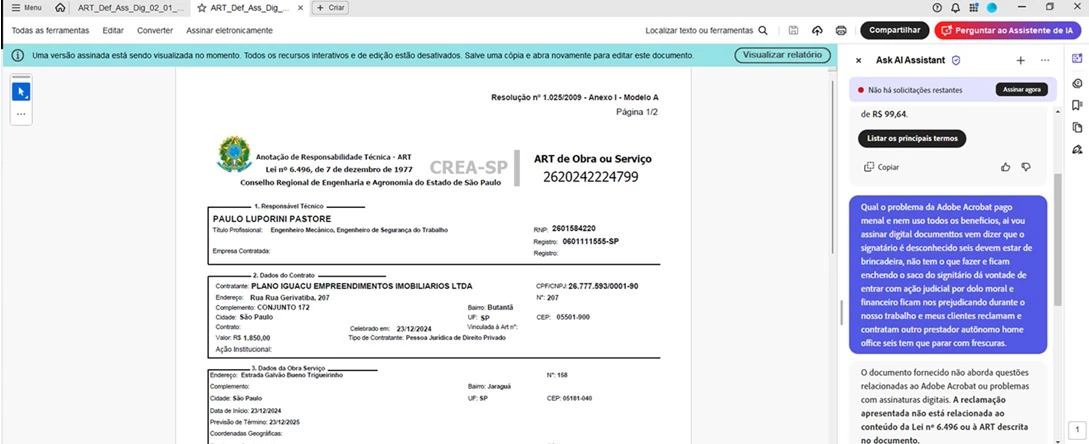
Qual o problema da Adobe Acrobat pago mensal e nem uso todos os benefícios, ai vou assinar digital documentos vem dizer que o signatário é desconhecido seis devem estar de brincadeira, não tem o que fazer e ficam enchendo o saco do signatário dá vontade de entrar com ação judicial por dolo moral e financeiro ficam nos prejudicando durante o nosso trabalho e meus clientes reclamam e contratam outro prestador autônomo home office seis tem que parar com frescuras. Pago mensal 139 reais para ter photo shop e não me serviu, queria voltar a pagar 95 reais sem photo shop que não resolveu meu caso, mas achar um canal de atendimento aqui é impossivel, tem que achou no caso de daniel27.... é pra acabar com nosso tempo perdido com frescuras da Adobe Acrobat não reconhecer minhas assinaturas digitaiso e dizer que o signitário é desconhecido. 
    2 replies

    Legend
    June 17, 2025

    Hi @paulo_8095,


    Thanks for reaching out. I understand your concern—it can be frustrating when there’s confusion about digital signatures and document validation.


    From your message, it sounds like you’re experiencing issues related to electronic signature validation, but we need a few more details to better assist you.


    To help clarify and guide you better, could you please confirm the following?


    1. What type of signature was applied to the PDF?

    • Was it a Digital Signature, an e-signature, or just a typed/drawn signature?


    2. Who applied the signature—you or someone else?

    • Are you trying to verify the signature, or are you receiving a validation warning from Acrobat (e.g., “signature not verified” or “signed by an unknown authority”)?


    3. If this relates to a potential charge or fraud, could you clarify whether the document in question is being used to authorize or validate a financial transaction?


    Here are a few general steps you can try in Acrobat:

    • Open the PDF in Adobe Acrobat Pro or Reader (not a browser) and check the signature panel (View > Show/Hide > Navigation Panes > Signatures).

    • If the message says “Signature not verified” or “Revocation status unknown,” the certificate may not be trusted yet. You can:


      • Go to Edit > Preferences > Signatures > Identities & Trusted Certificates and import the signer’s certificate manually if you trust them.

      • Ensure your system has internet access, as Acrobat may need to contact the certificate authority for validation.


    • You can use the Certificate Viewer to review who signed it and when (click on the signature > Signature Properties > Show Certificate).


    Self-help:

    Here are some resources that may help clarify signature types and validation:


    Please feel free to share more about the context or upload a sanitized version of the file if possible (without sensitive data). We’d be happy to take a closer look.


    ~Tariq

    Known Participant
    June 26, 2025
    Answer in Portuguese I am not obliged to speak the foreign language, you work in Brazil and speak our language
    Known Participant
    June 26, 2025
    Answer in Portuguese I am not obliged to speak the foreign language, you
    work in Brazil and speak our language
    kglad
    Community Expert
    Community Expert
    June 17, 2025

    in the future, to find the best place to post your message, use the list here, https://community.adobe.com/

    p.s. i don't think the adobe website, and forums in particular, are easy to navigate, so don't spend a lot of time searching that forum list. do your best and we'll move the post (like this one has already been moved) if it helps you get responses.


    <"moved and branched from download & install">