Participant
May 30, 2025
Answered

Re: Request Signature option missing in Adobe DC Pro

  • May 30, 2025
  • 3 replies
  • 1068 views

After spending half a day on this by browsing various links, I was not able to fix this issue. Had to uninstall Acrobat from Adobe CC, restart the computer, and just install the 32-bit continuous Adobe Reader. Sign in with my Adobe ID and I can see the Request for Signature.  Why is this not on the other version? 


    Correct answer JessicaLopezLPC

    Thank you for your help.  My tech support looked into it and said they started having issues with the adobe licensing.  They said there was a change of license for adobe e-signatures.  They made an update and I got the function back.

    3 replies

    JessicaLopezLPC
    JessicaLopezLPCCorrect answer
    Participant
    June 4, 2026

    Thank you for your help.  My tech support looked into it and said they started having issues with the adobe licensing.  They said there was a change of license for adobe e-signatures.  They made an update and I got the function back.

    Meenakshi0101
    Community Manager
    Community Manager
    June 4, 2026

    Hi JessicaLopezLPC,


    That’s great! Glad to know it is working now, and thank you for updating us.

    Let us know if we can be of any further assistance.


    Thanks,

    Meenakshi

    Meenakshi0101
    Community Manager
    Community Manager
    June 2, 2026

    Hi JessicaLopezLPC,


    Thank you for the information.

    Could you please let us know if you have made any recent changes to your account? Additionally, could you share the email address you use for Acrobat in a private message? You can do this by clicking on my profile and selecting "Send Message."

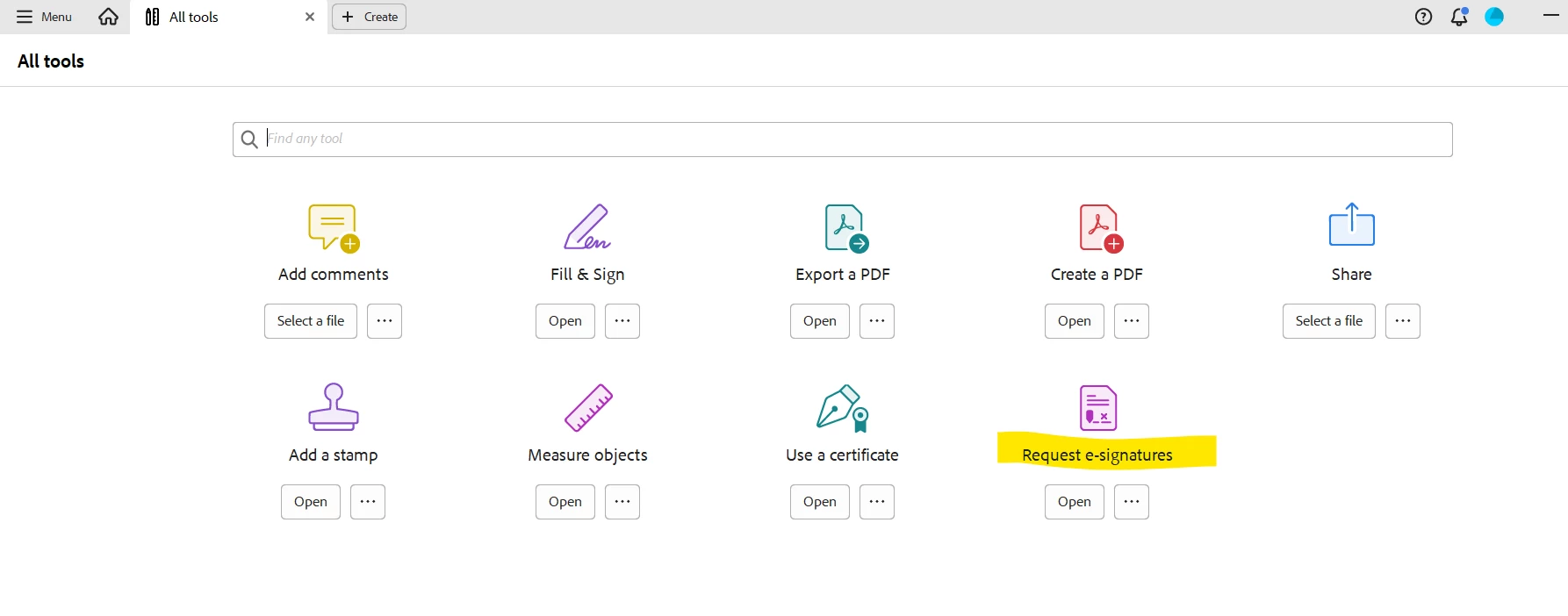
    Please check for the option under the "All Tools" tab. If you cannot find it, kindly provide the Acrobat and operating system version numbers you are currently using.


    Let us know if you encounter any issues or need assistance.


    Thanks,

    Meenakshi

    Meenakshi_Negi
    Legend
    May 30, 2025

    Hi Giang5C57,


    Thank you for reaching out.


    It seems that you are using the subscription provided by your organization. We checked your account using the email address you used to sign in to the community. We see that you have an Enterprise plan for ETLA. We would like to inform you that the ETLA offers do not include Adobe Sign with Acrobat Pro. We suggest you check with your organization's IT team to see if they can add you as a user under the organization's Acrobat Sign Enterprise plan.


    In this situation, you can still receive and sign the document via Acrobat Sign. There will be no restriction on signing the document you receive.


     Feel free to let us know if you have any questions.


    Thanks,

    Meenakshi

    JessicaLopezLPC
    Participant
    June 1, 2026

    I had request e-signature last week, but today, I only have option to sign myself.  If I search “request e-signature”  on the toolbar, option to enter someone’s email comes up, but then the person doesn’t show up as a signor.  Did something change over the weekend?

    Meenakshi0101
    Community Manager
    Community Manager
    June 1, 2026

    Hi JessicaLopezLPC,


    Thank you for reaching out.


    We have checked your account using the email address linked to your community profile and have confirmed that you have a free account. Please note that with a free account, you have access to limited transactions.

    Could you please confirm whether you are using Acrobat Reader or the Acrobat web application to send the document for signature? If possible, please share a screenshot of the options you receive.


    If you have any questions, feel free to ask.


    Thanks,

    Meenakshi