marial23422142
Participant
April 30, 2018
Answered

Re: Send for Signature Error Message: Could not Send

  • April 30, 2018
  • 10 replies
  • 5310 views

Hi Tariq,

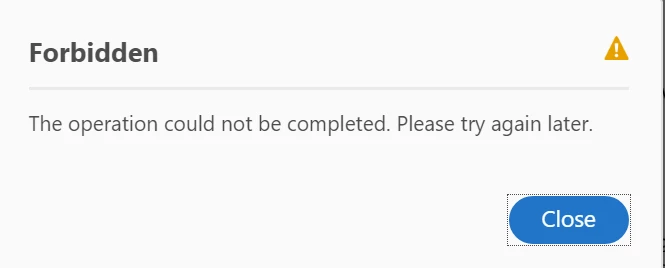
I have the same error message below when using my Acrobat Pro DC subscription to sign a document.

Below error appears, but the link you sent is asking to set up a free trial.

Please could you help?

Correct answer AnandSri

Hi Drusso,

I am sorry for the delayed response and for the trouble you had, please sign out from Acrobat once and reboot the machine and check for any pending updates of Acrobat from help>check for updates, reboot the machine after updating and try again.

What is the current dot version of Acrobat installed? To identify the version, refer to the steps mentioned in the article Identify the product and its version for Acrobat and Reader DC

For testing purpose, connect the machine to a different network environment like a guest wireless network or to a mobile hotspot or try sending the file for signature on your mobile device using cellular data and check.

Are you getting the error message with all the PDF files or with one specific PDF file?

Would you mind posting a screenshot of the error message you are getting? To post a screenshot, please refer to https://forums.adobe.com/docs/DOC-7043#jive_content_id_How_do_I_attach_a_screenshot

Let us know how it goes and share your observation.

Thanks,

Anand Sri.

10 replies

Participant
May 27, 2024

Please try again later. If the issue persists, please contact

Participant
June 7, 2024

Hi, I'm having exact same issue.  error message when i try to send out for signature.  It's a brand new license downloaded a few days ago.  if you could kindly advise.  many thanks.  Simon


Souvik Sadhu
Legend
January 6, 2025

Hi @Simon3788897761nf,


Hope you are doing well. Sorry for the trouble, and the delayed response.


In such situations, you might want to check the online portal https://adobe.ly/3Pq9cwP to see if the feature works there. 

If yes, trying an alternate network might work as an intermittent fix.


Also, you can keep a tab at our servers at https://adobe.ly/4gHSTYi to see if all the servers are working fine.


-Souvik

Participant
February 19, 2024

Hi, 

I am getting below error while sneding the documents for signiture.


Meenakshi_Negi
Legend
April 30, 2018

Hi Marial,

As you have mentioned above, you get the error message when using Adobe Acrobat DC Pro to sign a document.

Could you please confirm if you are trying to add the signature to PDF or sending the document for signature.

Please share the exact steps you do that results in the error message.

Also, let us know the exact version of the Adobe application you are using.

Take help of the steps mentioned here Identify the product and its version for Acrobat and Reader DC to check the version.

Please provide the information as asked above.

We will be waiting for your response.

Regards,

Meenakshi

Participant
October 17, 2018

Good morning,

The same 'forbidden' message is occurring when I attempt to send for signature, using Acrobat Pro DC.  The message pops up after inputting the email address for the recipient, and selecting 'continue'.  After clicking continue, the screen shows "uploading", with a progress bar, the bar moves to 60% complete and then the "forbidden" message (shown in the thread above) appears. 

I've tried with many different types of documents over the last two days, and am getting the same result.  I've also made sure I'm running the latest updated version. 

Additionally, I have logged out, closed all applications, shut down and re-started my computer, and am getting the same result. 

Please let me know if there is some thing else I can try. 

-Kyle