brenotss
Participant
May 12, 2020
Answered

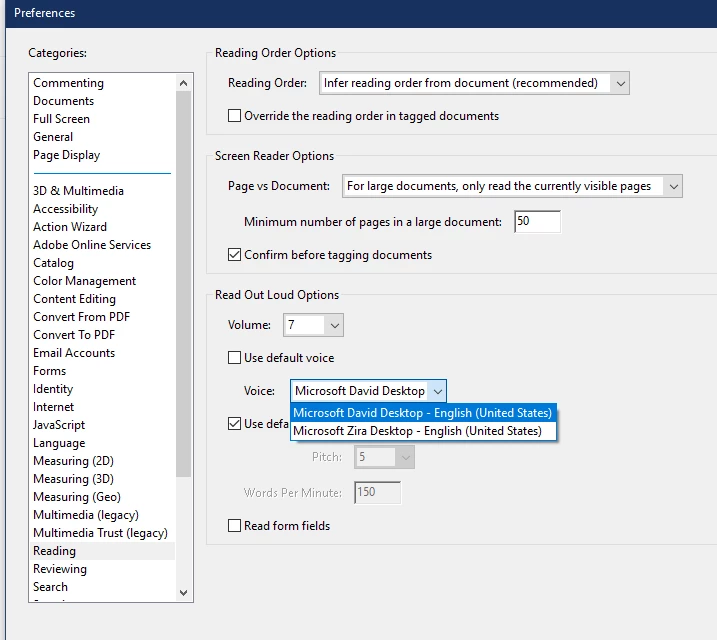
Read Out Loud just showing English voices

  • May 12, 2020
  • 1 reply
  • 6184 views

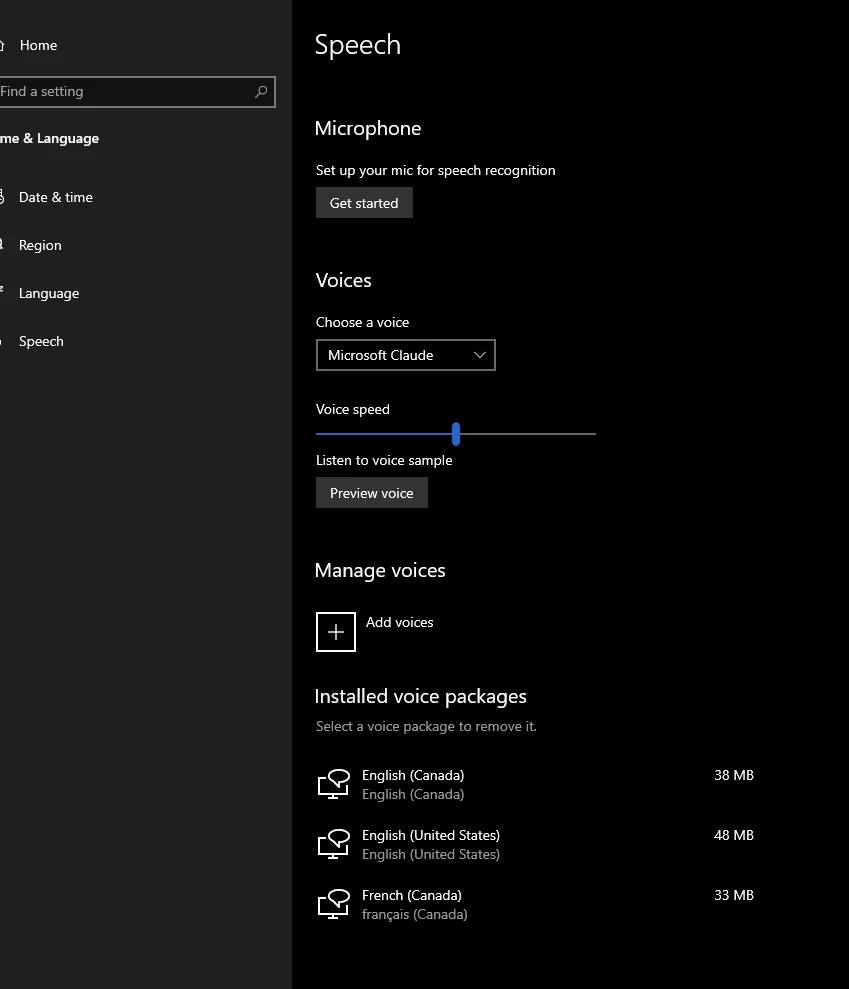
I would like to have the French voice available for read out loud. If I check my windows speech (Manage Voices) I can see the French voice installed and I`ve already selected the Microsoft Claude (French) as my default. But when I access the reading configuration on my Adobe Pro, I`m just seeing the english voices available 
Is it possible to change that?

Many Thanks!!

This topic has been closed for replies.
Correct answer brenotss

The problem was solved after I installed the voice package French (France). I was installing the French (Canada) and it seems Adobe is not compatible with this one. 

1 reply

Adobe Employee
May 13, 2020

Hi,

I believe you have to install the text-to-speech and display language package when you are installing a language on your system. Once you have installed it, the option will appear in the reading preference dropdown. If required, reboot the system once after installation.


Please confirm if this resolves the issue for you.


Thanks

Rachit

brenotss
brenotssAuthorCorrect answer
Participant
May 13, 2020

The problem was solved after I installed the voice package French (France). I was installing the French (Canada) and it seems Adobe is not compatible with this one.