



phantom241
Participant
April 23, 2026
Question

REDACT TOOL TAKING FOREVER TO UPGRADE

  • April 23, 2026
  • 1 reply
  • 18 views

Hello Adobe Team

I am going to a trade show tomorrow (in 9 hours) and i need to Redact the word “Proof” on my flyer. 

I reinstalled Adobe reader, i have active Adobe Pro and ive been stuck on this screen for more than 2 hours.
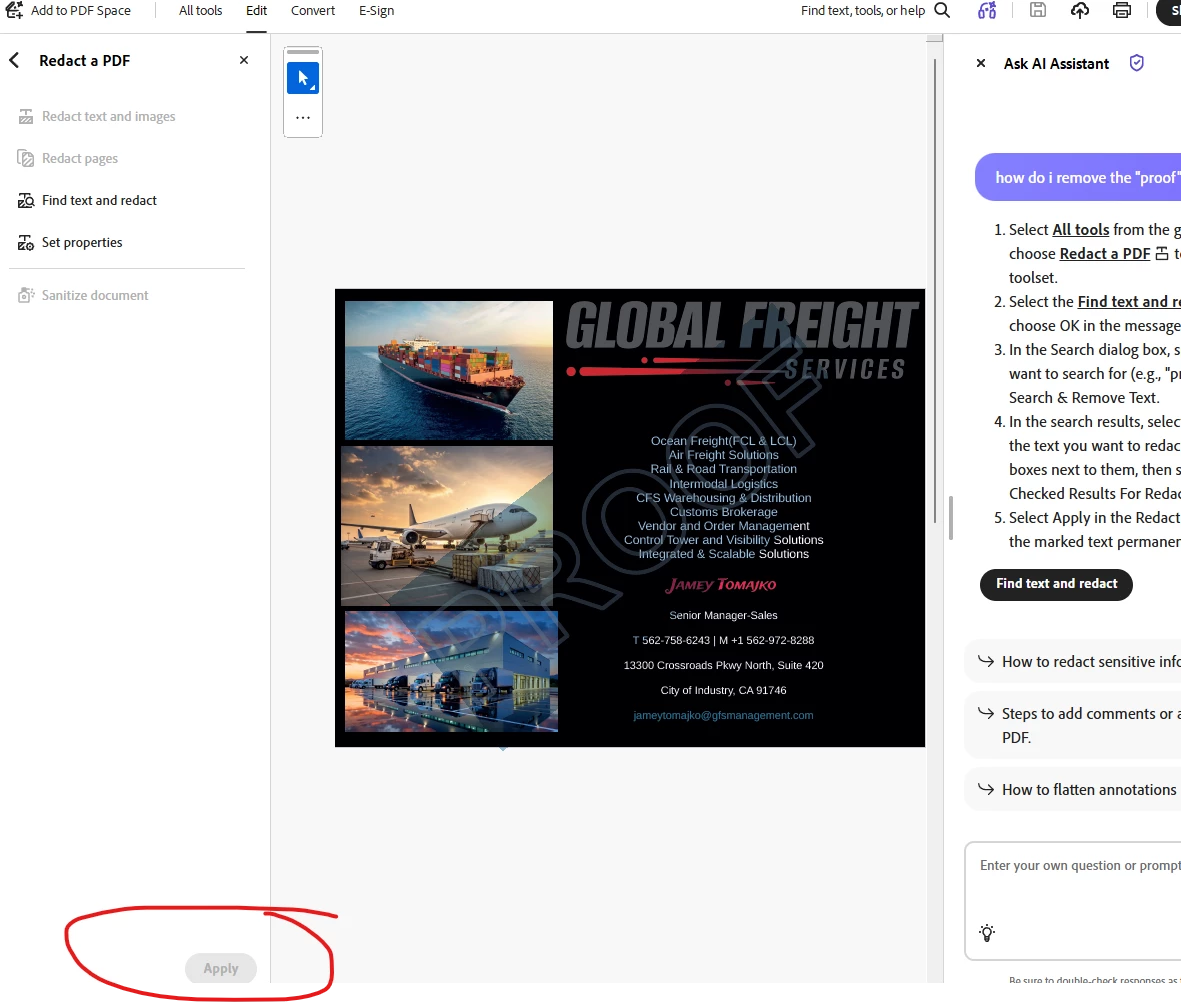
 

“upgrading key features”- instaling .. please be patience 


ITs not my internet and its not my computer that is slowing this down. 


Please advise what else do in need to do ?


    1 reply

    Amal Jaiswal
    Community Manager
    Community Manager
    April 23, 2026

    Hello there,
     

    Hope you are doing well and I’m sorry for the trouble you are experiencing.
     

    From what you’ve described, Acrobat is stuck on “upgrading key features”, which usually means the installation/update didn’t complete properly. Even if you reinstalled, some background components might still be stuck.

    Please try the steps below and see if that works:

    1. Force close and restart Acrobat properly

    • Close Acrobat completely
    • Open Task Manager (Ctrl + Shift + Esc)
    • End any Adobe Acrobat / Adobe processes (like Acrobat.exe, Creative Cloud, etc.)
    • Restart your system
    • Launch Acrobat again and wait 2–3 minutes
       

    2. Try launching Acrobat as Admin

    • Right-click on Acrobat
    • Click “Run as administrator”
    • This can help complete any pending feature installation.
       

    3. If desktop still stuck please try to remove the application using the Acrobat cleaner tool https://www.adobe.com/devnet-docs/acrobatetk/tools/Labs/cleaner.html , reboot the computer and reinstall the application using the direct link https://helpx.adobe.com/acrobat/kb/acrobat-dc-downloads.html 


    Let us know how it goes.


    ~Amal