Answered
Redacting in DC
How do you label the purpose for the redaction?
How do you label the purpose for the redaction?
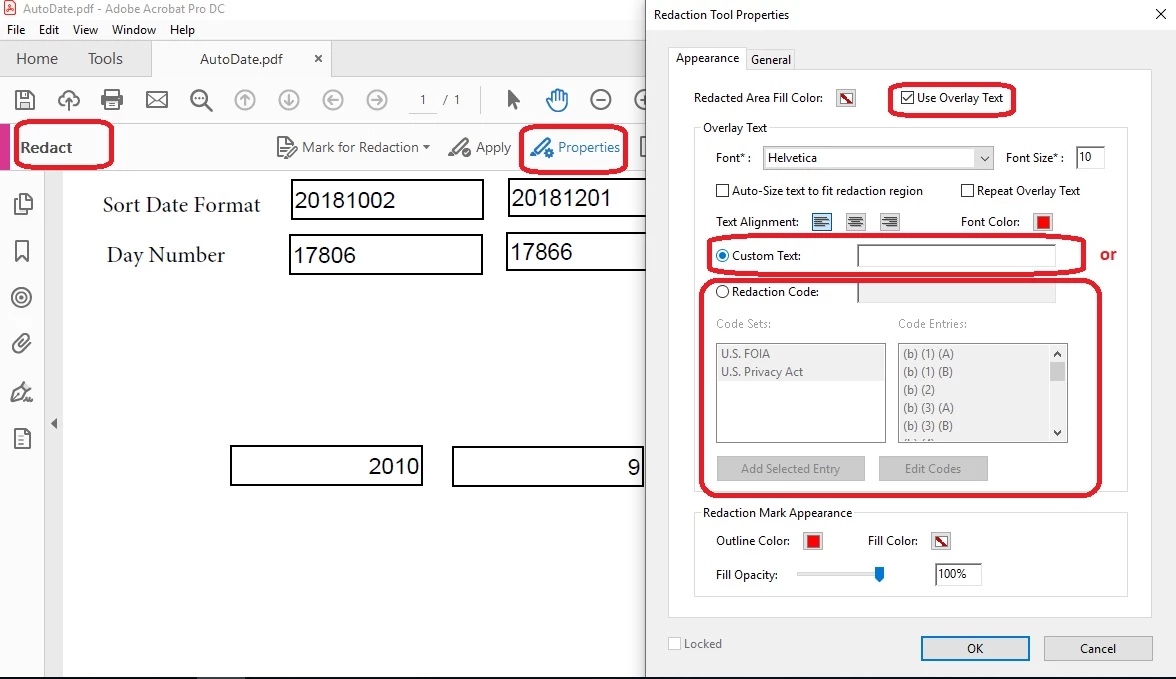
Open the Redaction tool and click on the Properties button. You then have to check the "Use Overlay Text". You can enter your own text of use the check box "Redaction Code" to select from the provided options of "FOIA" or "U.S. Privacy Act". It is possible to add your own defined codes using the user interface.
Already have an account? Login
Enter your E-mail address. We'll send you an e-mail with instructions to reset your password.
 AdChoices