
Participant
January 22, 2018
Question

Redactions are distorted - why?

  • January 22, 2018
  • 2 replies
  • 2056 views

When I open a file after redactions have already been made and saved, the redacted areas (blacked out boxes) are distorted all over the page. This does not happen with all my pdf files so not sure if there is a certain file type that is not allowing the redactions to be placed correctly. The file looks fine while I'm applying the redactions - it's just after I save and try to re-open it. I've attached a snap of what it looks like. Is anyone else having this issue?
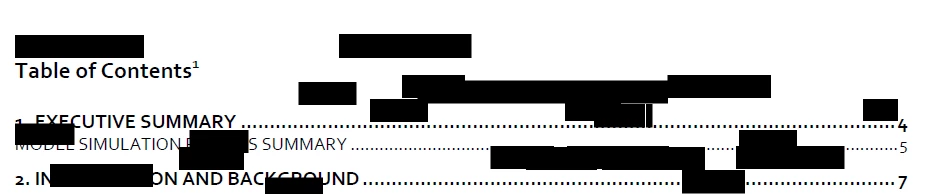
My solution in the interim has been printing out the document, scanning it and then manually redacting the content.

This topic has been closed for replies.

2 replies

jane-e
Community Expert
Community Expert
January 24, 2018

Can you show a screen shot after you have marked for redaction and before you apply? Please include the Comments panel so we can see the markup.

try67
Community Expert
Community Expert
January 24, 2018

Try using the Redaction tool in free-form mode (hold down Ctrl when drawing the redactions markups), instead of in text selection mode.

Participant
January 24, 2018

Thank you for your suggestion but unfortunately it didn't work. Looking back at the problem, whatever redactions I make on one page, it shows on every page and accumulates as I redact more pages.

try67
Community Expert
Community Expert
January 24, 2018

Sounds like a corrupt file. Do you know how it was created?