
Participating Frequently
October 21, 2019
Question

Referencing Form Fields from different PDF

  • October 21, 2019
  • 1 reply
  • 328 views

Hello,

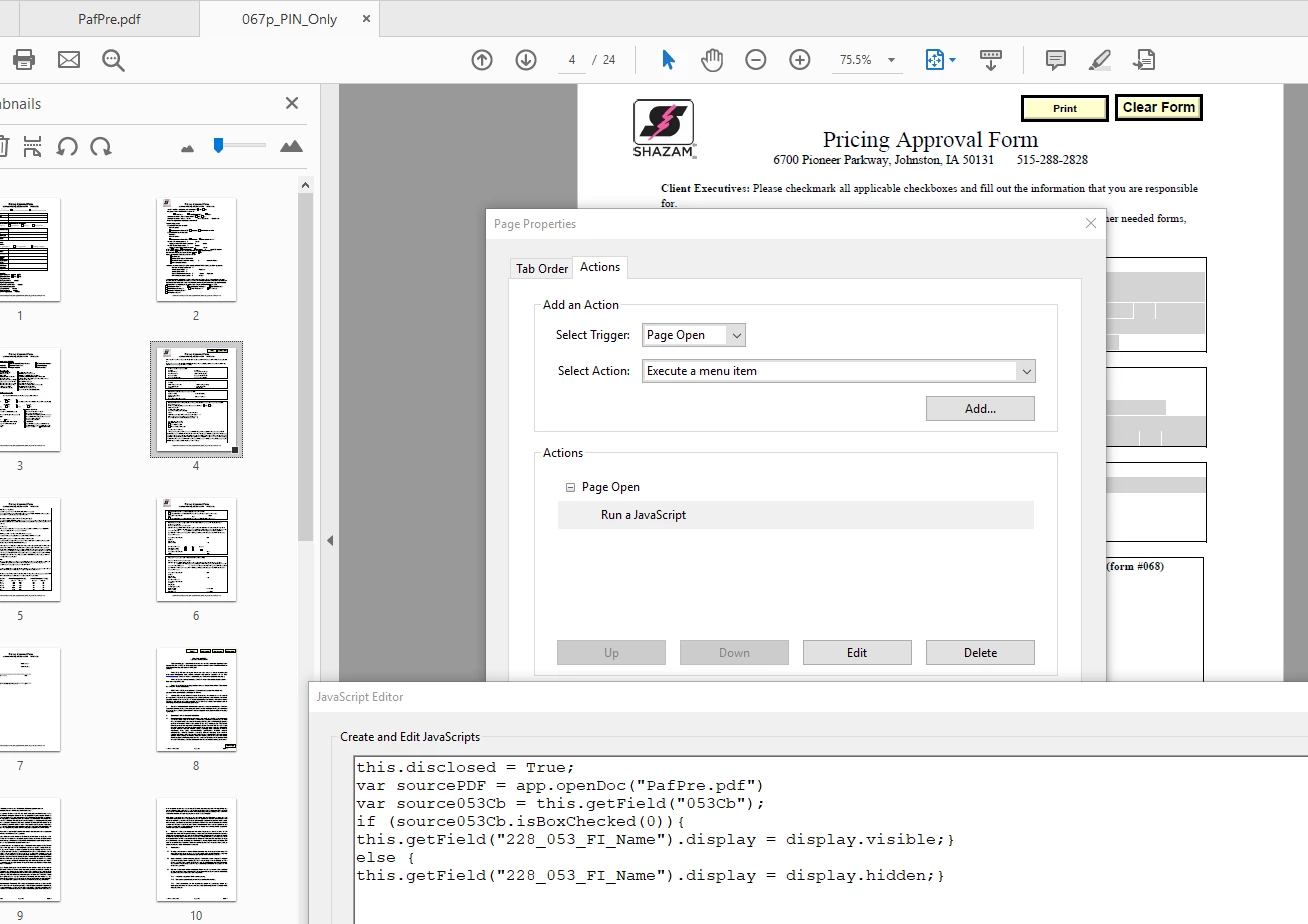
I have a PDF with several checkboxes on it. Depending on which checkboxes are checked, another PDF (actually a packet of PDFs), will automatically open. This part is working fine. Depending on what checkboxes were initially checked, I may also want to hide unneeded fields on the PDFs that open up. I know I have to use a "this.disclosed = True;" statement. But haven't used that before. The only place I see that makes sense to place the javascript is on the "Page Properties" where I want the fields to either be hidden or visable. This is also where I was putting my disclosed statement. I've included a screenshot of the code. Any help would be wonderful! The original document opened is named PafPre. The PDF packet it opens in this case, is 067p_PIN_Only. 
    This topic has been closed for replies.

    1 reply

    Legend
    October 21, 2019

    Check your console for errors. There's one really big one. The normal place to set disclosed (and possibly the only place that works) is a document level JavaScript.  And there is a really, really fundamental issue: you put disclosed in the documents that will be opened; you can't set it in the top level document, that would bypass the security reasons entirely.

    Participating Frequently
    October 22, 2019

    Thanks for the info. What I found out is that a "JavaScript" icon was not displaying from my "Tools" section. I had to go in and click on the "Create Custom Tool" icon and select "JavaScript" from the "Choose tools to add" column. Once I did that the JavaScript icon appeared under my tools...unfortunately, right now the JavaScript icon is not included in my current license. Checking with my IT to see what it would cost to include that.