
Answered
remove
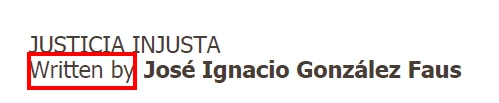
Hello: how remove this red rectangle? It is in a pdf file, in Adobe acrobat.
Thank you.

Hello: how remove this red rectangle? It is in a pdf file, in Adobe acrobat.
Thank you.
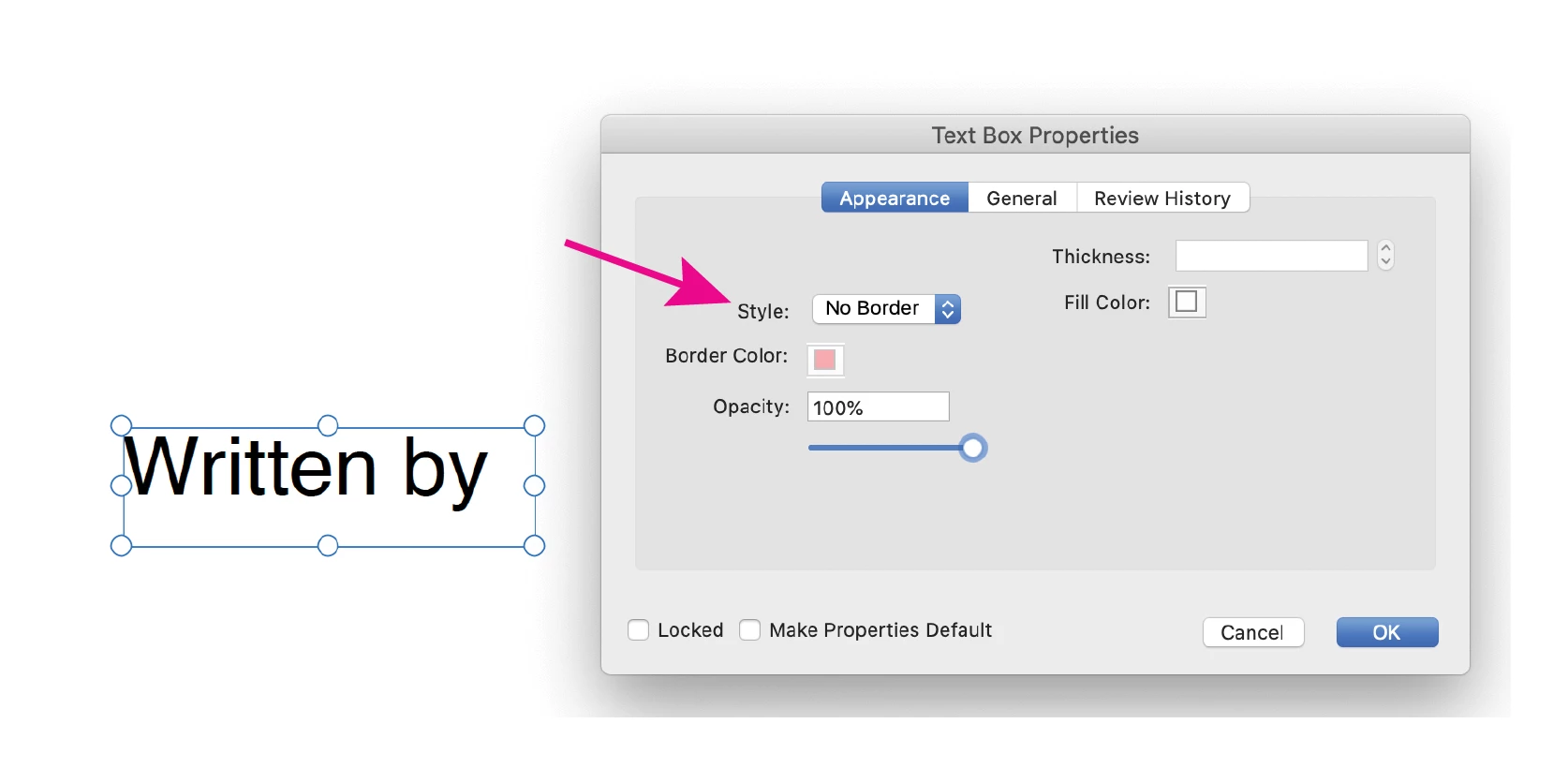
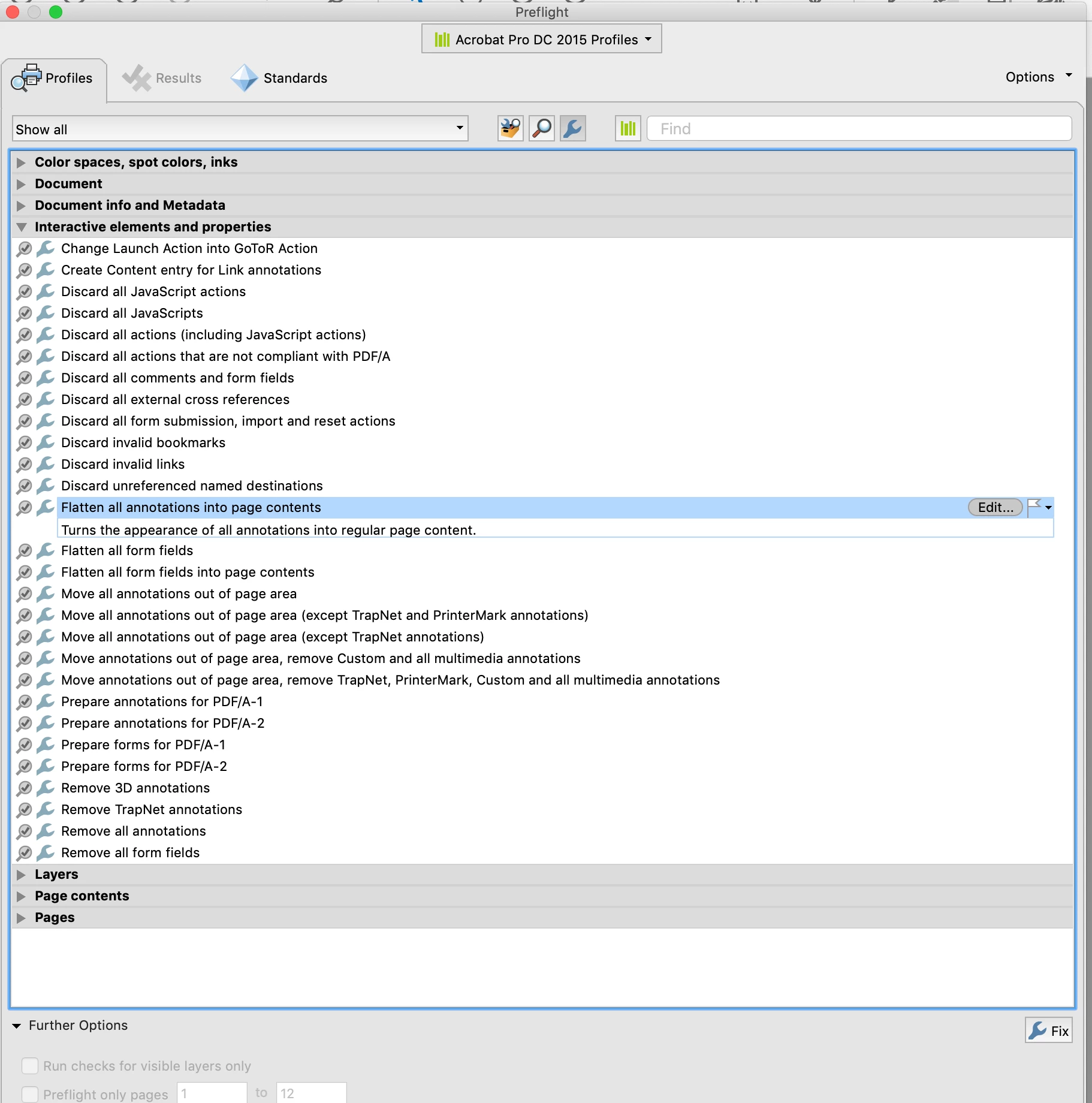
It looks like a text box comment, you can change the border color or remove the border by right clicking on it to bring up the text box properties. It will still be a comment and not part of the page content, so if you want to ensure it will appear on the printed piece, you might want to run a preflight fixup to flatten the comments. Tools> Print Production> Preflight> Fixups.
Already have an account? Login
Enter your E-mail address. We'll send you an e-mail with instructions to reset your password.
 AdChoices