



Remove a custom color in Acrobat Text Field Properties window
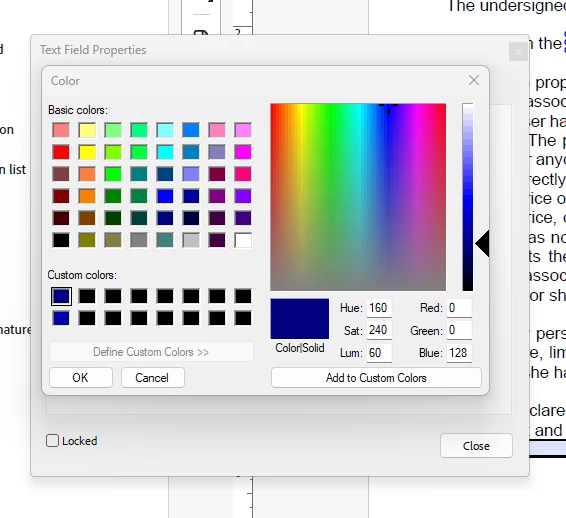
When I am creating a form in Acrobat, I usually prefer that the entered text stand out from the questions. In order to achieve this, I select the Properties for a specific text field, and then on the Appearance tab, in the Text section at the bottom, I select the Text Color option, and then choose More Colors.
This opens a Color panel that allows me to create a custom color which I can add into the Custom Colors area of the panel. Unfortunately, I created a custom color which didn’t work well to highlight the text, and so I created a second custom color that works better. I would like to delete the incorrect custom color, but I don’t know how to do that.
There is a button below the row of custom colors labeled “Define Custom Colors>>” but it is greyed out.
Please see the attached screenshot.
 AdChoices