Remove auto forming text boxes
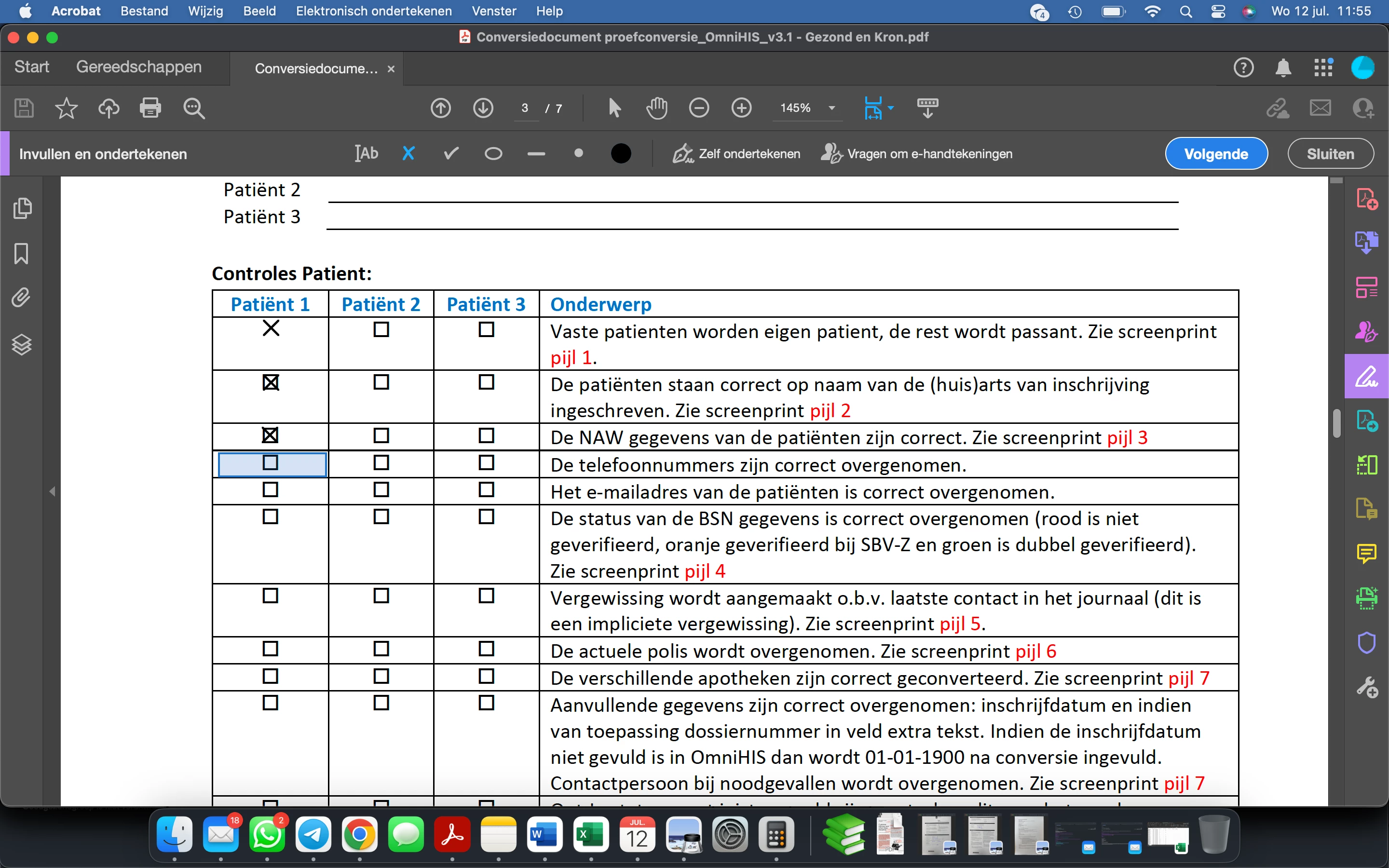
I just got a pdf file for me to fill in. Sounds easy. I just open Adobe Pro, click on the "fill and sign" feature and use crosses to tick off every box. Though that's not as easy as one would think... Adobe creates these blue auto boxes which makes it impossible for me to use the cross function directly on the box. In the picture I dragged the first three to the corresponding box. Pretty annoying I have to say and very time inefficient.
Is there a way to turn that off? I know it's a pretty rudimentary way of using Adobe Pro, but something as basic as this should work right?
Please keep in mind that it's not my pdf, I didn't make it. There were no forms involved in the making of the pdf and none to use.
Thanks in advance for the answer.
 AdChoices