
Remove page color from scan of antique book?
Hello! I'm a bookbinder, and I do a lot of work with facsimile copies of old books. Sometimes I can only find color scans of them, and when I print greyscale or b/w the page color comes out light grey. I'm trying to learn my way around Acrobat, as I figure it has the solution to my problems, but I'm lost.
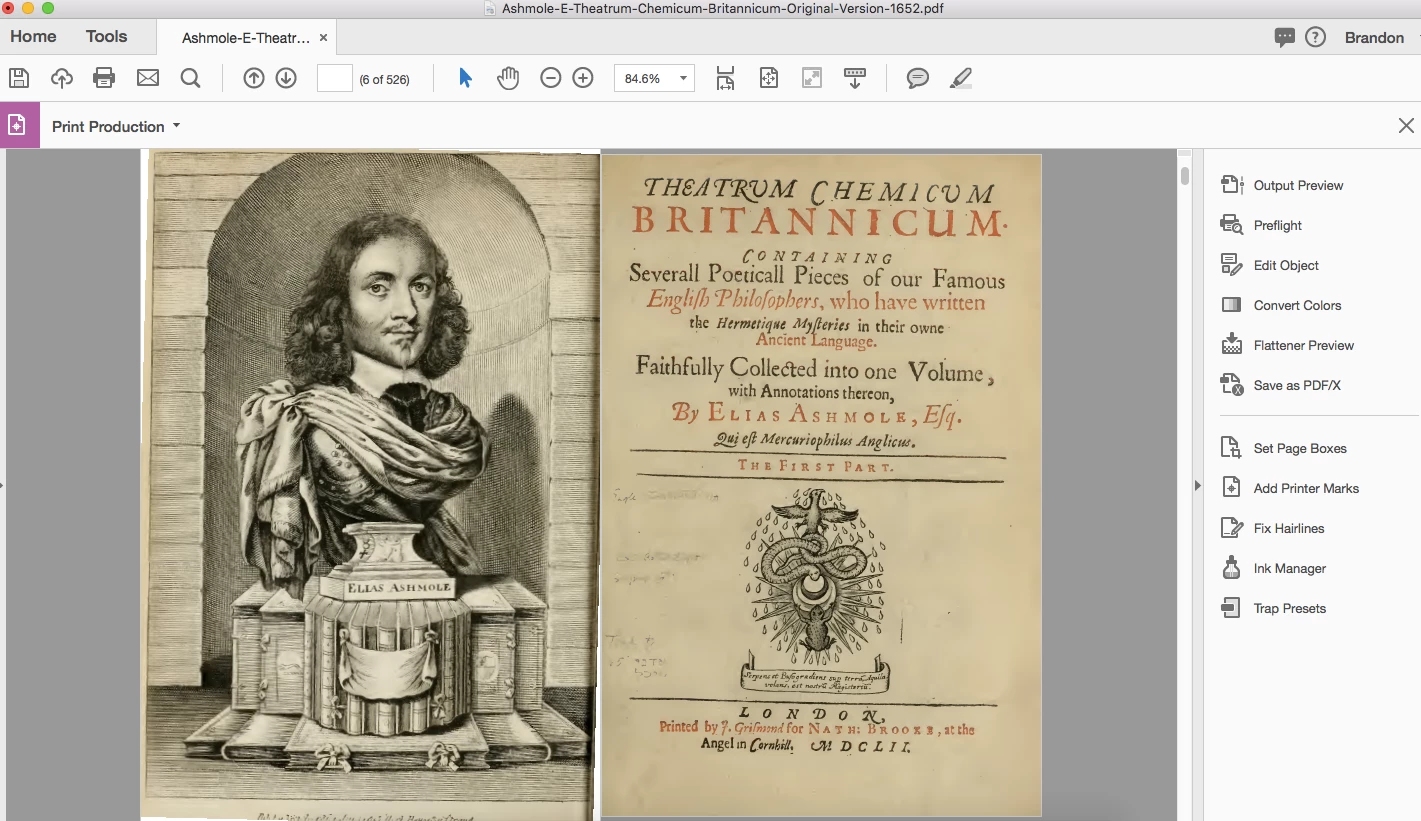
(fig.1, example page)
I've been tinkering with Preflight to examine the document, and it shows me that the page color is a separate image on each page (fig.2).
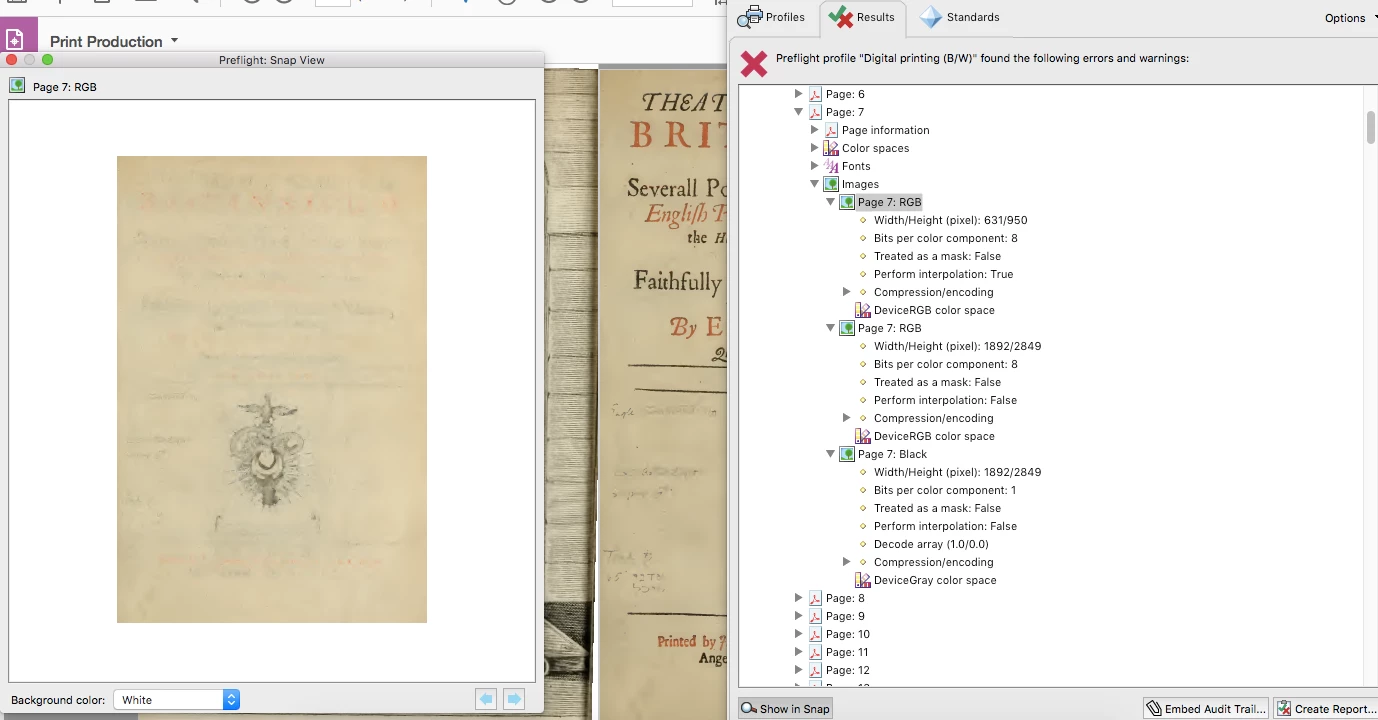
(fig.2, separate page images)
When I click on the second RGB image, or the Black image, I get what I want left behind (fig.3).
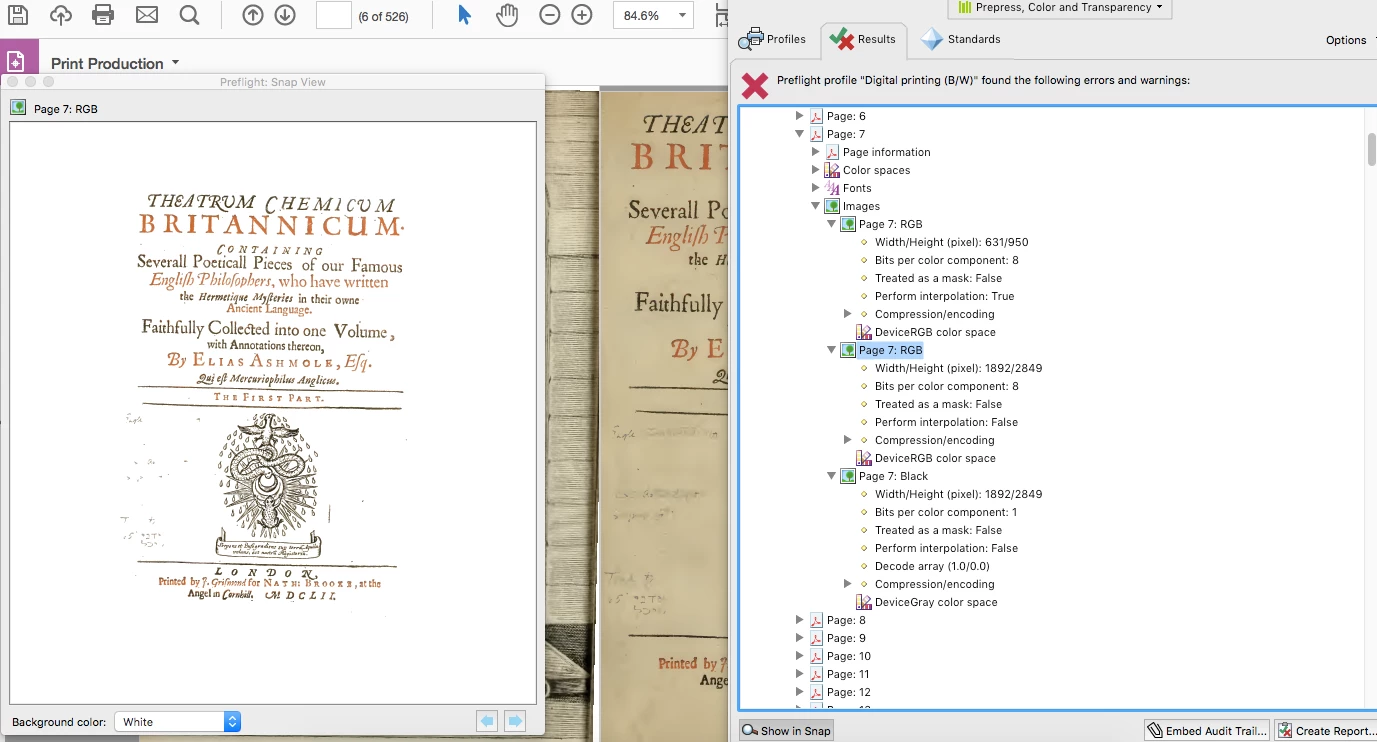
(fig.3, what I want to get as a result)
For the life of me, I can't figure out how to make Preflight keep just that page image (the second RGB, or Black, which is the same as shown in fig.3). I've also noticed that the three images are also different color spaces (fig.4).
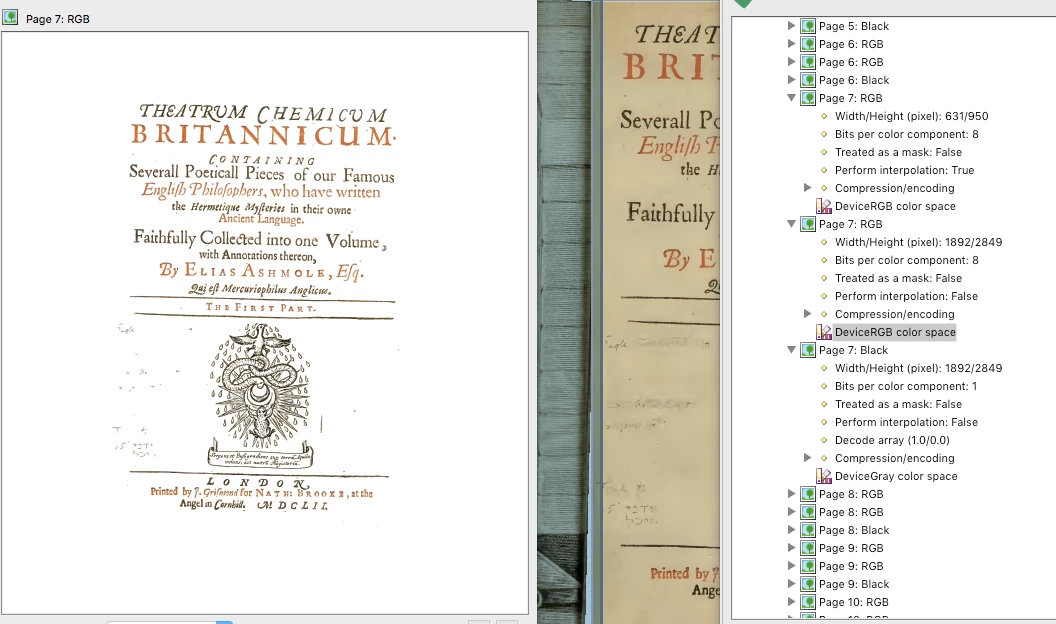
(fig.4, images as color spaces)
I've tried eliminating color spaces to get the results I want (second DeviceRGB or DeviceGray), but again no luck. I've tried creating my own fixups using color spaces, page images, page contents ... I just can't get it to work. I'm hoping that I simply don't understand Preflight enough, and not that I can't get it to do what I want.
Any help an expert can provide would be incredibly appreciated!
 AdChoices