


Known Participant
June 12, 2018
Question

Remove sections from custom tools in Acrobat

  • June 12, 2018
  • 1 reply
  • 1294 views

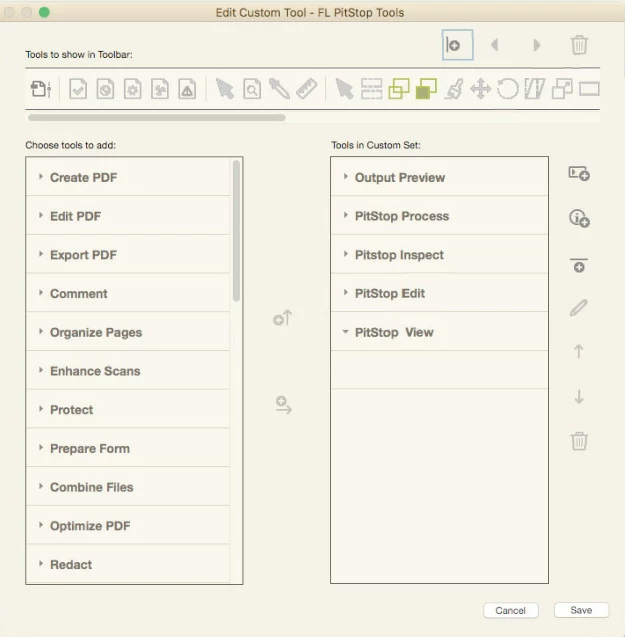
I'm creating some custom tool sets in Acrobat. I've created sections to divide the tools within the set, but now I want to remove one of the sections. I can delete items from the section, but there is no option to delete the section itself. In the attached example I want to remove the section PitStop View, but as you can see the trash can is greyed out. Is this possible or do I have to rebuild my entire tool set just to remove an unneeded section? Thanks for any Tips!
This topic has been closed for replies.

1 reply

Bernd Alheit
Community Expert
Community Expert
June 13, 2018

Select the section label.

Known Participant
June 13, 2018

Hi Bernd,

I tried that, but even with the label selected, the trash can icon is still grayed out for some reason. I did find that I could export the tool set, open the exported .aaui file in Text Edit, remove the lines of text corresponding to the section label then save and reimport the tool set and that did the trick, but can't seem to figure out why I can't just remove it in Acrobat. Thanks for the help!

Bernd Alheit
Community Expert
Community Expert
June 13, 2018

May be issue of Acrobat on the Mac.