

Remove Tooltips from Form Fields in Adobe Acrobat
This JavaScript code for Adobe Acrobat provides a simple and efficient way to remove tooltips from all form fields in a document. Tooltips can sometimes be problematic, especially when editing a preexisting file with non-ideal tooltips. In such cases, it's often best to remove all tooltips and start fresh. By clearing the toolTip property, this script ensures a clean slate. You can then add the correct tooltips as needed.
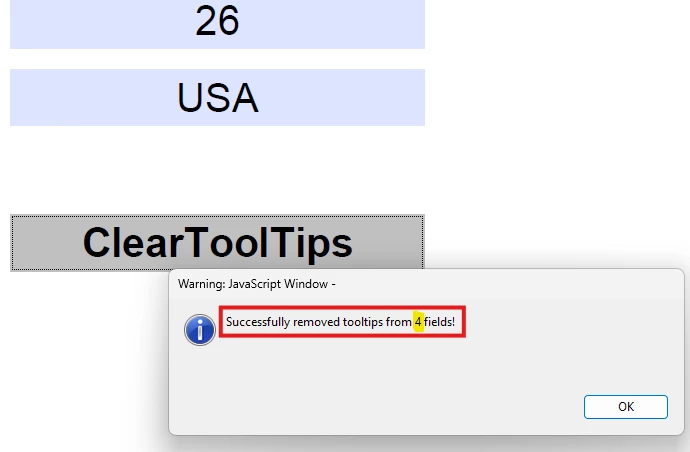
A success message will notify you of the number of fields modified. This tool is a real time-saver for anyone looking to streamline form edits and improve user experience.
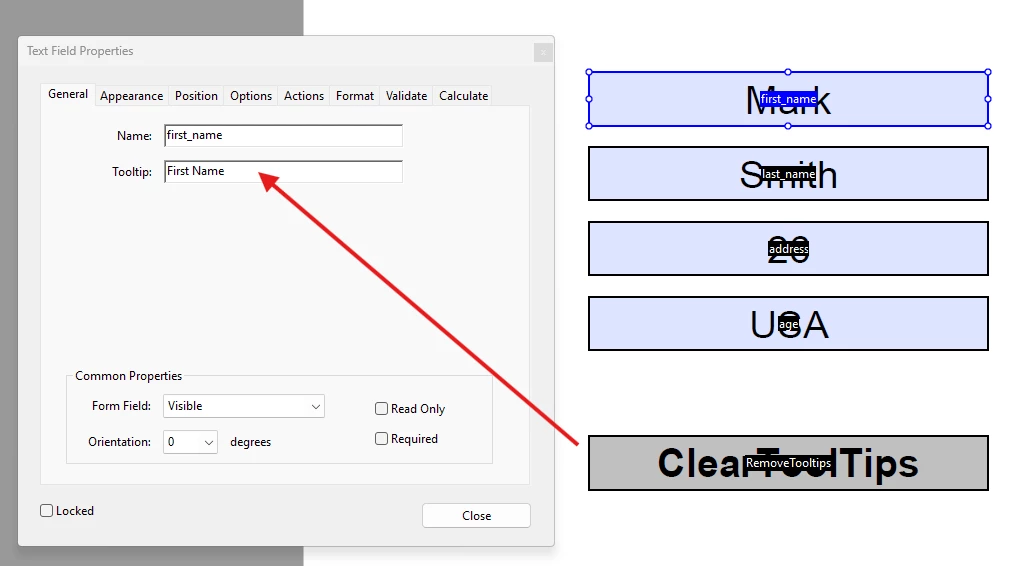
function removeAllTooltips() {
    try {
        // Get all fields in the document
        var numFields = this.numFields;
        var modifiedCount = 0;

        for (var i = 0; i < numFields; i++) {
            var fieldName = this.getNthFieldName(i);
            if (fieldName) {
                var field = this.getField(fieldName);
                if (field) {  // Include all field types, including buttons
                    if (field.userName || field.toolTip) {
                        field.userName = "";  // Clear userName (tooltip)
                        modifiedCount++;
                    }
                }
            }
        }

        // Show success message
        app.alert("Successfully removed tooltips from " + modifiedCount + " fields!", 3);
    } catch (error) {
        app.alert("Error: " + error.toString(), 1);
    }
}

removeAllTooltips();
Feel free to modify the script as needed for your specific use case, and don’t hesitate to share any improvements or suggestions with the community!


 AdChoices