

Answered
Rename all fields on a Form
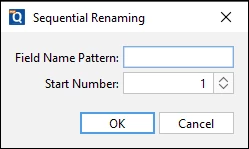
Is there a way to rename all fields on a large form
From: field's current name e.g. "type of defect"
To: field's page number + current name e.g. "page6_type of defect"

Is there a way to rename all fields on a large form
From: field's current name e.g. "type of defect"
To: field's page number + current name e.g. "page6_type of defect"
Already have an account? Login
Enter your E-mail address. We'll send you an e-mail with instructions to reset your password.

 AdChoices