


Participating Frequently
October 1, 2017
Answered

Replace images in Adobe Acrobat Reader

  • October 1, 2017
  • 3 replies
  • 5873 views

Hello everybody, i was wondering how could i insert an image in Adobe Acrobat Pro, send the file to a client, and then he can easily replace the image in Adobe Acrobat Reader, just like what happens in this youtube video from minute 1.37: https://www.youtube.com/watch?v=9sepWWYfBMo

thanks!
This topic has been closed for replies.
Correct answer try67

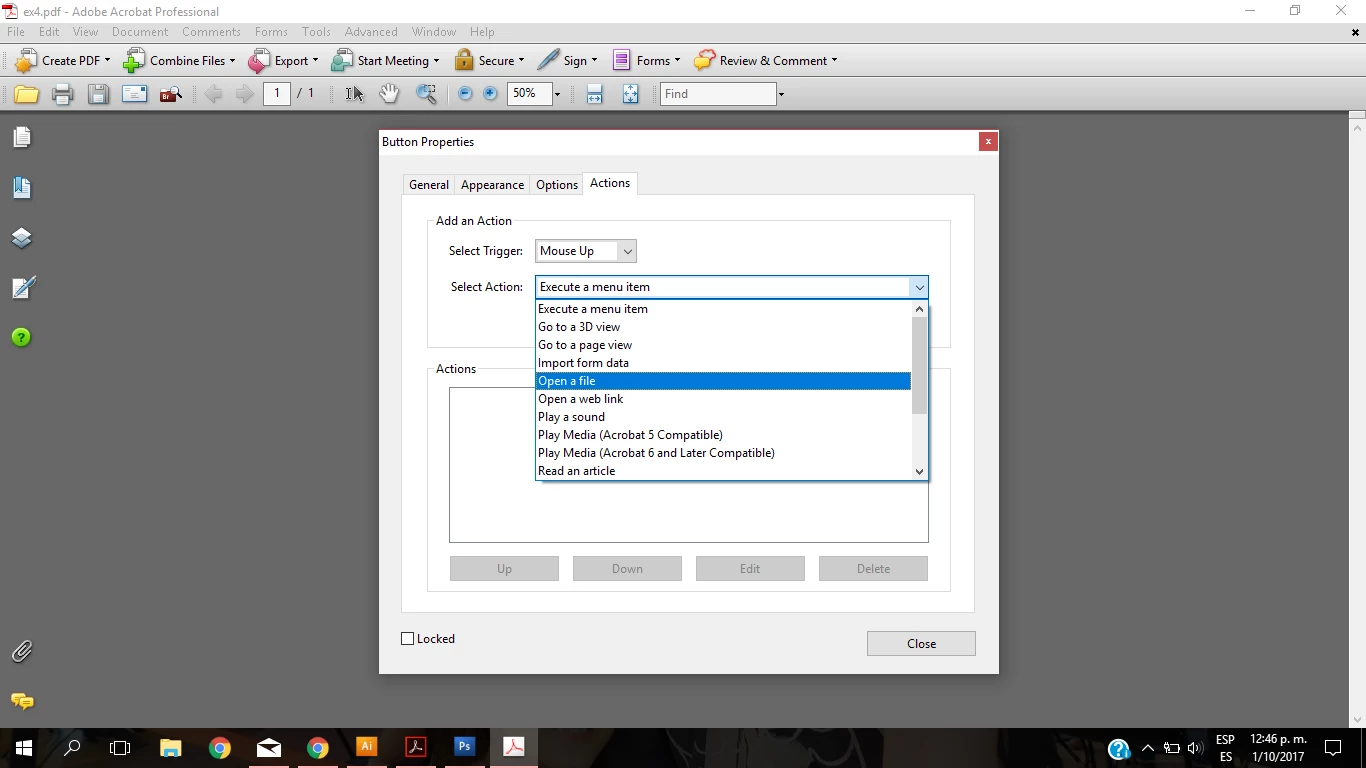
yes but i dont know how to insert the code. im stuck here.

i have acrobat pro 8, maybe thats the reason? thnks


Select the "Run a JavaScript" command and then paste the code I provided in the window that opens.

3 replies

Participating Frequently
January 18, 2018

So I added 'Run a javascript' and 'event.target.buttonImportIcon();'

When I enable the form for Adobe Reader form filling, and open in it in Reader, it only allows adding PDFs. Is there a way for the user to add .jpg images?

Bernd Alheit
Community Expert
Community Expert
January 18, 2018

Use the latest version of Acrobat Reader DC.

Participating Frequently
January 18, 2018

Thank you, Bernd.

I used Acrobat DC version 18.009.20050 and added a new 'add an image' button. Saved, then saved as to enable for Reader. Opened in Reader, and it still only lets me add a pdf image.

try67
Community Expert
Community Expert
October 1, 2017

You can do that with a button field set to have an icon. Then as the button's MouseUp action enter this code:

event.target.buttonImportIcon();

Participating Frequently
October 1, 2017

thank you very much! how can i achieve this? do you know any tutorial in youtube for example? thanks!

try67
Community Expert
Community Expert
October 1, 2017

I explained above how to do this... Have you tried it?

Ussnorway7605025
Legend
October 1, 2017

one post is more than enough to ask this question