


Participant
December 1, 2023
Question

Resize already made pdf pages

  • December 1, 2023
  • 1 reply
  • 855 views

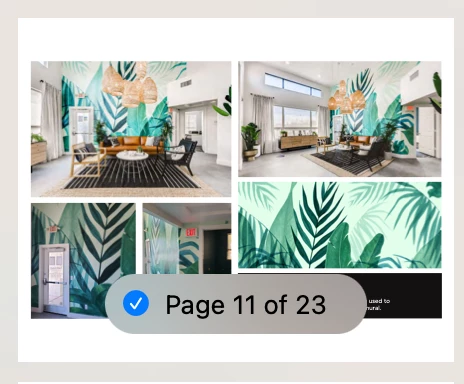
I have 23 pages that need to be resized down from 17 x 11 inches down to 14 x 11 inches. Each page contains at least one image and one text box. when I try to resize in the print dialog box either some of the text or some of the image gets cut off and the page looks uneven with a border on one side and the full bleed of the image or text box on the other side. As you can see in the image the text box on the bottom right is slightly cut off and some of the information within it is not visible. How can I go about resizing the pages properly? 
This topic has been closed for replies.

1 reply

Abambo
Community Expert
Community Expert
December 1, 2023

How do you resize in the print dialogue box? You can print to a 14x11 paper size and use the fit option.


Your screenshot is from viewing a PDF file from which application?

ABAMBO | Hard- and Software Engineer | Photographer
Participant
December 1, 2023

My screenshot is from viewing the pdf on preview on mac. The print dialog box for both acrobat and preview do not have a 14 x 11 option and when I enter it as a custom size it leaves some big white borders on the bottom and top of the page as seen in the screenshot.

Abambo
Community Expert
Community Expert
December 1, 2023

Well, what did you expect? This is not magic. The white border comes from changing the aspect ratio. It's impossible to make it any other way unless you take the original and reformat it to fit your page without white borders.

ABAMBO | Hard- and Software Engineer | Photographer