Hello @leonard_5345
I hope you are doing well, and thank you for reaching out.
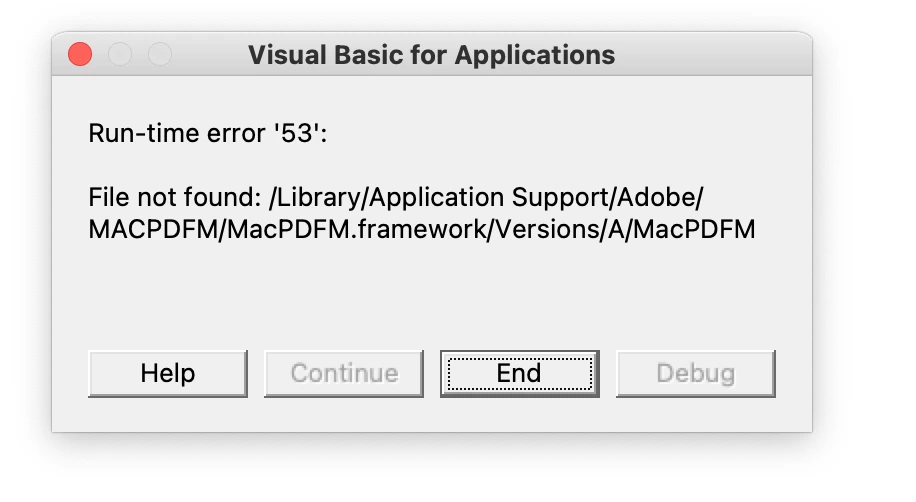
This error typically occurs because Adobe PDFMaker for Mac (a component that integrates Acrobat with Microsoft Office) is either:
Missing or corrupted after an update or reinstall of Office.
Not fully compatible with your current macOS or Office version.
The VBA macro in Office is trying to call the MacPDFM.framework, which is not present or incorrectly linked.
Please ensure you have the latest version of Acrobat installed on the machine: 25.001.20756 Planned update, Oct 01, 2025. Check for any pending updates by navigating to Menu > Help> Check for Updates. Install the updates, restart the app and the machine, and try again. Ensure Office apps are updated to the latest version via Microsoft AutoUpdate.
Also, try the solution from this article and let us know how it goes: How to fix runtime errors while launching Microsoft Office 365 apps on Apple M1.
Thanks,
Anand Sri.




 AdChoices