
jarikunnel
Known Participant
July 28, 2026
Question

Rotate text and fill text box with background

  • July 28, 2026
  • 3 replies
  • 18 views

I have the following version of Adobe Pro
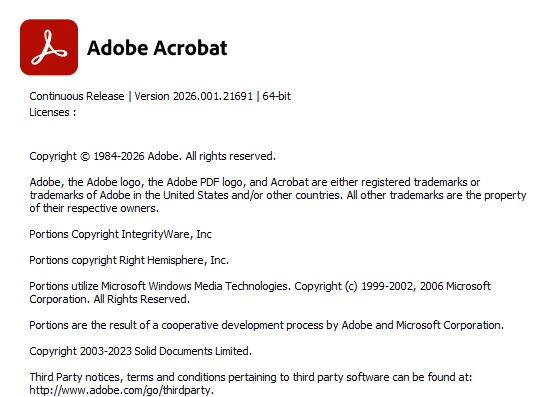
 

To insert text, Adobe allows me to add a text box via comment or “Add Content” - “Text”
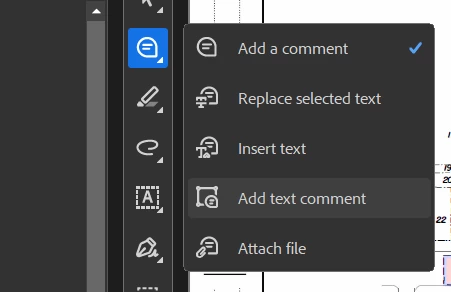
If I add text comment, I can fill the background but cannot rotate the text. If I add Text via Add Content, I can rotate but not fill. Explain what I should do. Why does each feature have its own logic instead one cohesive logic?

    3 replies

    jarikunnel
    Known Participant
    July 28, 2026

    When I said fill, I meant fill the background of the text box with a specific color. I need to cover existing text in a drawings with a textbox that I can rotate and fill with a color. “Add text comment” allows me to color fill with white to block out the existing text, but it does not allow rotation. “Add Content” - “Text” allows rotation but does not let me color fill.

    Additionally, inserting a white box over the existing text, then “Add Content” - “Text” does not even allow the text to show in front of the white box! All could be done on Bluebeam in 30 seconds.

    Can you confirm if there is any way for my task to be completed?

    radzmar
    Community Expert
    Community Expert
    July 29, 2026

    Could you please provide some images of what it looks now and how you want ot to look like?

    radzmar
    Community Expert
    Community Expert
    July 28, 2026

    Why would you want to rotate a fillable text field? Noone want’s to fill out fields upside down or diagonally. The filling should happen horizontally be it left to right or right to left. Rotating text only makes sense for static texts, that’s why the tool behave the way they do. 

    If you really want rotate a field in 90° increments, you can rotate the page before you add the text field. However, the text widget might not work in every PDF viewer as expected.