


Answered
run JS code with PDF form button
I try to create a PDF document in Adobe Acrobat Pro DC with a form button that calls a JS function. The purpose of this function is to open a file picker dialog, and append the selected file's content at the end of the current file (that calls the JS function).
I placed following JS code into C:\Program Files\Adobe\Acrobat DC\Acrobat\Javascripts (file is: appendPDF.js):
var appendPDF = app.trustedFunction(function () {
    app.beginPriv();
    try {
        var oResult = app.browseForDoc({
            cFilter: "Adobe PDF Files: *.pdf"
        });

        if (oResult && typeof oResult.cPath === "string") {
            // Convert from /C/Users/... to C:\\Users\\... format
            var rawPath = oResult.cPath;
            var windowsPath = rawPath
                .replace(/^\/([A-Z])\//i, "$1:\\")  // Replace leading /C/ with C:\
                .replace(/\//g, "\\");             // Replace remaining / with \

            app.alert("Selected file: " + windowsPath);

            var thisDoc = app.activeDocs[0];
            if (!thisDoc) {
                throw new Error("No active document.");
            }

            thisDoc.insertPages({
                nPage: thisDoc.numPages - 1,
                cPath: windowsPath,
                nStart: 0,
                nEnd: -1
            });

            app.alert("Pages inserted successfully.");
        } else {
            app.alert("No file selected or cPath missing.");
        }
    } catch (e) {
        app.alert("Error: " + e.message);
    }
    app.endPriv();
});
Form button is placed in the upper left corner, select trigger is mouseup and action is run a javascript.
Called JS function: appendPDF();
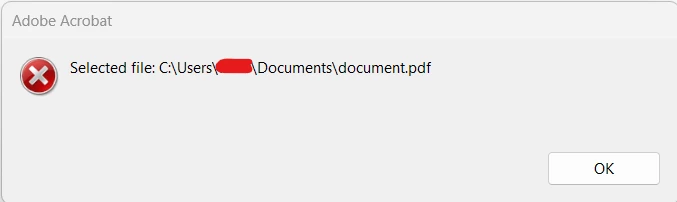
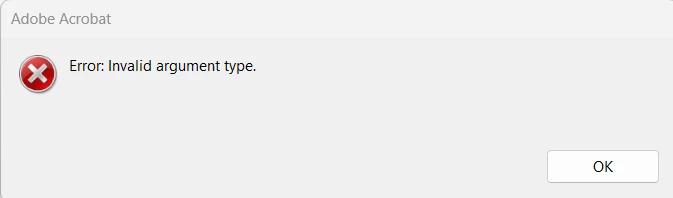
File picker dialog box opens, but two error message boxes come up right after selecting a file:

 AdChoices