Hi clif_CROP,
Here is the complete information:
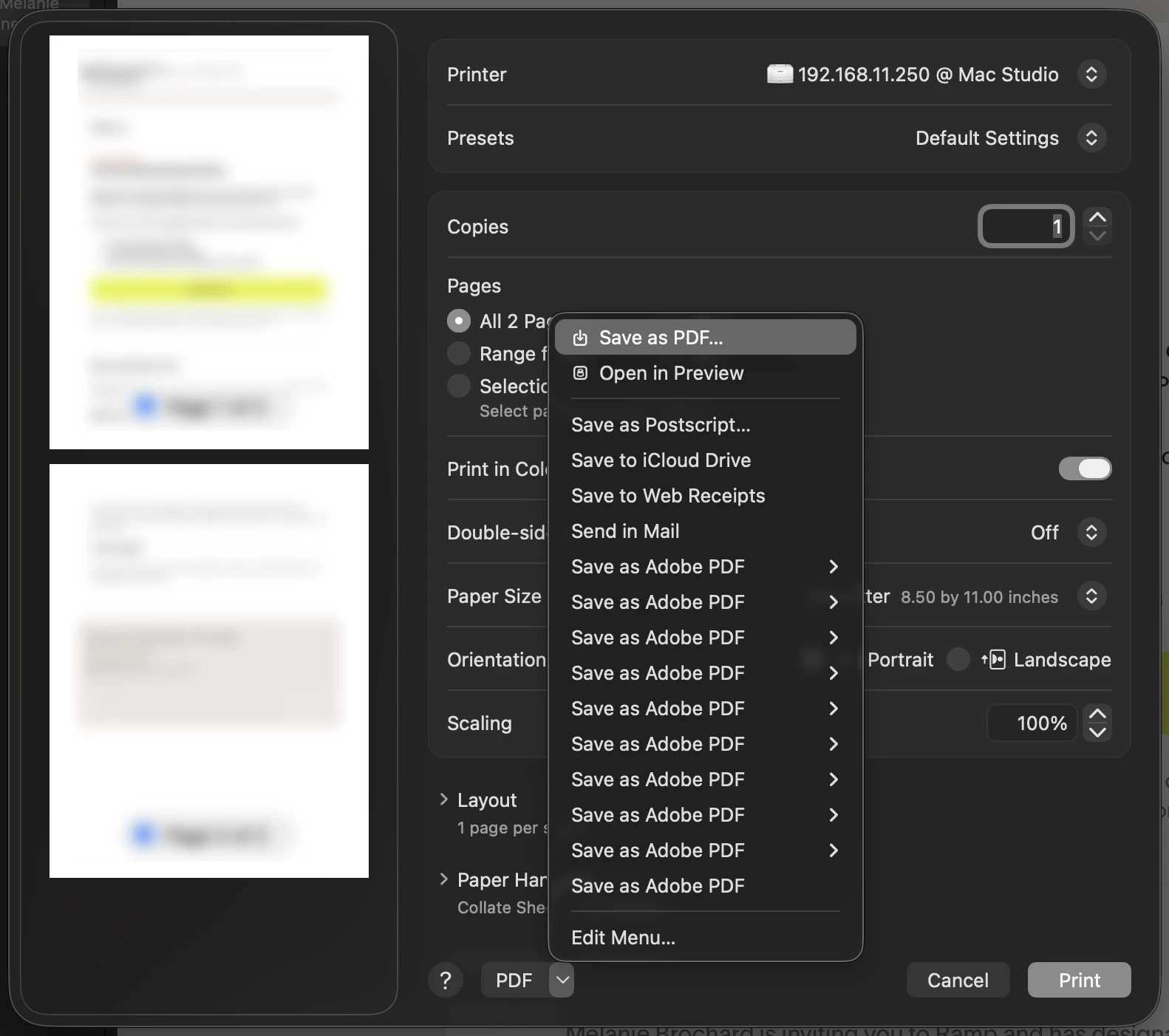
When Acrobat is updated or reinstalled over time on Mac OS, older Adobe PDF workflows may not always be removed automatically. As a result, multiple legacy workflows can remain in the PDF Services folder, which explains why several instances of “Save as Adobe PDF” can appear in the Print dialogue.
Please try the following workaround. Try manually removing the outdated workflows from the /Library/PDF Services folder is a valid and safe solution:
-
Go to the following location: Macintosh HD > Library > PDF Services OR Macintosh HD > Users > <username> > Library > PDF Services.
-
You can delete only the older or duplicate Adobe PDF workflows, or
-
Remove all Adobe-related entries from that folder (Acrobat will recreate the correct one when needed).
For Windows:
“Adobe PDF” is a virtual printer. Duplicate entries typically occur due to:
- Multiple or incomplete Acrobat installations/upgrades
- Old Adobe PDF printer drivers are not being removed
You may try to remove duplicate printers:
- Go to: Control Panel > Devices and Printers
- Look for multiple Adobe PDF printers.
- Right-click the duplicates > Remove device
- Keep only one instance.
Sometimes the printer disappears visually but still exists at the driver level. Try the following:
- Go to: Control Panel > Devices and Printers
- Click any printer > Print server properties (top bar)
- Go to the Drivers tab
- Look for Adobe PDF Converter
- If multiple entries exist: Remove older versions (be cautious—ensure they’re not in use)
Hope the information helps.
Thanks,
Meenakshi




 AdChoices