Participant
April 2, 2019
Answered

Save As Not Working

  • April 2, 2019
  • 8 replies
  • 33803 views

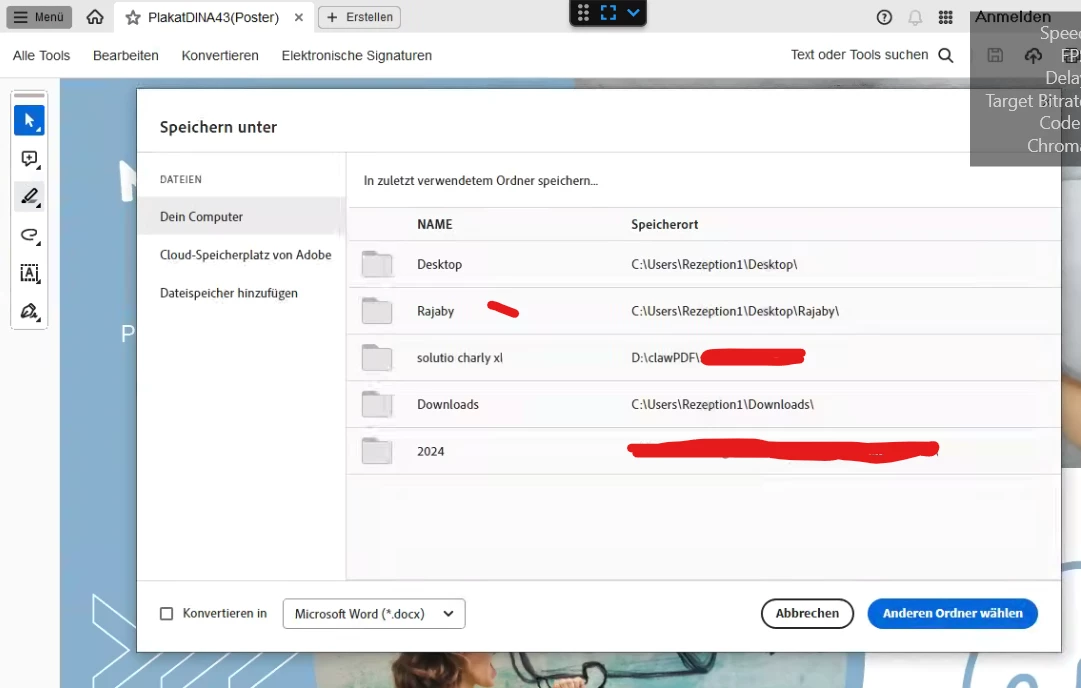
The Save As function does not work in Adobe Acrobat 2017 Pro using Safari.  it also does not allow me to save a combine file Binder.  How do I fix this?

Correct answer valecika vasiblyeta

thank you brother

this did not work until you helped me

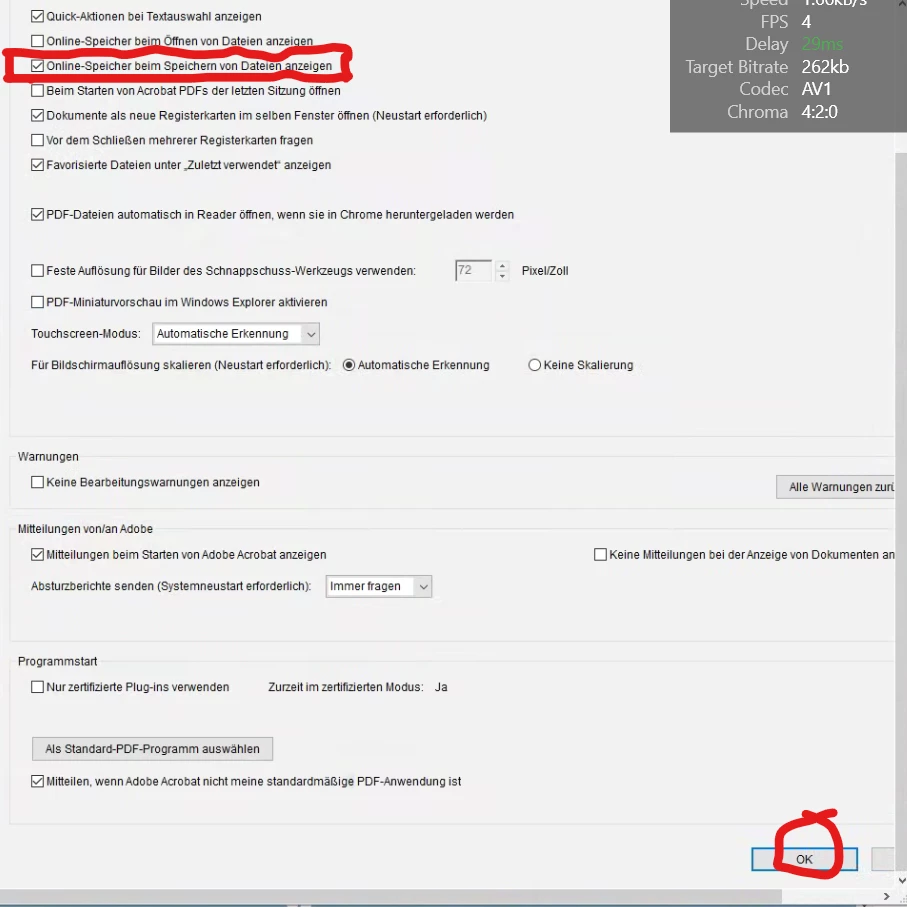
i unchecked "show online storage when saving files" i couldn't find OK so i closed the window

but everything worked


i also think that pressing on OK would cause worse results. thx

8 replies

Inspiring
January 13, 2025

i prefer mushihome

Participant
October 7, 2022

Solution worked even though it is very un-intuitive.  But I'm glad to have it working.

jb

Participant
September 24, 2021

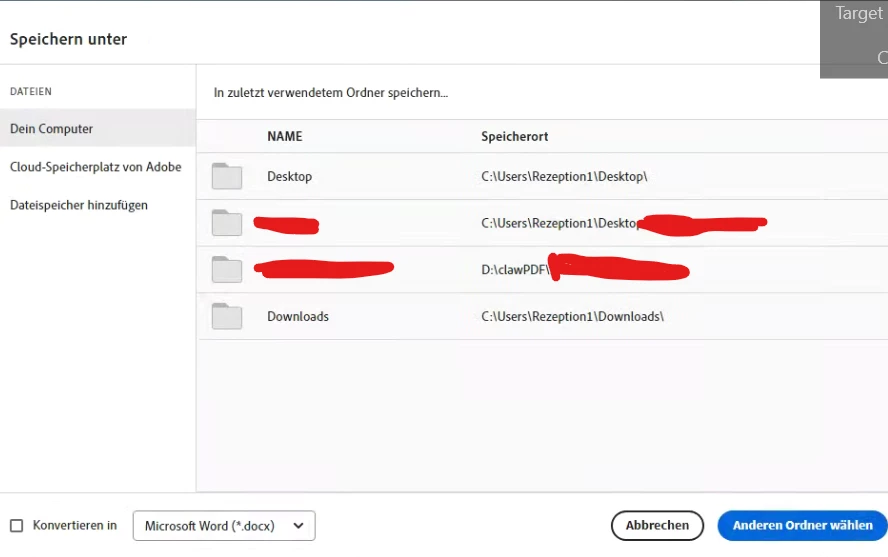
Not good enough. The save as dialog when offline storage is disabled does not show recent location where PDF have been saved. Why is the dialog box blank?

Participant
September 21, 2021

I have been having the same problem also, but unchecking that box in the menu solved it.  Thanks for the post and the fix!!


David

Participant
September 21, 2021

I have the same problem, which has never happened before.

Bu unchecking that box solved the issue.

Why would it just happen all of a sudden ?

Participant
July 2, 2020

I had the same problem. And solved. Thank you!

Participant
September 20, 2021

I have the same problem and the fix did NOT work.

Meenakshi Negi
Community Manager
Community Manager
September 21, 2021

Hi Linda,


Thank you for reaching out and sorry for the trouble.


Could you please confirm the application version currently installed on the machine?

Also, share the OS version on the machine.


Please try re-installation of the application. Use the Acrobat Cleaner tool to remove the  application from here: https://www.adobe.com/devnet-docs/acrobatetk/tools/Labs/cleaner.html

Reboot the machine after the uninstallation, then install Acrobat: https://helpx.adobe.com/download-install/kb/download-install-acrobat-subscription.html

Sign-in to the applicaiton and try saving any PDF file.


Let us know how it goes.


Thanks,

Meenakshi

Legend
April 3, 2019

Certainly makes no sense. It's an old problem, been going on for years, and quite unconscionable that it isn't resolved.

Legend
April 3, 2019

Save As in Acrobat is on the File menu. However, to fix your problem, go to Acrobat > Preferences, and look in the "General" category. Turn OFF "Show online storage when saving files".

14greg!Author
Participant
April 3, 2019

Thank you, that worked.  As usual, Adobe is completely nonintuitive, and this feature makes no sense.  But it worked.

Legend
April 2, 2019

Please tell us exactly what happens when you choose Save As.

Also, you can no longer use Acrobat with Safari on current Mac OS, what Safari version do you have?

14greg!Author
Participant
April 3, 2019

Safari version 12.0.3. 

I am in an Adobe Acrobat pdf file (not the website) and I select Save As from the drop down menu in the Safari tool bar, a blank dialog box appears that has Save As in the title, but the entire dialog box is blank.

When I combine pdf files, the combined file is titled Binder 1.  I hit Save in the Safari tool bar or Save on the Adobe software, I get the same dialog box where the title is Save As and the dialog box is blank.

There is no Save As function in the Adobe Acrobat software anywhere that I can see, even on the Adobe tool bar or in any of the program menus such as Edit File or Organize Document.

Then I left click in the Adobe software toolbar and there is an option for Show File Tools, so I select it and there is no Save As function at all.

I didn't have this problem with my Adobe Acrobat 2015.  Why did I bother to upgrade again?