mbrandtconb
Participant
June 9, 2026
Question

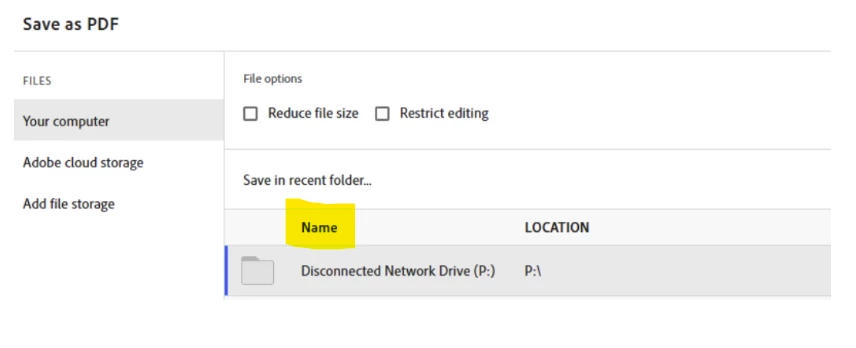
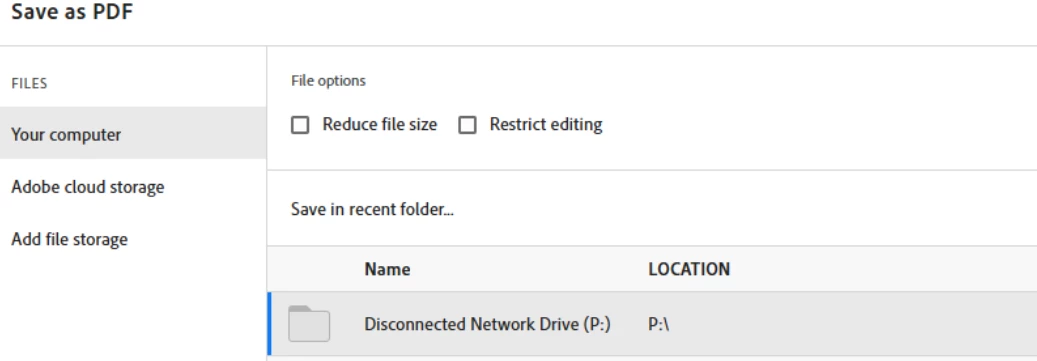
Save as PDF showing Disconnected Network Drive - How to Fix to Say Connected

  • June 9, 2026
  • 2 replies
  • 7 views

It is showing the drive is disconnected but when clicking on the drive it saves to the location. Is there a way to make this display for my users so they are not confused in the future.



    2 replies

    Meenakshi0101
    Community Manager
    Community Manager
    June 9, 2026

    Hi mbrandtconb,


    Thank you for the information.

    Could you please share the screenshot of the original name of the drive? Also, was it working fine before? Share the Acrobat and OS version number on the machine.


    Thanks,

    Meenakshi

    Meenakshi0101
    Community Manager
    Community Manager
    June 9, 2026

    Hi mbrandtconb,


    Thank you for reaching out and sharing the screenshot.


    As we see, the Disconnected Network Drive (P:) is the name of the folder. Please check if this is how the drive is named on your machine. If that is not the case, please share the screenshot of the window where we can check the correct drive name. You can check that under File Explorer > This PC > Devices and Drivers on a Windows machine. 


    Let us know if you need any help or have questions.


    Thanks,

    Meenakshi

    mbrandtconb
    Participant
    June 9, 2026

    The drive on the users workstation is connected because it is a network drive that gets mapped upon login.  Its just giving this error in adobe, plus I did add the path way in the security enhanced section and its still getting the same visual text.  Even though it says disconnected it still allows to save to the location.