Participant
September 16, 2020
Answered

Saving a PDF of reduced file size will produce some very thin lines

  • September 16, 2020
  • 1 reply
  • 1956 views

When doing File - Save As - with the  'reduce file size' checkbox enabled, the PDF generated will have some lines much narrower than before. I attached test1.pdf and test1-reduced.pdf (which is the result of the action) to this post. Why is this happening and how can it be prevented? Using an up-to-date Acrobat Pro DC here.

test1.pdf was generated using OriginPro 2020b using the settings in the screenshot (sorry, German...)


Thanks for your advice!
This topic has been closed for replies.
Correct answer Luke Jennings3

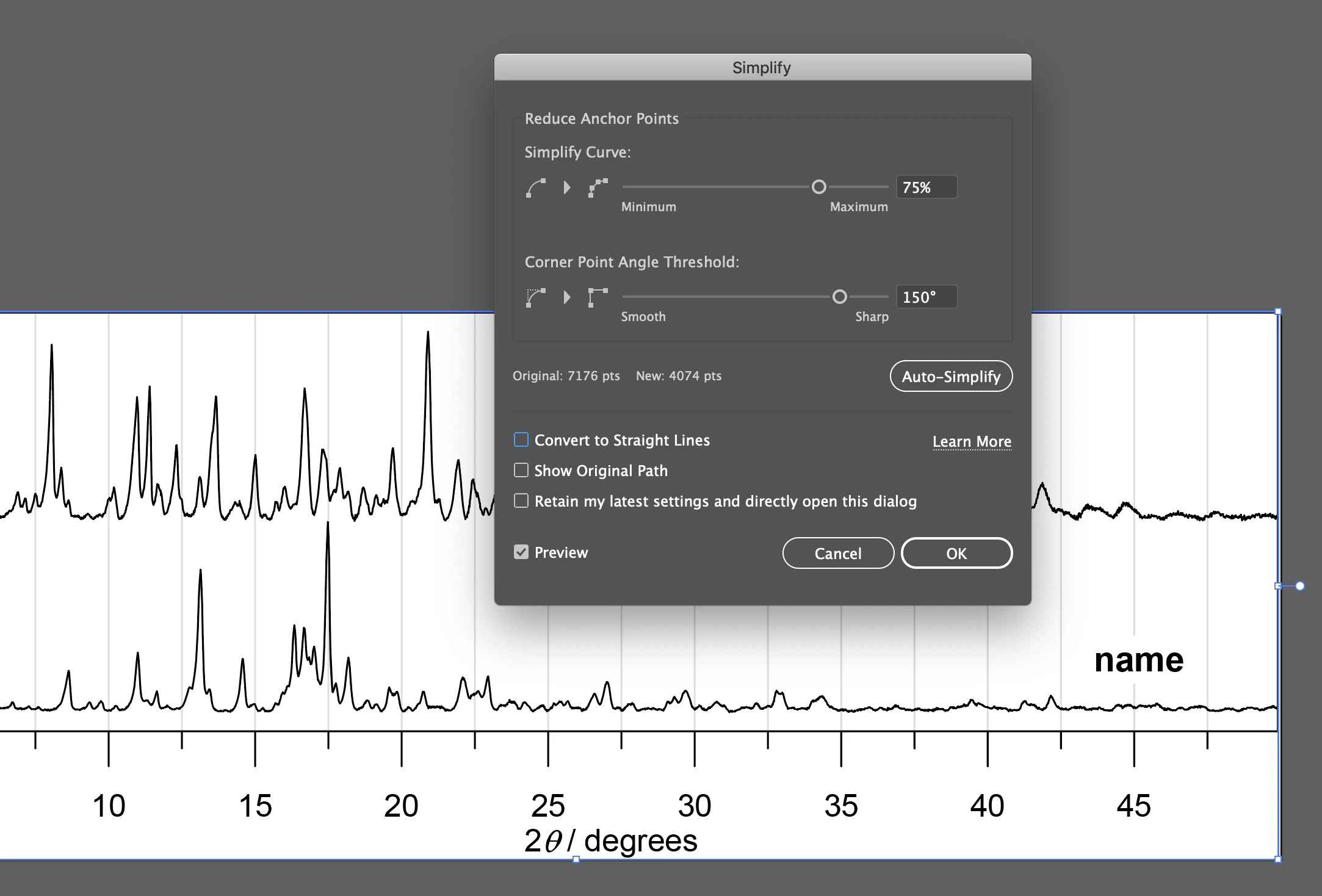
The graph lines appear to have too many points. I can confirm saving as a reduced size will change the stroke width to 0 (zero).

I found if you open the PDF in Illustrator, select all, and go to Object> Path> Simplify (click the 3 dots to expand the window), this fixes the issue. Save as a PDF from Illustrator, which should also embed the fonts, which are currently unembedded. Both fixes will produce a slightly larger PDF.

1 reply

Luke Jennings3
Community Expert
Luke Jennings3Community ExpertCorrect answer
Community Expert
September 16, 2020

The graph lines appear to have too many points. I can confirm saving as a reduced size will change the stroke width to 0 (zero).

I found if you open the PDF in Illustrator, select all, and go to Object> Path> Simplify (click the 3 dots to expand the window), this fixes the issue. Save as a PDF from Illustrator, which should also embed the fonts, which are currently unembedded. Both fixes will produce a slightly larger PDF.

timostAuthor
Participant
September 16, 2020

Thank you. I'm looking at a few dozen of plots like that one and will have to think about a smart way of solving this. Apparently, opening the file in Illustrator, re-saving to PDF and then optimizing/reducing with Acrobat will also do the trick. Will have to look into this...


I'm using a couple of chemistry-related software to create PDF files. Despite the fact that it's 2020, PDF output of most of the programs is a shame. Concerning OriginPro, I might have had the chance to get a better result if I only checked on all those options earlier on.

Luke Jennings3
Community Expert
Community Expert
September 17, 2020

I believe I have an Acrobat only fix for you. The advantage is you can use the Acrobat Action Wizard tool to create an action that can be applied to a file, or a folder of files with a few clicks. The fix involves combining several preflight fixups into one action. Here are the preflights;

1. Convert smooth lines to curves. This will actually change the "stroke" width on the graph to (0), which is ok.

2. Set minimum line width to .5 pt. This will restore the graph lines to the desired width. Note, you will need to create this fixup by duplicating, re-naming and editing the existing fixup Set minimum line width to 0.14 pt. see attached screen shot.

3. Embed missing fonts.

4. Convert to Grayscale. This is a good idea if these charts will be printed, as they are curently RGB.

The Action Wizard tool may seem a bit unintuitive the first time you use it, but it works well. Let me know if you need step by step instructions.