
Participant
June 7, 2018
Answered

saving document as pdf in photoshop

  • June 7, 2018
  • 1 reply
  • 822 views

Hi all,

I am currently trying to save a document I have created in photoshop as a pdf, but no matter how I save it, when you zoomed out the text is really pixellated, when at zoomed in the text is fine.

I have never experienced this issue before when creating a brochure. The brochure is for digital so is in RGB, I have included a screenshot of the settings I am using when saving the pages. Also, please see a screenshot of the issue below too.
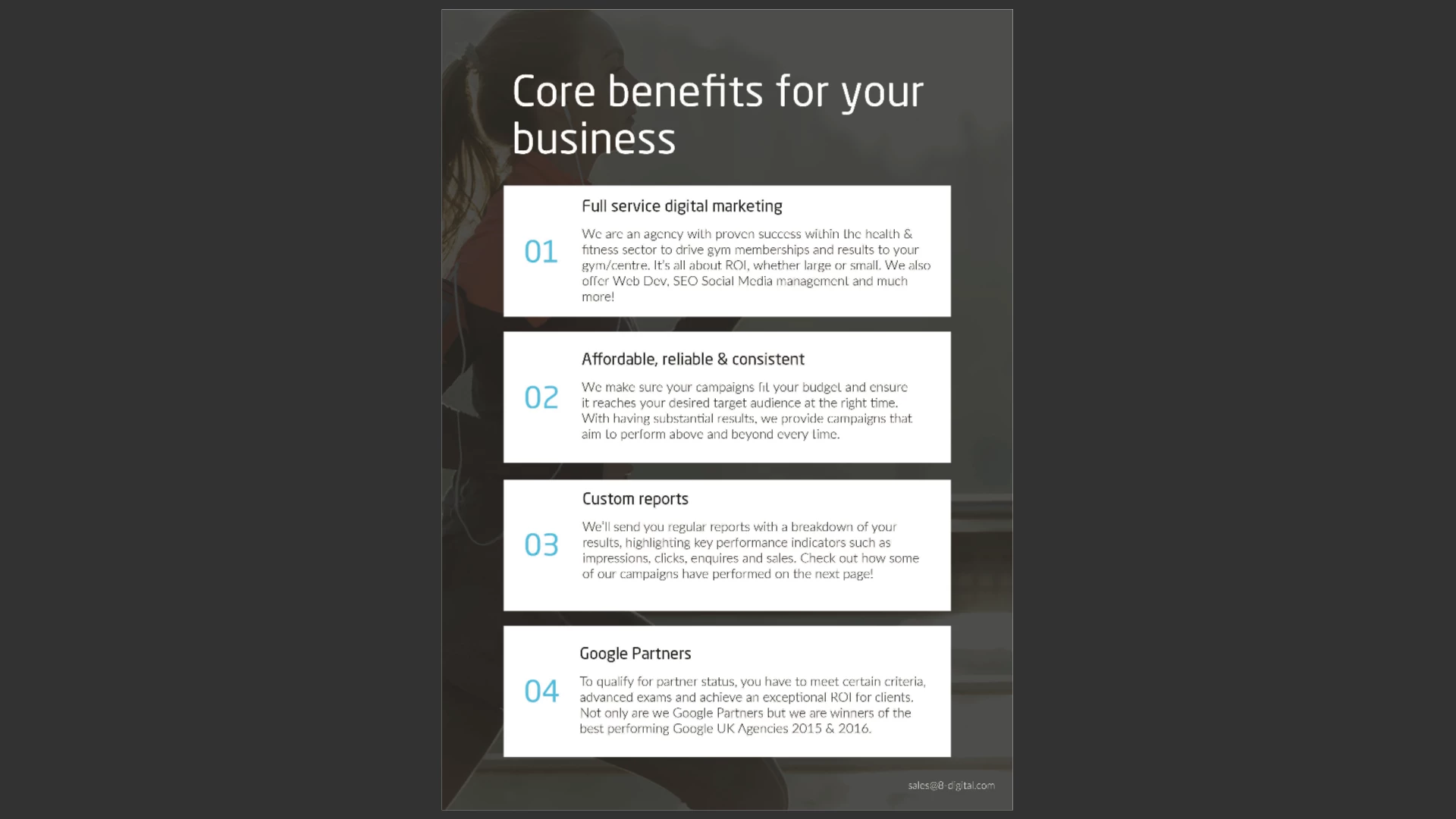
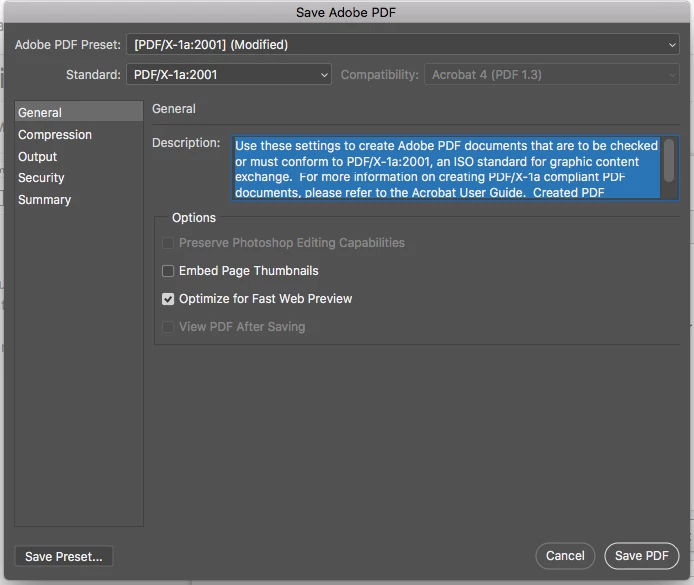
Am I saving it incorrectly for this to happen?

Thanks!

Ellen

This topic has been closed for replies.
Correct answer Karl Heinz Kremer

If you are on a Mac, never open a PDF file in Preview. It may get destroyed without you knowing what's going on: Preview.app - Killer of PDF Files - KHKonsulting LLC

1 reply

Karl Heinz  Kremer
Community Expert
Community Expert
June 7, 2018

Are the fonts you are using embedded in the PDF? You can find out by opening up the Document Properties dialog in Acrobat (Ctrl-D or Cmd-D). If you do not see the fonts you used for the text in question, then there is something wrong with your font embedding settings. If the fonts seem to be embedded, try to select the text in question in Acrobat. Can you select it? Can you change the font to something different? If that's not the case, then chances are that the text is not PDF text, but part of your image object. Are you using transparency in your document? If so, it's possible that some transparency flattening was performed as part of the PDF export function. Do you see the same pixelation when you use the PDF/X-4 output profile? PDF/X-4 does support transparency, so if your problem is due to transparency flattening, the PDF/X-4 version should behave correctly.

Participant
June 7, 2018

Thank you for your help! It seemed to be a problem with Preview, now it has been opened in Adobe Reader DC, it is fine, thanks again!

Karl Heinz  Kremer
Community Expert
Karl Heinz KremerCommunity ExpertCorrect answer
Community Expert
June 7, 2018

If you are on a Mac, never open a PDF file in Preview. It may get destroyed without you knowing what's going on: Preview.app - Killer of PDF Files - KHKonsulting LLC