Participant
August 13, 2021
Question

Saving Document in Sharepoint - Show Properties

  • August 13, 2021
  • 1 reply
  • 603 views

Hello,


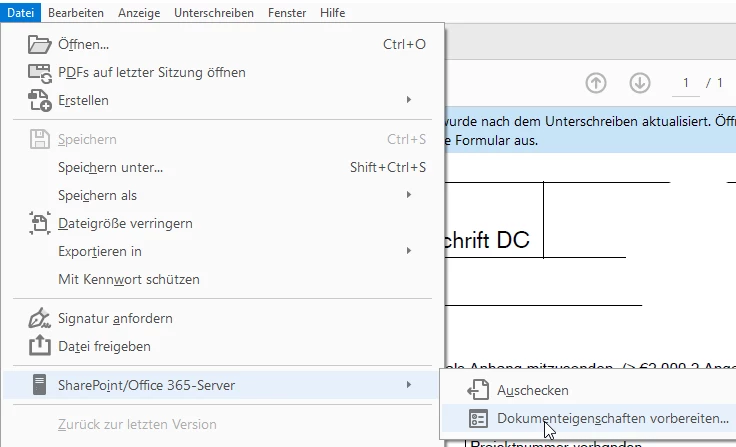
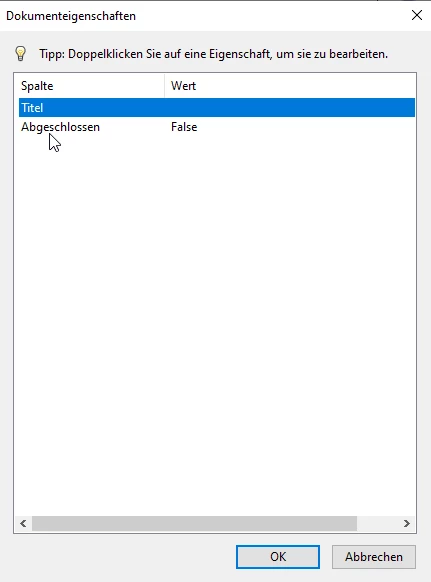
is it possible to show automaticly everytime the properties for the sharepointfile? It is shown when i save document the first time there. When i checkout then save and checkin it isn't shown. Perhaps with a script in the document?
 

Thanks for your answers.

bye FM

This topic has been closed for replies.

1 reply

Eric Dumas
Community Expert
Community Expert
August 13, 2021

Hi,

If I understand well:

- you open a file from a SharePoint library

- the library is set to have Check Out/Check In feature

- the library has mandatory fields

- you are missing the check in option shen you save/close a file


Is that correct?

FM_8Author
Participant
August 13, 2021

Hello,

the option checkin is there. That's ok. I miss the window where i can set the settings like in the second picture of the post.

This is not shown when i reopen the document and when i checkin.


-create a document and store in sharepoint -> the window with properties is shown

-reopen the document checkout, write and checkin -> the window with properties is not shown


the properties you will see then in the sharepoint: