Hi @garethirwin1234 ,
Thank you for reporting the issue and apologies for inconvenience caused.
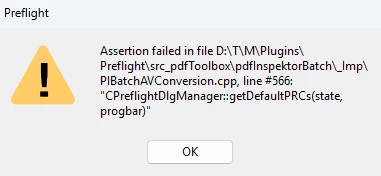
Save as PDF/A uses the Preflight conversion to save the document to required compliant standard. If you use Preflight Tool (All Tools-->Print Production-->Preflight) , most likely you would see some issues either in profiles loading blank or the issue you reported above. It appears to be some issue with Preflight Profiles getting corrupted or facing issue during install.
Please try this suggested workaround and let me know if this resolves the issue :
- Disable the sandbox feature in Acrobat (under Preferences > Security (Enhanced) > Enable Protected Mode at startup (Preview)) , Quit Acrobat and Restart.
- In the case of empty Profiles (or generally), it is advisable to remove the Preflight preferences (%APPDATA%\Adobe\Acrobat\Preflight Acrobat Continuous) to get fresh libraries/profiles after the sandbox is disabled. Quit Acrobat , Remove Profiles from above mentioned path and Restart Acrobat. Try Preflight again after relaunch , it should then fetch the fresh libraries/profiles. Please select all libraries one by one from dropdown to fetch all the profiles (shown in screenshot). It will only take few minutes.
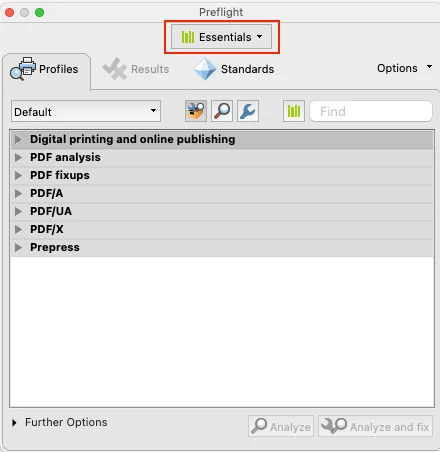
After the profiles have been fetched , then try to use your workflow . Let me know if this resolves your issue.
Note: Please keep a backup of folder before removing from appdata as any custom profiles might get lost during removing/renaming folder.
Once the issue is resolved , please enable sandbox feature again and continue to use Product.
Regards,
Divya Kumar Singh



 AdChoices