

Participant
July 12, 2026
Question

Scan Image Directly Into a PDF

  • July 12, 2026
  • 6 replies
  • 84 views

Hello,

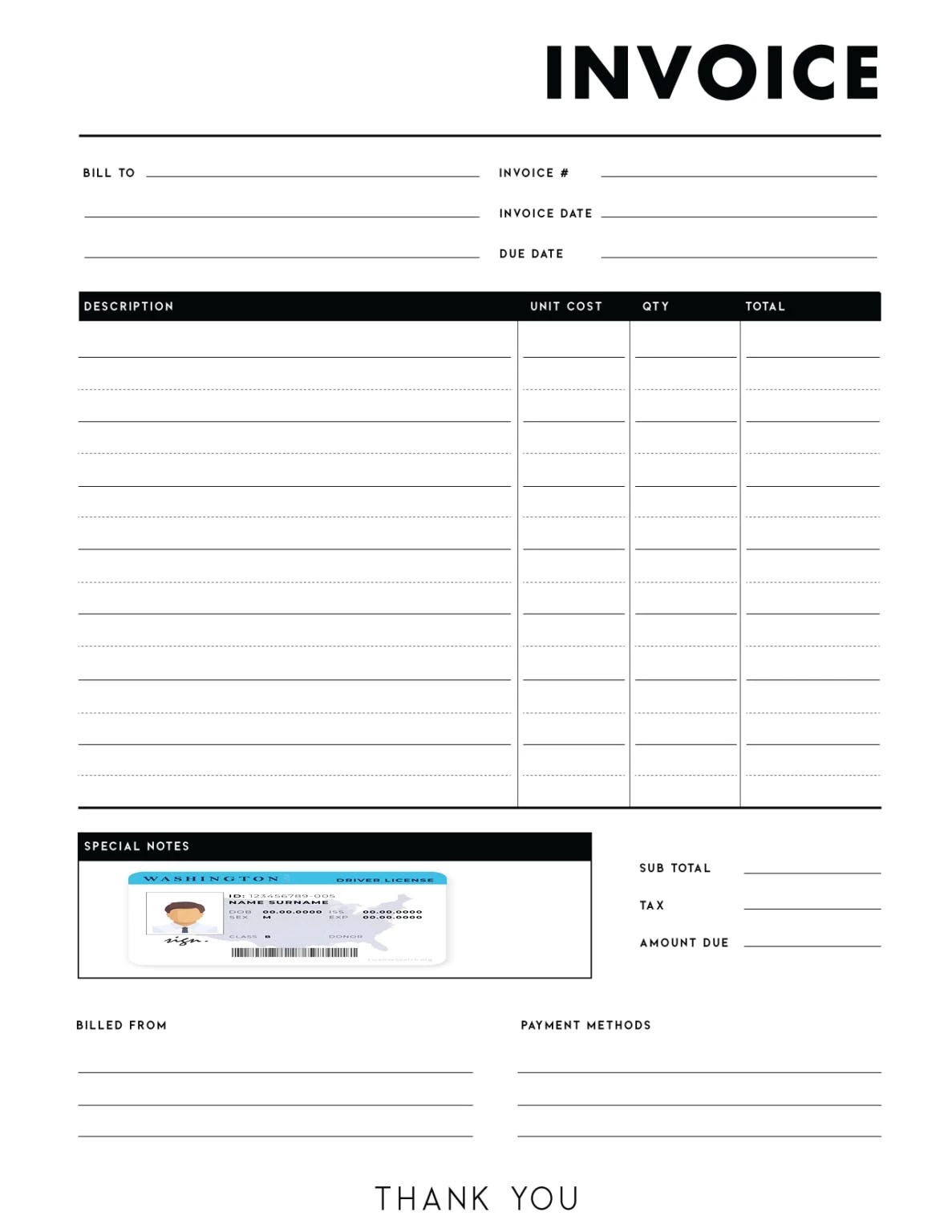
I am wondering if I can scan a image right into a PDF document. I have a PDF form that I have a section that I need to scan a drivers license into a designated part of the form. Thank you

Example
 

    6 replies

    DCBUSAuthor
    Participant
    July 21, 2026

    Hello, I appreciate the replies. I am actually looking for the reverse basically. I am not looking to print or scan a portion of a PDF. I have a scanner that can scan identification cards such as a drivers license, and I am looking to take this scan directly from the scanner and insert the scanned image right into a designated section of my open PDF invoice, such as the example image. The identification card scan is inserted directly to where I have in noted “Special Notes”.


    Thank you

    Anand Sri Bhattacharya
    Community Manager
    Community Manager
    July 21, 2026

    Hello @DCBUS


    I hope you are doing well, and thanks for sharing the details. Sorry for the trouble.


    Please note that Acrobat does not scan directly into a specific spot on an already-open PDF in one step. Scanning and placing are two separate actions. The normal supported flow is to scan to an image or PDF first, then add that image to the target document. If this genuinely needs to be a repeatable, semi-automated workflow, that's usually built with the scanner's own software (scan to file) plus a document step, not a single Acrobat button.


    Suggestion:

    1. Scan the ID card using your scanner software or Acrobat and save it as an image/PDF.

    2. Open the invoice PDF in Acrobat.

    3. Go to All Tools > Edit > Image > Choose image.

    4. Select the scanned ID image, click inside the Special Notes area, then resize and drag it into place. Adobe’s image tool supports placing, resizing, and repositioning an imported image on the PDF page


    I hope this helps, and let us know if you need any assistance.

    Regards,

    Anand Sri.

    DCBUSAuthor
    Participant
    July 12, 2026

    Thank you, I will take a look.

    Best Regards, JR

    Dave Creamer of IDEAS
    Community Expert
    Community Expert
    July 12, 2026
    David Creamer: Community Expert (ACI and ACE 1995-2023)
    DCBUSAuthor
    Participant
    July 20, 2026

    Hello,

    Thank you for the link. I am more looking to scan not a full document to PDF, but to be able to scan into a currently open PDF form to a certain section of the document.

    Thank you

    Meenakshi0101
    Community Manager
    Community Manager
    July 21, 2026

    Hi DCBUS,


    Thank you for reaching out.


    If you are trying to scan a specific section of a PDF page, you can use the Take a snapshot feature in Acrobat. See if that works for you. You can refer to the information about the feature in the following help document: Print a portion of a PDF page.


    If you are trying to create a new PDF using a few pages from a multiple-page PDF, you can use the extract pages option under Organize pages. Please refer to the steps outlined here: Extract pages from PDFs.


    Please let us know if you are trying something different or if you have any questions.


    Thanks,

    Meenakshi

