This topic has been closed for replies.
Correct answer ankit_sharma17144863

Hi @dougs55005891 ,

Please follow below steps to resolve the error:

- Create dword 'iAcroLoginType' = 5 (decimal) at below registry location:

'Computer\HKEY_LOCAL_MACHINE\SOFTWARE\Policies\Adobe\Adobe Acrobat\DC\FeatureLockDown

Please let us know if this resolves the issue.


Thanks,

Ankit

2 replies

Meenakshi Negi
Community Manager
Community Manager
October 12, 2022

Hi dougs55005891,


Thank you for reaching out.


Would you mind sharing more details about this issue?

- Did you start receiving this error recently?

- Share the steps that pop-ups the error message.

- Share the current Acrobat and OS versions on the machine.


Thanks,

Meenakshi

Participant
October 12, 2022

Hi Meenakshi,

Thank you for responding.

Here are the answers to your questions.

  1. Yes, I just started receiving this error as of yesterday.
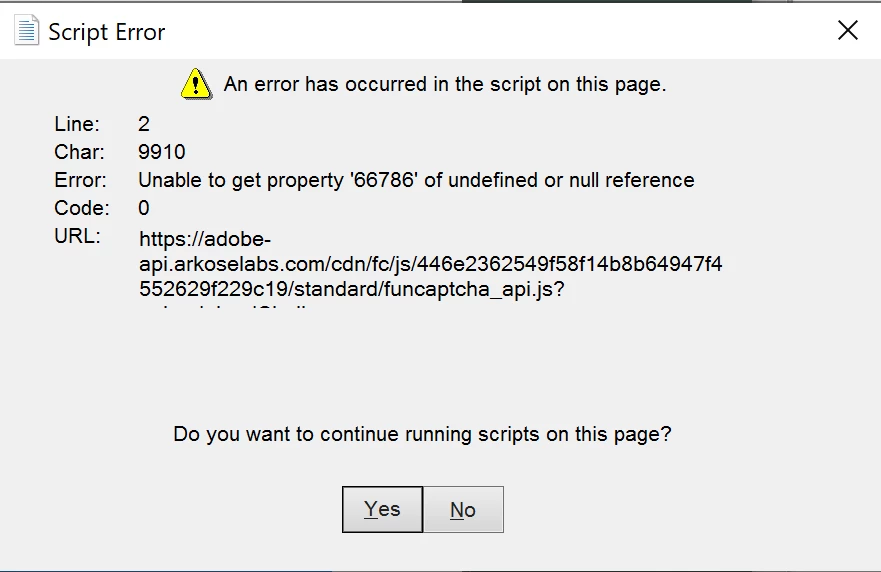
  2.  Steps - click on pdf file, adobe window opens up for me to sign in.  As I start to type my user id, the pop up error message appears.  At that time I can either select yes, no or close.  I have tried all multiple times, but nothing moves forward.  From, there since nothing happens, I have to go to my task manager and close the task.
  3. Not sure which Acrobat Pro with Windows 10
ankit_sharma17144863Correct answer
Adobe Employee
October 14, 2022

Hi @dougs55005891 ,

Please follow below steps to resolve the error:

- Create dword 'iAcroLoginType' = 5 (decimal) at below registry location:

'Computer\HKEY_LOCAL_MACHINE\SOFTWARE\Policies\Adobe\Adobe Acrobat\DC\FeatureLockDown

Please let us know if this resolves the issue.


Thanks,

Ankit

radzmar
Community Expert
Community Expert
October 11, 2022

The error says that there's a property missing in the script funcaptcha_api.js loaded from a third party (https://adobe-api.arkoselabs.com). When and where does this appear?

Participating Frequently
October 11, 2022

It appears when you're trying to sign in. At least it does for the users that have contacted me. I wish I would hear something back from Adobe about this. They either need to disable the script, or get Arkose Labs to fix their script. I just blocked the domain for now and that worked. 

Participant
October 11, 2022

How do you block the domain?