Participating Frequently
January 21, 2024
Question

Script for Replicating Form Field Values Smartly/ Dynamically in Accross PDF

  • January 21, 2024
  • 2 replies
  • 1647 views

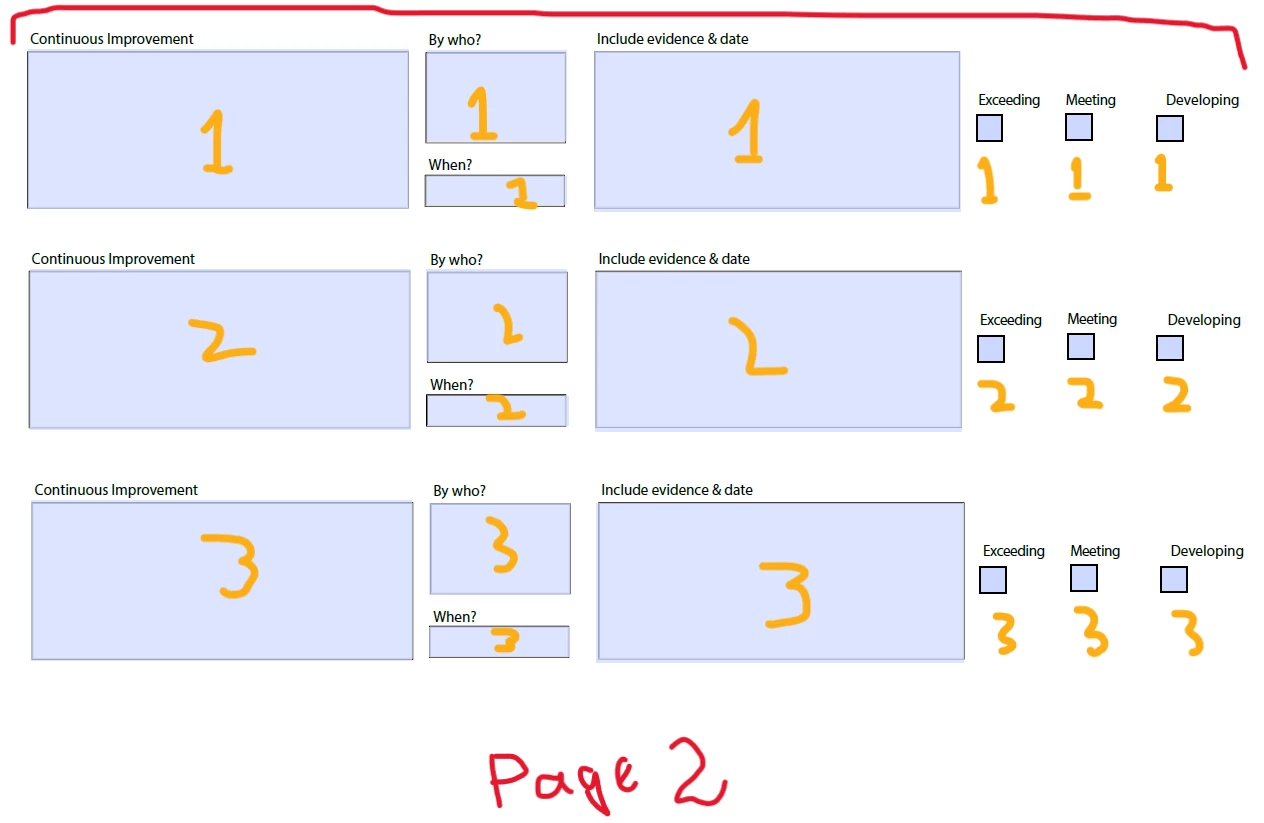
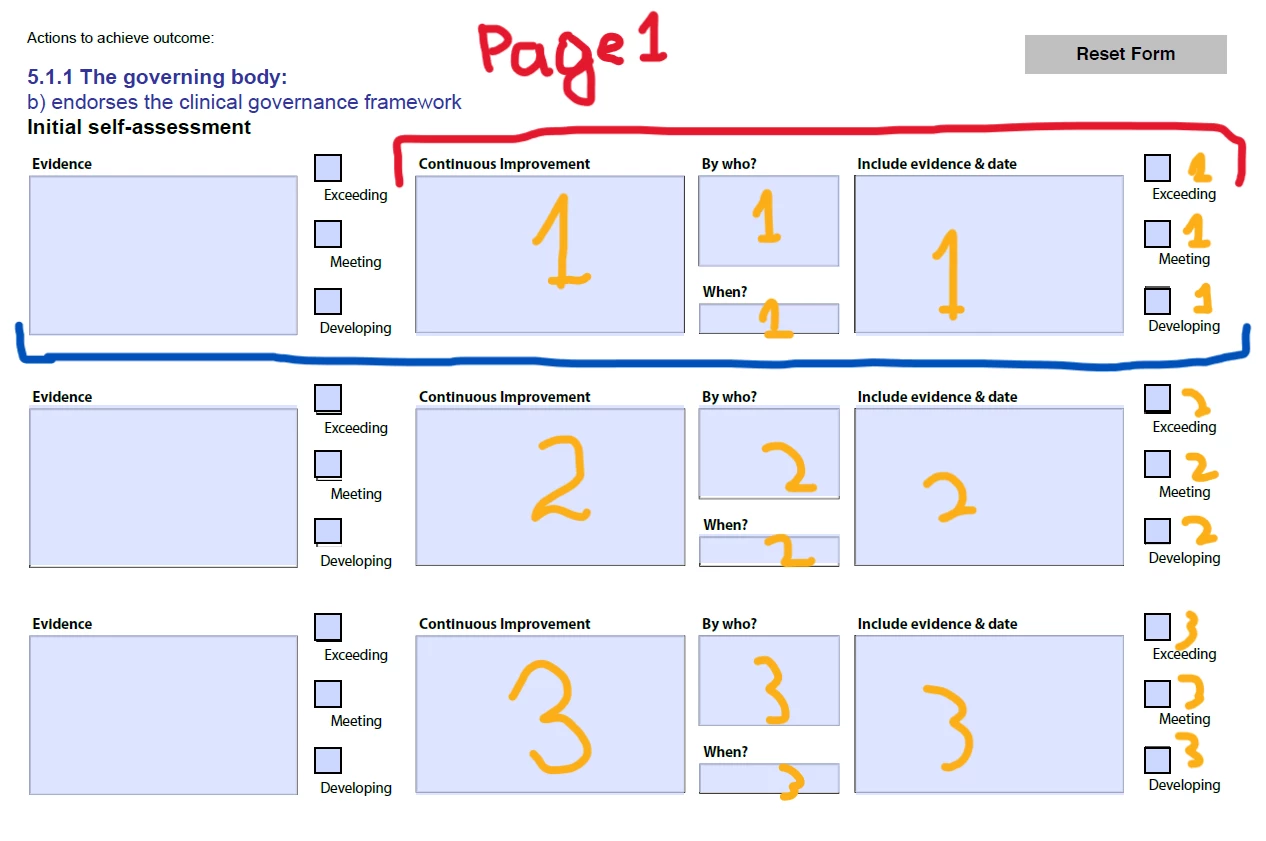
Hi, I am attaching two two-page PDF file screenshot samples. I want a script that can do the following:

  • Whenever the user enters a value in Fields 1 (3 Text Fields, 1 Date Field, 3 Checkboxes) on Page 1, its value is to be replicated in Fields 1 (3 Text Fields, 1 Date Field, 3 Checkboxes) on Page 2.
  • Next, if a user enters a value in Field 3 (3 Text Fields, 1 Date Field, 3 Checkboxes) on Page 1, all values are to be replicated in Fields 2 on Page 2. No blank fields should be present on Page 2.
  • Another example: If the user enters values in Fields 2 and 3 on Page 1, all values are to be replicated in Fields 1 and 2 on Page 2 accordingly.
  • All fields on Page 2 should be set to "Read Only."
This topic has been closed for replies.

2 replies

try67
Community Expert
Community Expert
January 21, 2024

If the first field is named "Field1", for example, name the duplicates "Field1Copy" and as their custom calculation script enter the following:

event.value = this.getField("Field1").valueAsString;

And then set them as read-only. Repeat with all other duplicate fields.

Nesa Nurani
Community Expert
Community Expert
January 21, 2024

Does all the fields need to be filled before copying, or you want to copy whenever one of the fields is populated?

Can user select more than one checkbox? If no, then it would be better to make them mutually exclusive (give them same name, and different export value).

ItsGhaniAuthor
Participating Frequently
January 21, 2024

1. No, it is not necessary that all fields are filled.
2. No, user cannot select more than one box at a time.

Nesa Nurani
Community Expert
Community Expert
January 21, 2024

You can achieve it by little update to field names on the second page and making checkboxes mutually exclusive.

Here is script and your file with script and all the new changes:

for(var i=0; i<=2; i++){
var p1t1 = this.getField("Text1.1."+i).valueAsString;
var p1t2 = this.getField("Text1.2."+i).valueAsString;
var p1t3 = this.getField("Text1.3."+i).valueAsString;
var p1d1 = this.getField("Date1."+i).valueAsString;
var p1cBox = this.getField("Check Box p1."+i).valueAsString;

var p2t1 = this.getField("p2Text1.1."+i);
var p2t2 = this.getField("p2Text1.2."+i);
var p2t3 = this.getField("p2Text1.3."+i);
var p2d1 = this.getField("p2Date1."+i);
var p2cBox = this.getField("Check Box p2."+i);

p2t1.value = p1t1 === "" ? "" : p1t1;
p2t2.value = p1t2 === "" ? "" : p1t2;
p2t3.value = p1t3 === "" ? "" : p1t3;
p2d1.value = p1d1 === "" ? "" : p1d1;
p2cBox.value = p1cBox === "Off" ? "Off" : p1cBox;}

https://drive.google.com/file/d/1KGHDv5pyC_ysREY7srnm3VcWDkNSv0eb/view?usp=sharing