
Participant
March 9, 2018
Answered

Searching for words and then Auto-highlighting (yellow) in Acrobat DC

  • March 9, 2018
  • 2 replies
  • 70393 views

Hi,

I am able to search a document for multiple words with the Find Option; however, I cannot figure out how to have the 'found words' auto-highlighted in yellow "within" the document.

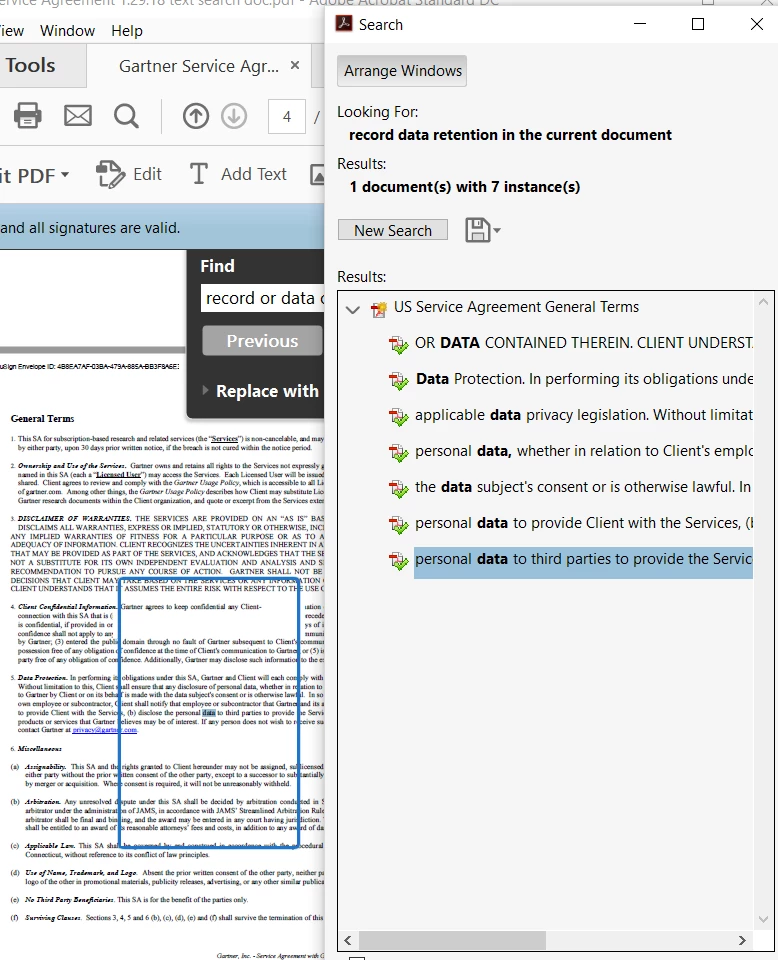
I am aware of how to see the results below in the attached screen shot where the 'found words' are listed.  You can then click on those to go directly to that page, but my ultimate goal is to be able to send the document to a recipient with the words highlighted. Does anyone know if that is possible in Acrobat DC?

Thank you for any suggestions!
This topic has been closed for replies.
Correct answer try67

You can use the "Find, Highlight, and Extract Words" Action from here: https://acrobatusers.com/actions-exchange

2 replies

Participant
August 9, 2021

i have a requirement of highlighting one set of words in one colour and other set in different colour and so on. this action does only yellow colour highlighting, can this be improvised?

try67
Community Expert
Community Expert
August 9, 2021

What action are you using, exactly?

try67
Community Expert
try67Community ExpertCorrect answer
Community Expert
March 9, 2018

You can use the "Find, Highlight, and Extract Words" Action from here: https://acrobatusers.com/actions-exchange

try67
Community Expert
Community Expert
March 9, 2018

Sorry, I just noticed you have Acrobat Standard DC (it was barely readable in your screenshot). In that case you can't use this Action, as it's a feature of Acrobat Pro only.

You can use this tool I've developed, though: Custom-made Adobe Scripts: Acrobat -- Highlight All Instances of a Word or Phrase in a PDF

Participant
March 9, 2018

Thank you - since this is for work, I will upgrade to Pro. I appreciate the feedback.