
Participating Frequently
February 4, 2018
Question

Sending email with Google Inbox or Gmail

  • February 4, 2018
  • 5 replies
  • 2744 views

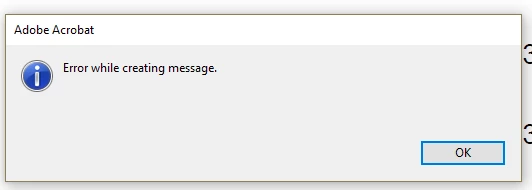
I am running Acrobat DC on Windows 10 and Google Chrome browser. I'm trying to email a PDF using the File->Attach to email feature. I always get the following error message:

Error while creating message
This topic has been closed for replies.

5 replies

Participating Frequently
February 28, 2018

I sit by the phone every night, waiting for your call..sniff...sniff...

Participating Frequently
February 25, 2018

Shivam,

I didn't answer your call because it was during my work hours. This would not be helpful, as my problem is with my home computer and I don't have access to it during the day.

As I mentioned, please phone after 19hrs EST, (GMT-5).

Ian

Participating Frequently
February 20, 2018

I tried to reply to it, but it got bounced. The auto-reply I received was:

This is the mail system at host mx1-in1.phx1.jivehosted.com.

I'm sorry to have to inform you that your message could not
be delivered to one or more recipients. It's attached below.

For further assistance, please send mail to postmaster.

If you do so, please include this problem report. You can
delete your own text from the attached returned message.

                   The mail system

<jive-1301775187-12yp7-1swlb2-1wp5@adobe-v8.hosted.jivesoftware.com>: host
    10.174.68.10[10.174.68.10] said: 553
    <jive-1301775187-12yp7-1swlb2-1wp5@adobe-v8.hosted.jivesoftware.com>
    address unknown. (in reply to RCPT TO command)

Participating Frequently
February 22, 2018

I've added my contact info to the location you've suggested.

Ian

Participating Frequently
February 22, 2018

Shivam,

This is in response to your latest email: If "anyone who uses the link will be able to access the files", then it's no different then posting it to this forum?

Participating Frequently
February 19, 2018

I followed the latest steps and my problem remains unresolved. I get the same error message.

Adorobat
Participating Frequently
February 19, 2018

Hi Ian,

I have sent you a private message, please check the inbox.

Thanks,

Shivam

Adorobat
Participating Frequently
February 5, 2018

Hi Ian.Schwartz,

Could you please try following troubleshooting steps:

1- Reboot the machine if you haven't already and try again.

2- Check updates for Acrobat - launch Acrobat > click Help > select check for updates. You may also download updates manually, visit this link: Adobe - Acrobat : For Windows , reboot the machine after installing update and check again.

3- If that doesn't work, try making gmail as a default account under Edit > Preferences > Email accounts > under list of email accounts > click on the gmail account > Make default.

Would you mind sharing Acrobat DC version installed on the machine: Identify the product and its version for Acrobat and Reader DC

Thanks,

Shivam

Participating Frequently
February 10, 2018

Shivam,

I rebooted my machine, verified I have the latest update (17.011.300.70)

and verified that my gmail account is my default email account and still have the problem.

Participating Frequently
February 13, 2018

Does anybody from Adobe have any helpful suggestions? I posted the above 3 days ago.