
Participant
July 10, 2021
Answered

Set page boxes

  • July 10, 2021
  • 1 reply
  • 2433 views

In older versions of Acrobat, there was a keyboard shortcut to open the "Set page boxes" dialogue. Now I have to go through about four steps. Is there a faster way to access this dialogue? Or, if there is no easier way, how can I create my own keyboard shortcuts for Acrobat? Thank you.
Correct answer Mike Bro

Hello @A.D.5CAB 


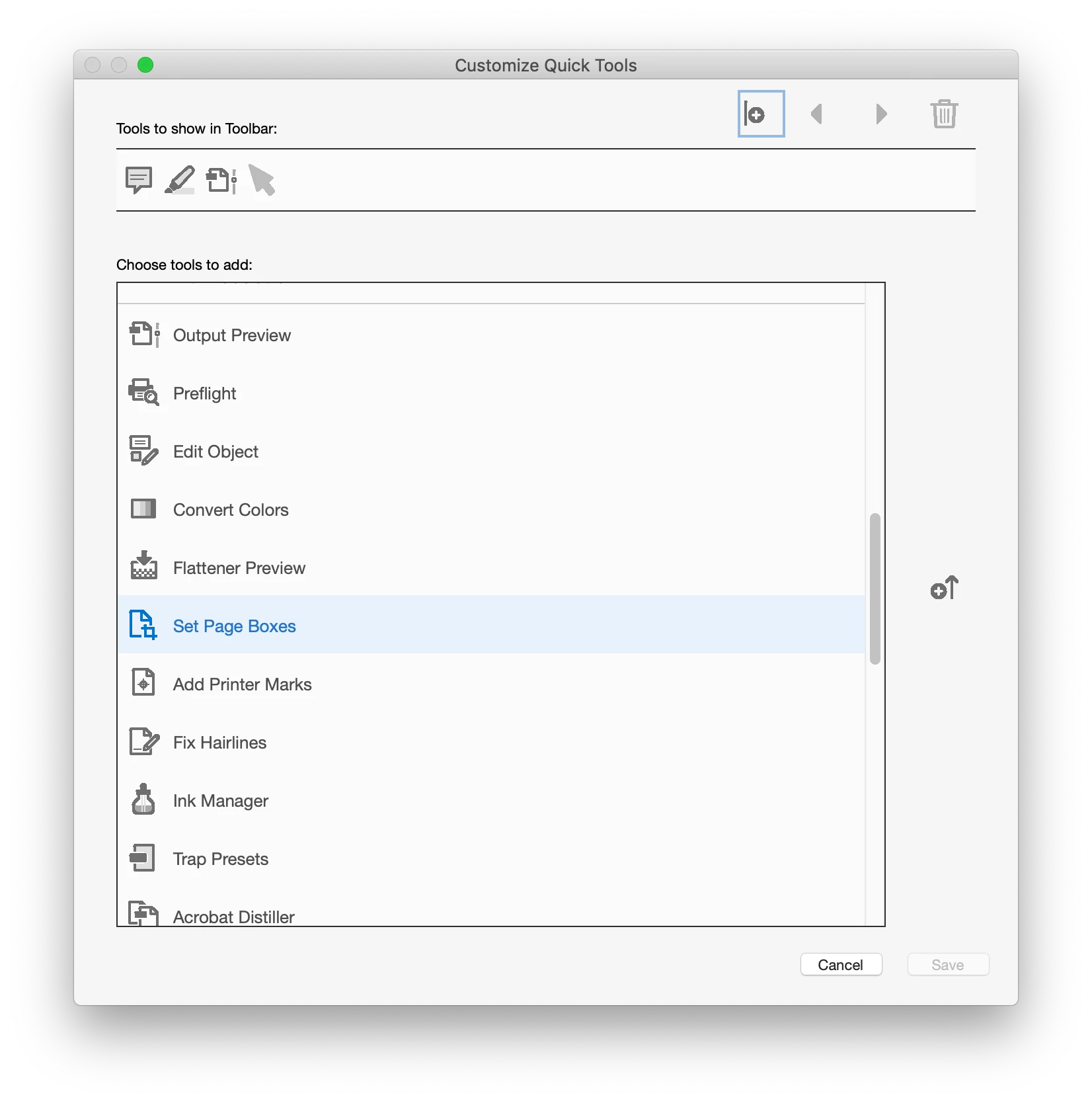
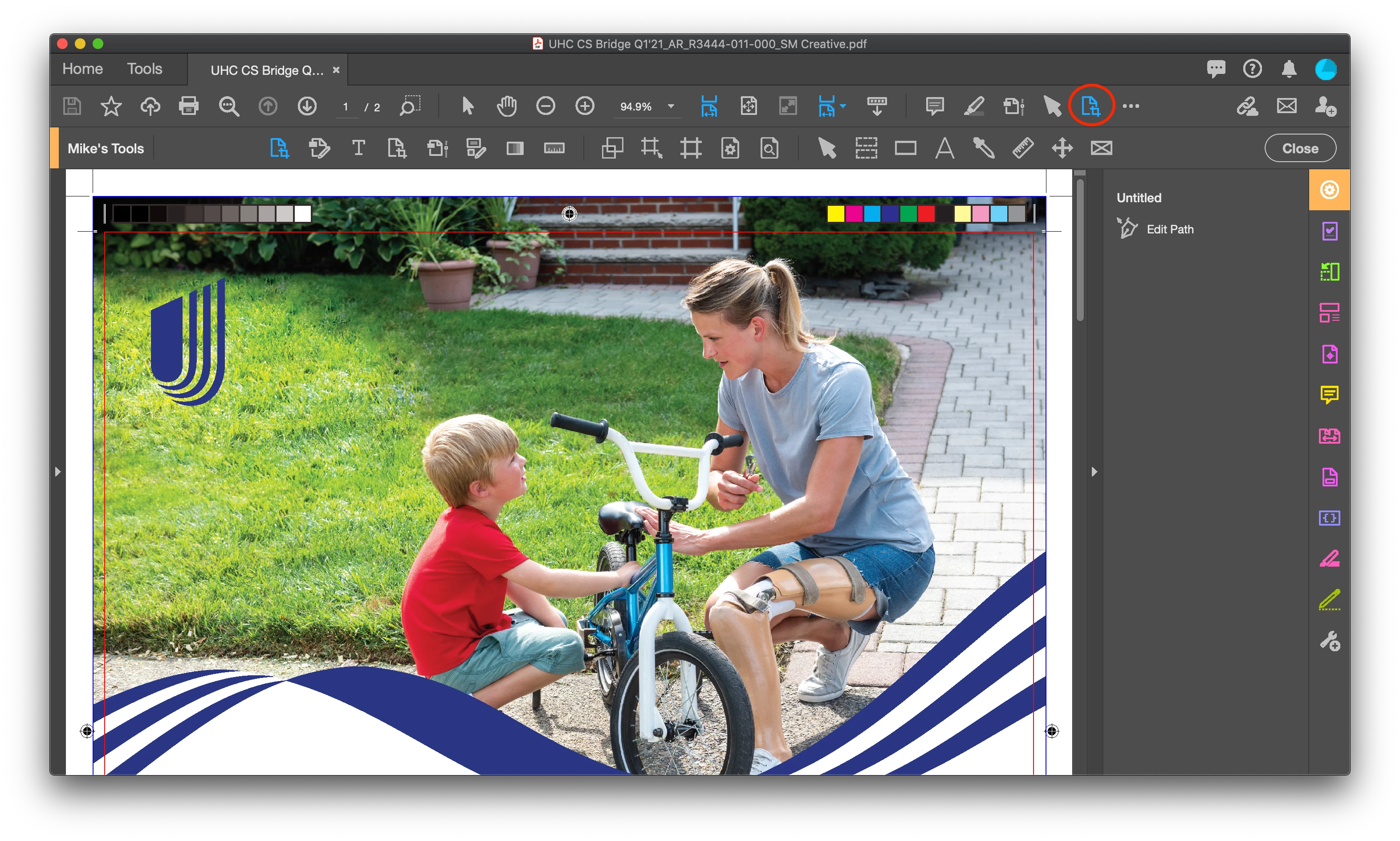
You can add the Edit Page Boxes using the Customize Quick Tools to show up in your tool bar

If you hover over the tool, in the tool tip pop-up it show the keyboard shortcut that probably varies by OS.

Regards,

Mike

1 reply

Mike BroCorrect answer
Legend
July 10, 2021

Hello @A.D.5CAB 


You can add the Edit Page Boxes using the Customize Quick Tools to show up in your tool bar

If you hover over the tool, in the tool tip pop-up it show the keyboard shortcut that probably varies by OS.

Regards,

Mike

A.D.5CABAuthor
Participant
July 11, 2021

Excellent. This is exactly what I wanted. Thank you.