


Known Participant
July 9, 2026
Question

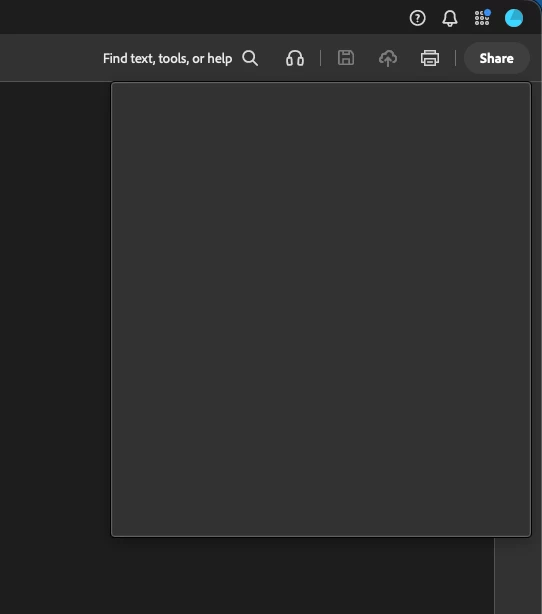
Share button dialog box is blank - again, constantly

  • July 9, 2026
  • 15 replies
  • 95 views

The Acrobat Share window constantly stops working. It regularly shows a blank window. Restarting the application does get it working again, but this requires constant restarting which is very disruptive. This is a simple feature and it should either work or not exist…


Can Adobe please look at making this feature reliable?


Acrobat 2026.001.21691
MacBook Pro 2023 - M2 Pro (32GB RAM)
macOS Tahoe 26.5.2


    15 replies

    Known Participant
    August 18, 2026

    Any updates?

    Meenakshi Negi
    Community Manager
    Community Manager
    August 18, 2026

    Hi Robert32194799hqfj,


    Sorry for the delay in response.

    The team has reviewed the logs and recommends checking if Acrobat has read access to the WebResources folder. You can find the folder at the following location: /Library/Application Support/Adobe/Acrobat/Trunk/WebResources.

    Please check the folder permissions by selecting 'Get Info' and ensure that read access is granted to everyone. If it is not, please adjust the permissions to allow read access for everyone. This should resolve the issue.


    Let us know how it goes.


    Thanks,

    Meenakshi

    Known Participant
    August 20, 2026

    Hey thanks for the response.

    I don’t have that exact folder, but I do have one here:

    /Library/Application Support/Adobe/Acrobat/DC/WebResources

    I checked and it already has read only privileges set to ‘everyone’

    So I don’t think that’s the issue.

    Any other ideas?

    Meenakshi Negi
    Community Manager
    Community Manager
    July 9, 2026

    Hi Robert32194799hqfj,


    Thank you for reaching out, and sorry for the trouble caused.


    Since the feature is displaying a black screen, could you please collect the logs related to this issue? You can follow the steps outlined here: Adobe Acrobat Diagnostics. Once you have collected the logs, please share the Log ID with us. This will help us locate the relevant logs for further investigation.

    We will share the information with the team to review this behaviour.


    If you need any help, feel free to let us know.


    Thanks,

    Meenakshi

    Known Participant
    July 9, 2026

    I got this issue when I selected ‘Enable Troubleshooting’ in Acrobat and then opened some PDF files and tried using the Share window. 

    Regardless, I’ve captured logs: 6cf67473-4e17-4d5a-9e69-43bb54d20407


    Meenakshi Negi
    Community Manager
    Community Manager
    July 9, 2026

    Hi Robert32194799hqfj,


    Thank you for the logs and the information. 

    Please allow us some time to review these logs with our team. We will get back to you with more information soon.

    We appreciate your patience.


    Thanks,

    Meenakshi