Participant
July 21, 2026
Answered

Share button missing in adobe acrobat

  • July 21, 2026
  • 1 reply
  • 19 views

Hello, 2 issues!


  1. The share button is currently missing in the top right hand of the tool bar in adobe acrobat.

I am trying to share a document for people to comment on but the share feature is not there. The only option I have is to share by email.

When I askt the AI assistant it says to select the share icon in the top right hand corner which I remember used to be there but is now not. 

 

Luckily the AI links the share button so I can do it that way, but it is really annoying not just having the big share button I used to have.


  1. Another issue is that when I share, it then says the document is not available to add comments on. The AI help says to change the share settings but there is no where to change this!

    Correct answer Dave Creamer of IDEAS

    Try a couple of things…

    If in a secure environment, check with IT to see if they disabled it. 

    Use the main menu>Share; see if button appears. 

    Repair installation and/or update.

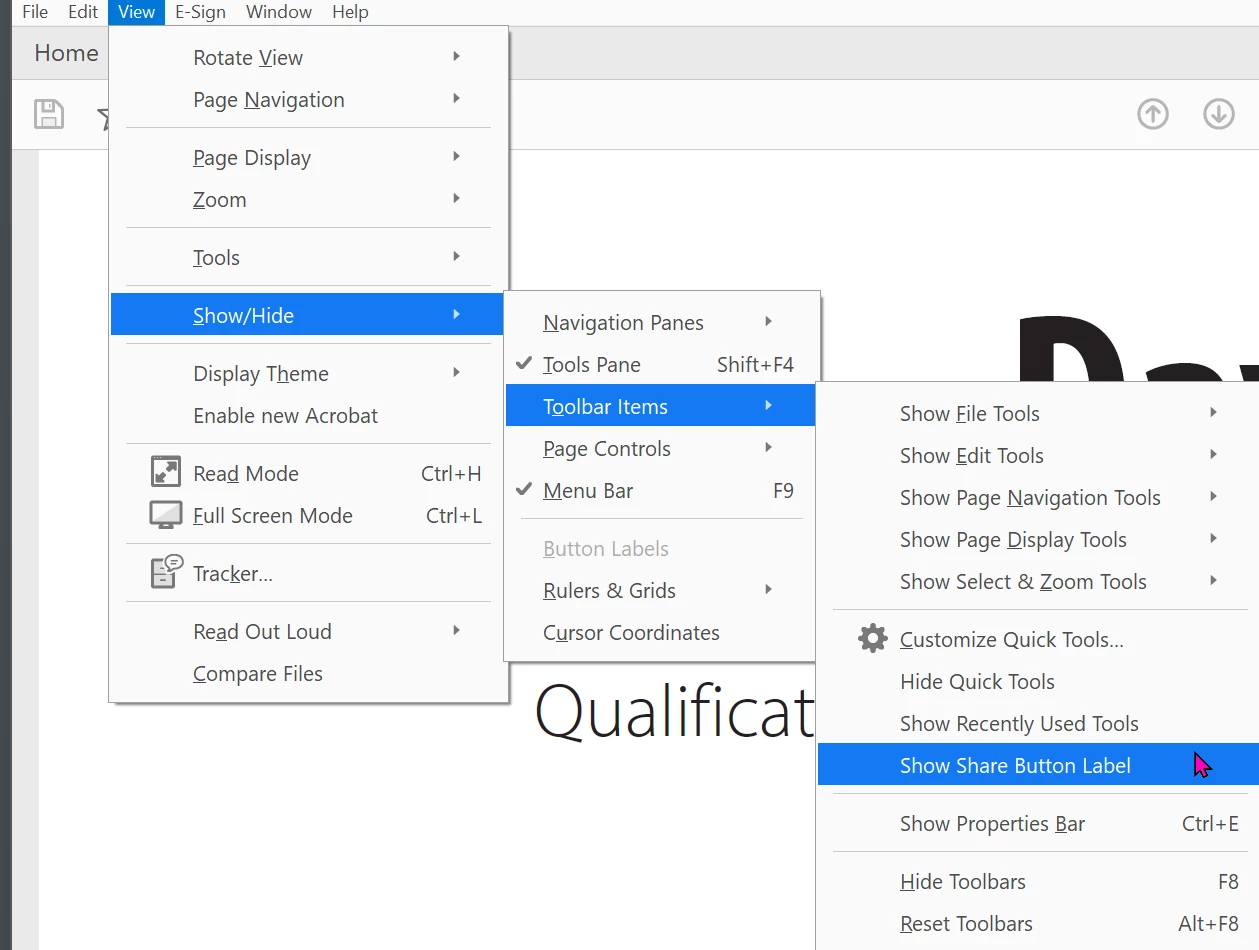
    Toggle between the old interface and the new one. While in the old interface, toggle the Share button off/on, then switch back to the new interface.


    1 reply

    Dave Creamer of IDEAS
    Community Expert
    Dave Creamer of IDEASCommunity ExpertCorrect answer
    Community Expert
    July 21, 2026

    Try a couple of things…

    If in a secure environment, check with IT to see if they disabled it. 

    Use the main menu>Share; see if button appears. 

    Repair installation and/or update.

    Toggle between the old interface and the new one. While in the old interface, toggle the Share button off/on, then switch back to the new interface.


    David Creamer: Community Expert (ACI and ACE 1995-2023)