Participant
February 28, 2025
Answered

Shared Commenting through Sharepoint issue

  • February 28, 2025
  • 2 replies
  • 730 views

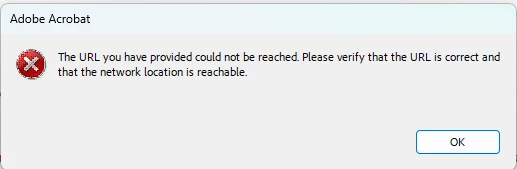
We used SharePoint to keep our reviewed files.  However, when clicking on 'Send for Shared Commenting, ' an error pops out as follows:

Previously, we could send it out for review and commenting, but we suddenly encountered this problem. I need help from Adobe to resolve this issue. I appreciate any help you can provide.

Correct answer creative explorer

@cooper_9981  The error message you're encountering, "The URL you have provided could not be reached," when attempting to use the 'Send for Shared Commenting' feature in Adobe Acrobat with SharePoint integration, indicates a breakdown in the connection between Acrobat and your SharePoint server. This issue likely stems from recent changes in network configurations, SharePoint settings, or Adobe Acrobat updates. Given that the functionality was previously working, it suggests a disruption rather than a fundamental incompatibility. To resolve this, you'll need to verify the URL being used (make sure https:// is used for security), ensure your network can access SharePoint, and check for any recent updates or modifications to either Acrobat or SharePoint that might have affected the integration. 

2 replies

SharePoint Migration
Participant
April 16, 2025

This issue typically occurs due to permission changes, SharePoint URL formatting, or Adobe Acrobat settings.

Steps to Resolve:

  1. Check SharePoint Permissions:
    Ensure you have edit or contribute rights on the document library.

  2. Use UNC Path or Correct WebDAV URL:
    Adobe Acrobat may fail if the SharePoint path isn’t in proper WebDAV format (e.g., \\yourdomain@SSL\DavWWWRoot\sites\your-site\library).

  3. Clear Acrobat Cache:
    In Acrobat, go to Preferences > Reviewing, and clear the shared review cache.

  4. Try a Different Document Library:
    Test with another SharePoint library to rule out corruption or configuration issues.

Alternative Tip:
To bypass such issues, try Kernel Migration for SharePoint. It helps move and manage files efficiently, especially when shared commenting or review workflows fail due to permission or connection problems.

creative explorer
Community Expert
creative explorerCommunity ExpertCorrect answer
Community Expert
March 7, 2025

@cooper_9981  The error message you're encountering, "The URL you have provided could not be reached," when attempting to use the 'Send for Shared Commenting' feature in Adobe Acrobat with SharePoint integration, indicates a breakdown in the connection between Acrobat and your SharePoint server. This issue likely stems from recent changes in network configurations, SharePoint settings, or Adobe Acrobat updates. Given that the functionality was previously working, it suggests a disruption rather than a fundamental incompatibility. To resolve this, you'll need to verify the URL being used (make sure https:// is used for security), ensure your network can access SharePoint, and check for any recent updates or modifications to either Acrobat or SharePoint that might have affected the integration. 

m
Participant
March 10, 2025

Hi creative explorer,


Thanks for the answer. I managed to resolve the problems. 

I appreciate your response very much regarding this issue. 


Best regards,

Cooper