
Participating Frequently
September 1, 2020
Answered

Signature box not showing or not able to sign

  • September 1, 2020
  • 1 reply
  • 16633 views

Greetings,

I am testing the fillable pdf form I created in Acrobat but my testers are not able to sign it digitally. Why might this be?   (I will attach below.)  Also, am I better off sending via "distribute" or as an attachment as far as ease in accessing and working with the data returned from the forms?    Thanks in advance for your help.
This topic has been closed for replies.
Correct answer ls_rbls

Yes it is, and yes they'll be able to sign. The recipients don't need to send the form because you already send it. They're only required to fill and sign..


As a matter of fact, Adobe Sign was featured in Acrobat about 2 or 3 updates ago and it seems to be gaining popularity; users in general are not acquainted yet with all the workflows that you can accomplish with Adobe Sign.


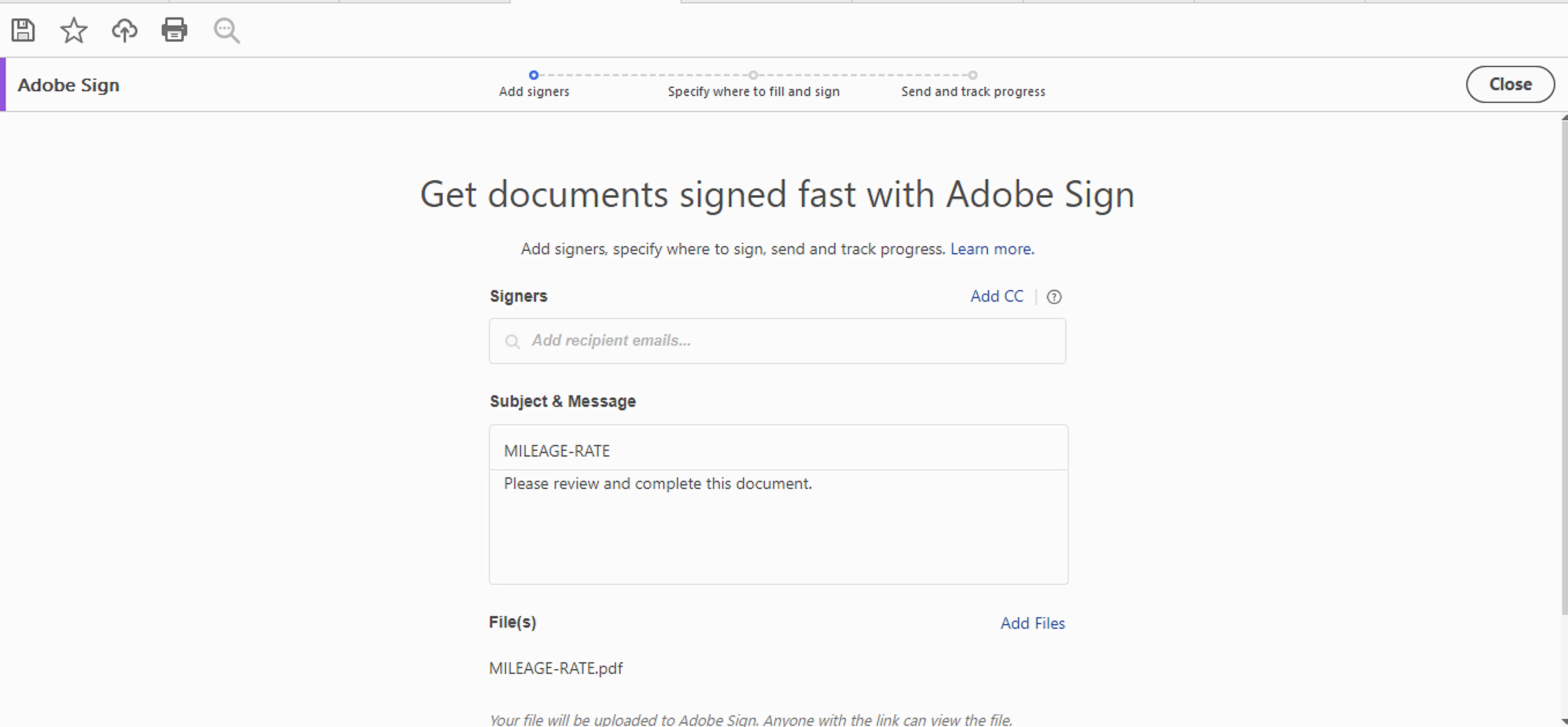
In short, once you finish creating your PDF, all you have to do is open the Adobe Sign and follow the easy steps privided by the wizard.


See slide below:


1 reply

ls_rbls
Community Expert
Community Expert
September 1, 2020

The signature fields works just fine if you open it in Acrobat Pro DC or Adobe Reader DC.


The signature field is innaccessible when it is opened in a web browser. 


Web browser with PDF viewing capabilities may not render PDF documents correctly. It is better if you encourage the testers to open the document at least in Adobe Reader DC (free version -- or similar PDF viewing products).


Because not all users want to download and install anything else in their computers, and because nowadays, more and more users tend to do everything  via web browsing, you're better if you just send the PDF with Adobe Sign.


KaySera19Author
Participating Frequently
September 2, 2020

Thank you. lsrbls.  Will recipients be able to fill out form as well as sign it with Adobe Sign?  Is it part of Adobe Acrobat?  I appreciate your help!

ls_rbls
Community Expert
ls_rblsCommunity ExpertCorrect answer
Community Expert
September 2, 2020

Yes it is, and yes they'll be able to sign. The recipients don't need to send the form because you already send it. They're only required to fill and sign..


As a matter of fact, Adobe Sign was featured in Acrobat about 2 or 3 updates ago and it seems to be gaining popularity; users in general are not acquainted yet with all the workflows that you can accomplish with Adobe Sign.


In short, once you finish creating your PDF, all you have to do is open the Adobe Sign and follow the easy steps privided by the wizard.


See slide below: