Signature field on a spawned page is not maintaining the same properties as from the invisible temp
Hi All,
I'm using Adobe Acrobat Pro DC 21.001.20150 and I'm trying to create a form composed of 2 visible pages and a 3rd page which I converted in template and made it invisible.
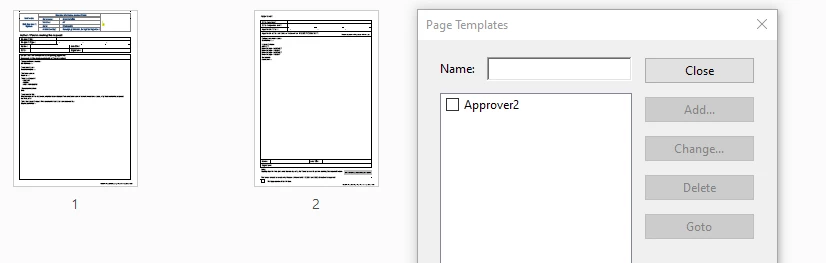
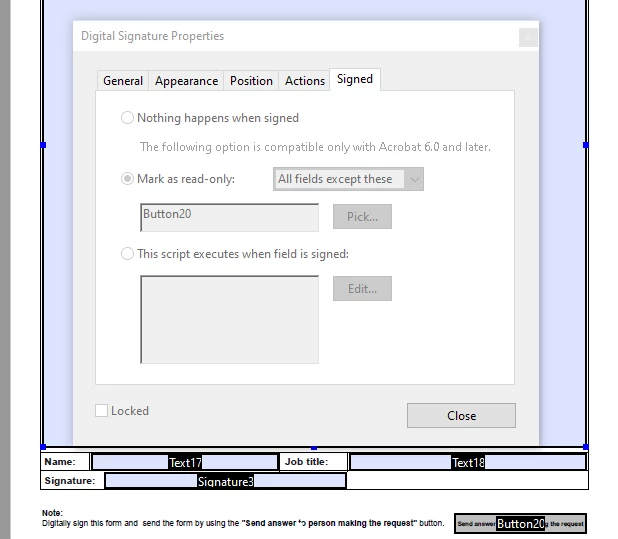
On this 3rd page (invisible templete) I have a digital signature field which I have set as when "signed" to mark as read-only: All fields except these and I have selected a button which will be used to submit the form.
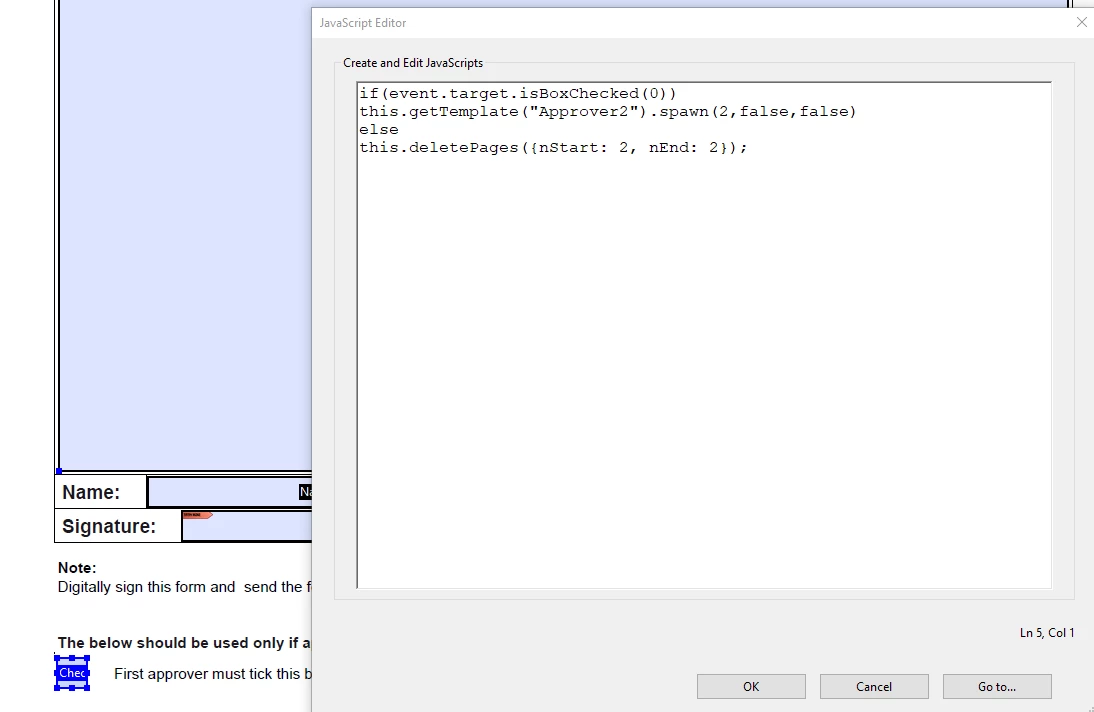
On the second page I have a check box which I coded with JavaScript to:
when checked to spawn a 3rd page based on the invisible template page
when unchecked to delete this 3rd page.
See the code I have used below
if(event.target.isBoxChecked(0))
this.getTemplate("Approver2").spawn(2,false,false)
else
this.deletePages({nStart: 2, nEnd: 2});
The button is working fine is generating the 3rd page and is deleting the 3rd page.
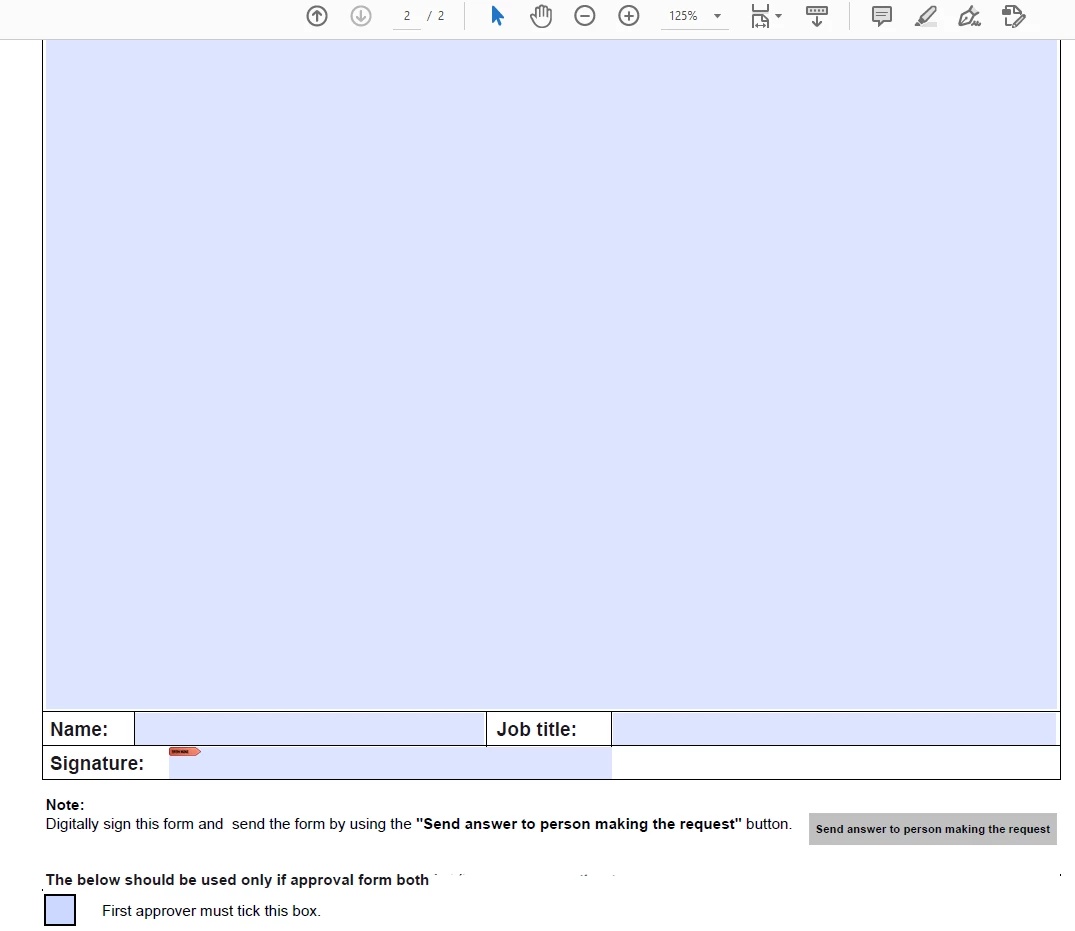
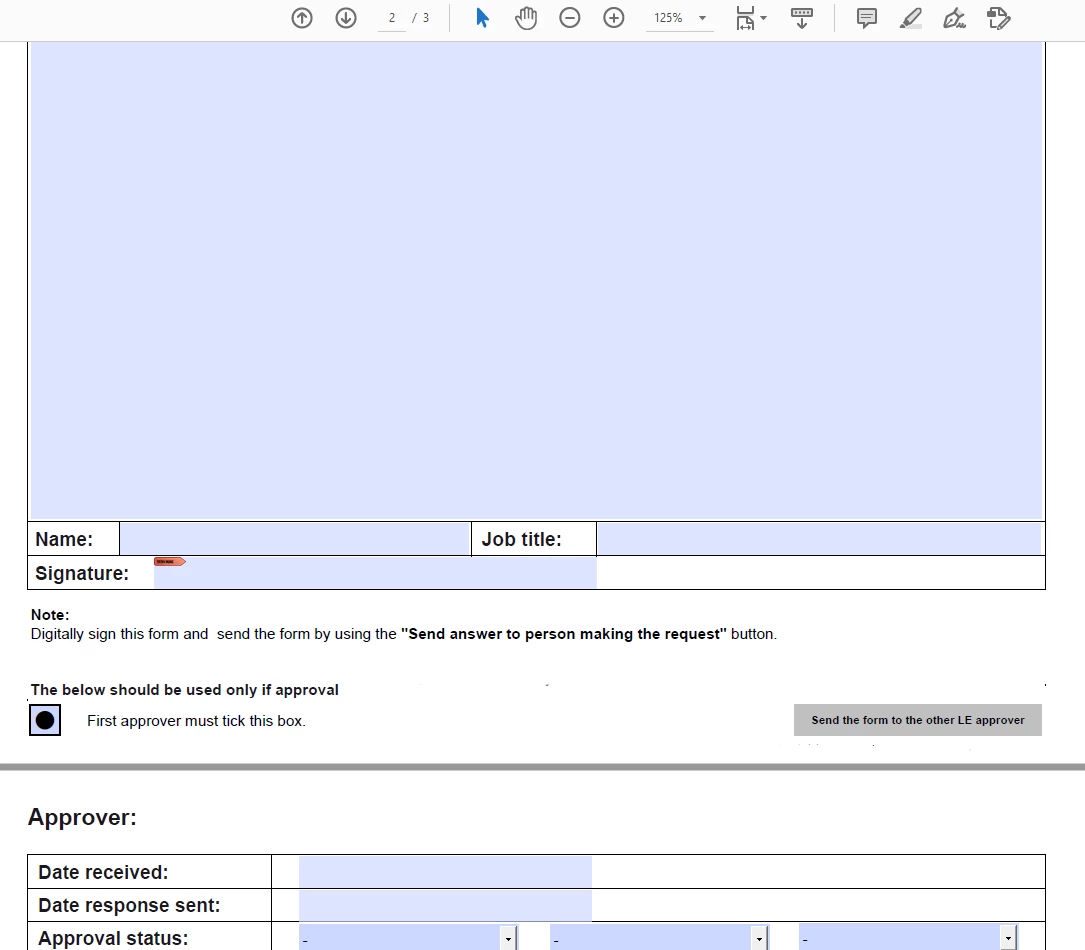
The issue I have is that when the 3rd page (which is spawned ) is signed the fields on the 3rd page are not made read-only as I had set/programed on the invisible template page.
I have done a lot of reading but unfortunately I can't figure out to make it work. 😞
Can anyone tell me what I'm doing wrong?
Any help/suggestions how to solve this issue would be much appreciated.
Thanks in advance.
M
 AdChoices