

JillJohnson829
Participant
May 24, 2023
Question

Some characters turn into gibberish when saving Word doc as PDF

  • May 24, 2023
  • 1 reply
  • 2215 views

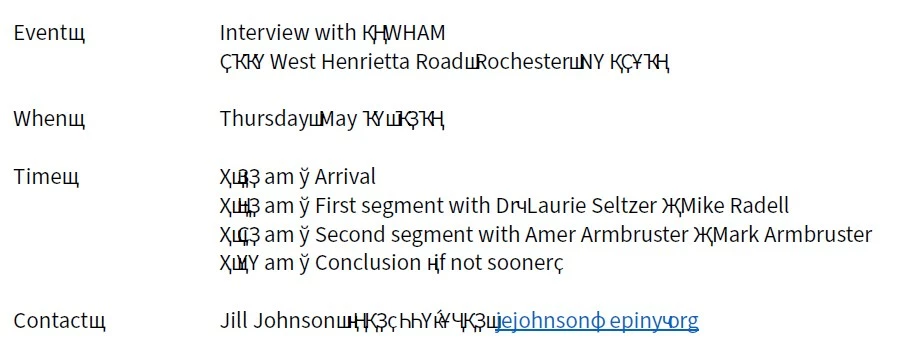
Trying to save a Word doc as a PDF.  Haven't had any issues until today when the PDF show gibberish font characters. 

  • Tried running virus scan - nothing. 
  • Tried checking ebedding fonts settings in both Acrobat and Word - nothing. 
  • Tried saving in Word as well as using the Adobe cloud to convert - nothing. 

Example below.  Any ideas for troubleshooting?
This topic has been closed for replies.

1 reply

Amal.
Community Manager
Community Manager
May 25, 2023

Hi @JillJohnson829 


Hope you are doing well and thanks for reaching out.


Is this an issue with a particular document or with all the PDF that you create from MS Word? What are the workflow/steps you are doing to create the PDF? A small video recording of the same would be very helpful.

Please try to create the PDF from the Acrobat ribbon present in the MS Word toolbar at the top right corner and see if that works.


You may also try to save the PDF as optimized as described below:

  1. Open the PDF in Acrobat Pro
  2. Go to File > Save as Other > Optimized PDF > go to font tab and check for any fonts to be retained and see if that works.


For more information about font embedding, please check the help page https://helpx.adobe.com/acrobat/using/pdf-fonts.html


Regards

Amal