
Participant
April 3, 2020
Question

Speed up Acrobat DC OCR

  • April 3, 2020
  • 2 replies
  • 4020 views

I'm using Acrobat DC to OCR a LOT of pdfs and it is not even coming close to using the resources of my PC. Is there a way to force it to use more resources? 
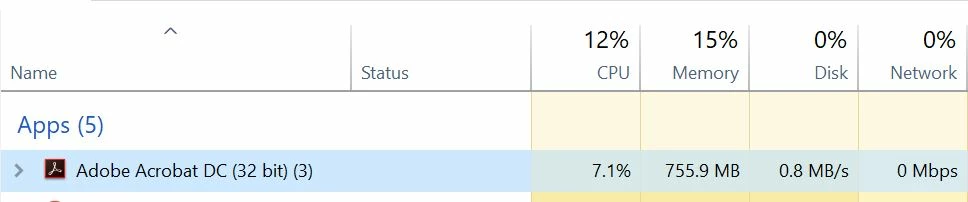
Currently it is maxing out at 7.6% CPU and 770MB RAM. 0% disk use (1.1MB/s)
How can I make this go faster? Thanks!
PC specs: 

Usage:
2 replies

Legend
September 10, 2020

Your processor has 10-20 cores, so this is max CPU for an app running on one processor. Acrobat can't do better than that, it's maxed out. You can do 19 other things really well, that's what your CPU power is about, not one thing very fast.

Participant
September 11, 2020

Meaning DC isn't optimized for high core count CPUs?

I think CPU Usage was the same across all cores for DC.

Legend
September 11, 2020

Yes, like most apps it can only use one core. The system will constantly reschedule work, hundreds of times a second, and will choose a different core each time; but still, only one at a time.


Acrobat is designed for very low volume, interactive work. If you are trying to automate high volumes it isn't the right tool for you. I suggest you look outside Adobe's products in this case, though we can't use this forum to recommend any in particular.

Participant
September 10, 2020

Same here:


Any ideas?